


Status report template
Use a ready-made status report template to share progress, blockers, and next steps faster, without searching for information within spreadsheets, emails, and other productivity tools.
Sign up to create your own template.
Status report template
Use a ready-made status report template to share progress, blockers, and next steps faster, without searching for information within spreadsheets, emails, and other productivity tools.
Create your templateSign up to create your own template.
INTEGRATED FEATURES
Recommended apps




Summary
Keeping stakeholders updated on project progress shouldn't take up all your productive time. Without a consistent format, creating a status report often means gathering details from spreadsheets, emails, and team members, then hoping people read it. A good status report template fixes this by giving you a simple structure to share what's on track, what's blocked, and what's next.
In this article, you'll find out what a status report is, the types you can use, what to include in each, and tips for writing updates that keep your team on the same page. You'll also learn how Asana's status report templates connect with your team's work, so you can avoid manual data collection and focus on what matters.
![[Product UI] Example Asana project status report for an ebook launch meeting (Status Updates)](https://assets.asana.biz/transform/f4db2f8c-dc13-47b9-86ae-b8835fccb5ac/inline-how-project-status-reports-1-2x?io=transform:fill,width:2560&format=webp)
What is a project status report?
A project status report is a document that summarizes a project's progress, health, and upcoming priorities for stakeholders. It gives your team a high-level view of what's on track, what's running behind, and what's coming up next.
An effective status report also covers:
Current blockers: Issues slowing your project down right now
Project risks: Potential problems that could cause delays
Next steps: Upcoming actions to keep work moving forward
Project status reports are usually sent weekly or monthly to keep everyone informed. This way, you spend less time on updates and more time getting important work done.
What is a status report template?
A status report template is a ready-made version of a project status report. It gives you a reusable structure for your updates, showing what sections and information to include. With the template, you just fill in the details and send it to your team.
Look for a status report template built into a larger work management platform, like Asana. That way, status updates are directly connected to your team's work, and you can:
Pull data without switching apps: Access information from any project or team in one place
Automate repetitive tasks: Centralize your information instead of tracking down numbers from multiple sources
Types of status reports
Not all status reports have the same purpose. The type you use depends on how often you report, who will read it, and how much detail your stakeholders need.
Daily status reports
Daily status reports are short updates that cover what each team member accomplished and what they plan to work on next. They're especially useful for fast-moving projects or teams that need to stay closely coordinated, like product launches or teams running daily standups.
Weekly status reports
Weekly reports are the most common. They give a bigger picture of progress, blockers, and priorities for the coming week. This approach keeps stakeholders informed while giving your team time to make real progress between updates.
Monthly status reports
Monthly status reports summarize key accomplishments, budget status, risks, and upcoming milestones across a longer time frame. They're well-suited for teams creating executive reporting for stakeholders who want to understand overall project health without granular detail.
Quarterly status reports
Quarterly reports show progress toward strategic goals and long-term plans. They help leaders decide how to use resources and what changes to make for the future.
What to include in a status report template
A good status report sums up project progress, recent wins, upcoming blockers, and next steps in a format that's easy for stakeholders to scan quickly.
Status report templates in Asana come pre-populated with sections that make it easy to highlight important project information. When you create a status update, the report is pre-filled with sections for:
The report name should summarize the project you're reporting on and any information related to the specific update, such as the dates covered in the status report.
Specific project details, such as the project name, project manager, project timeline, and project priority.
A status tag indicating project health, such as 'on track,' ' at risk,' or 'off track.'
A summary of the project's current status, which should include an overview of the project's progress to date.
Specific accomplishments the team has achieved since the last update, such as project milestones they've hit or statistics you want to highlight.
Current project blockers slowing project progress, as well as any upcoming roadblocks you want to address before they cause delays.
The next steps you and your team will take following the status update.
Additionally, you can use the "highlights" section of the status report to showcase accomplishments completed since your last update, such as milestones, tasks, or approvals. Since the status report template pulls figures directly from Asana, it's an easy way to keep stakeholders in the loop without manually pulling data.
Read: Track milestones and automate updates with our progress report templateBest practices for writing status reports
Knowing what to include is just the start. These tips will help you write status reports that your stakeholders will actually read.
Keep it brief. Focus on what your audience needs to know. A status report should give stakeholders a clear view of project health without making them read too much detail.
Start with the most important information. Put your project's health, main accomplishments, and blockers at the top. Stakeholders should get the big picture right away.
Use the same format every time. When your status reports follow a set structure, stakeholders know where to find the information they need. A template helps keep things consistent.
Adjust the level of detail for your audience. An executive sponsor needs different details than a project team member. Change your language and depth based on who will read the report.
List next steps and who owns them. Every status report should end with specific actions and the responsible party for each. This keeps your project moving and builds accountability.
Set a regular schedule for reporting. Whether it's daily, weekly, or monthly, stick to it so stakeholders know when to expect updates.
The benefits of status report templates
Status reports keep team members and cross-functional stakeholders informed and aligned through consistent project reporting. By using a status report template in Asana, you can directly link your team's work to your status updates, cutting down on manual data collection and providing quick visibility into the progress you're making toward project goals.
With the status report template in Asana, you can:
Quickly communicate project status to project team members and the stakeholders in your stakeholder register.
Provide real-time visibility into what's on track and what needs attention.
Summarize the project's status at a high level, cutting down on unnecessary communication while ensuring everyone gets the highlights and key metrics.
Support project tracking and ensure your entire team is confident about the project's progress.
Catch and fix roadblocks early, keeping your project on track and ensuring you hit project deadlines.
Directly connect your status updates to where work happens, reducing app switching and manual data collection.
Take advantage of portfolios to track your team's progress across multiple projects.
Keep your team aligned by sharing next steps and action items.
Cut down on unproductive status meetings and emails.
Features and apps to use with your status report template
The average knowledge worker switches between nine apps per day, and all that toggling leads to distraction and lowered productivity.
That's where integrations come in. Sync apps like Google Drive with Asana to create a centralized system of record for all your project work.
Integrated features
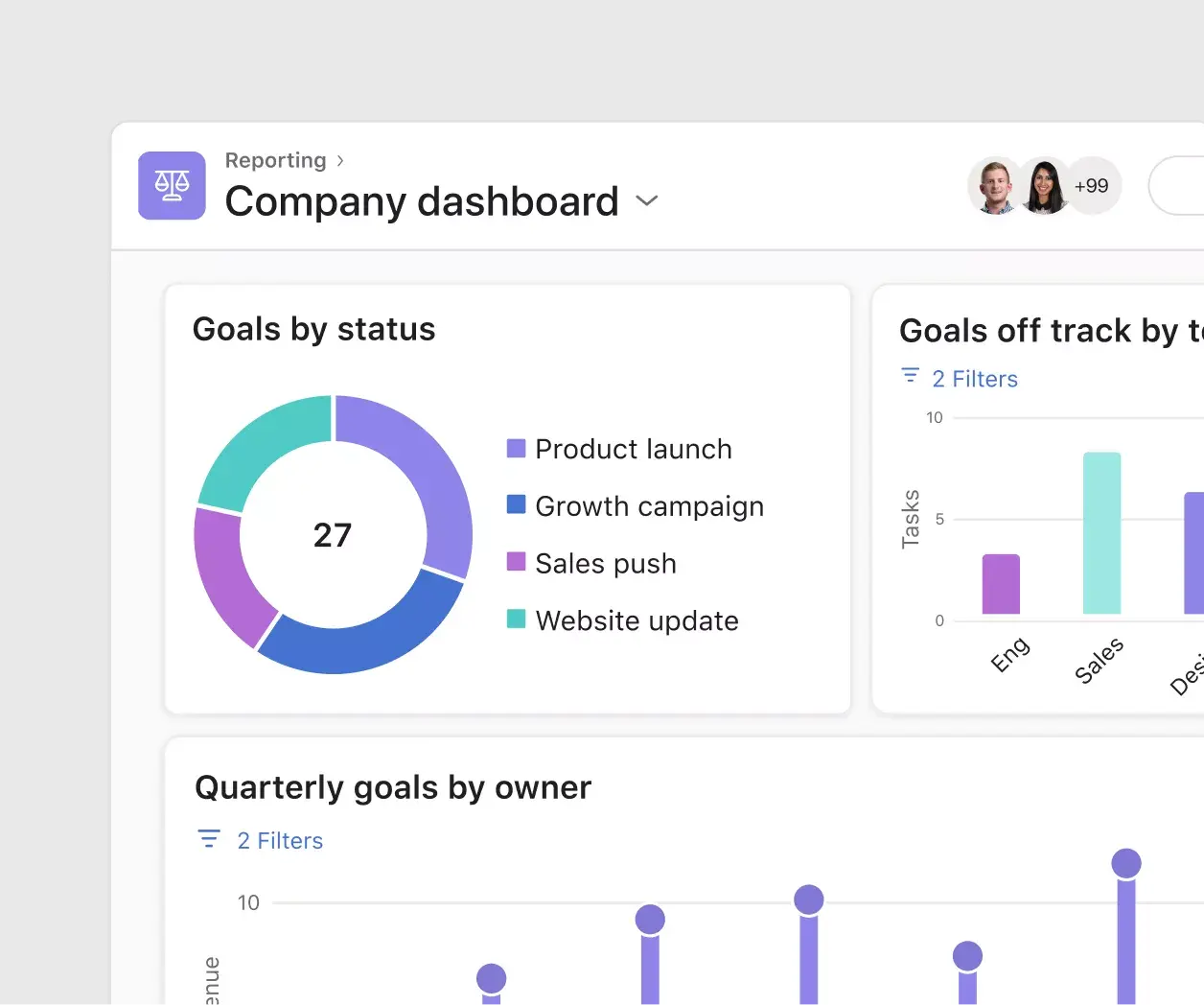
Reporting. Reporting in Asana translates project data into visual charts and digestible graphs. By reporting on work where work lives, you can reduce duplicative work and cut down on unnecessary app switching. And, because all of your team's work is already in Asana, you can pull data from any project or team to support data-driven decision-making in one place.
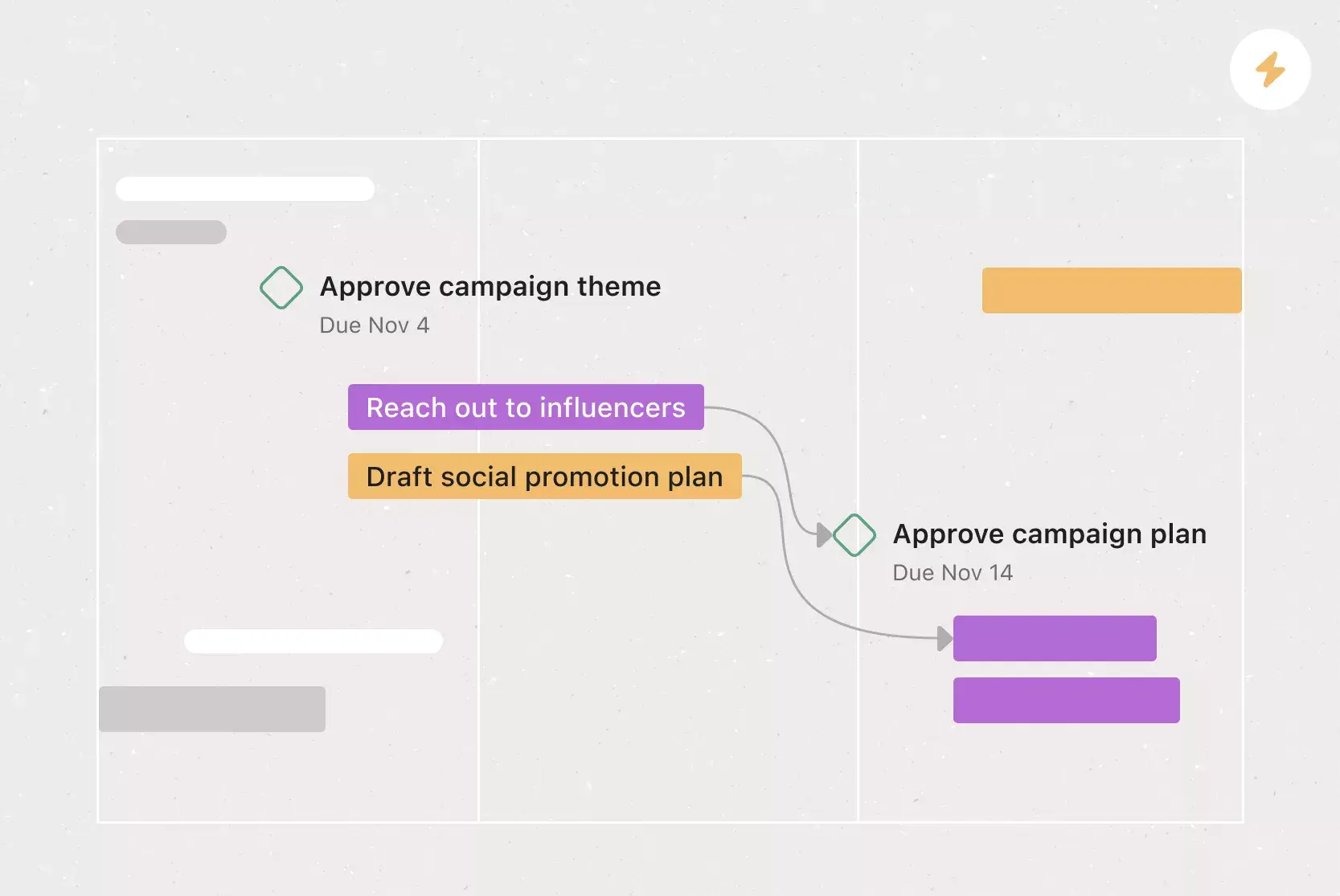
Milestones. Milestones represent important project checkpoints. By setting milestones throughout your project, you can let your team members and project stakeholders know how you're pacing towards your goal. Use milestones as opportunities to celebrate the little wins on the path to the big project goal.
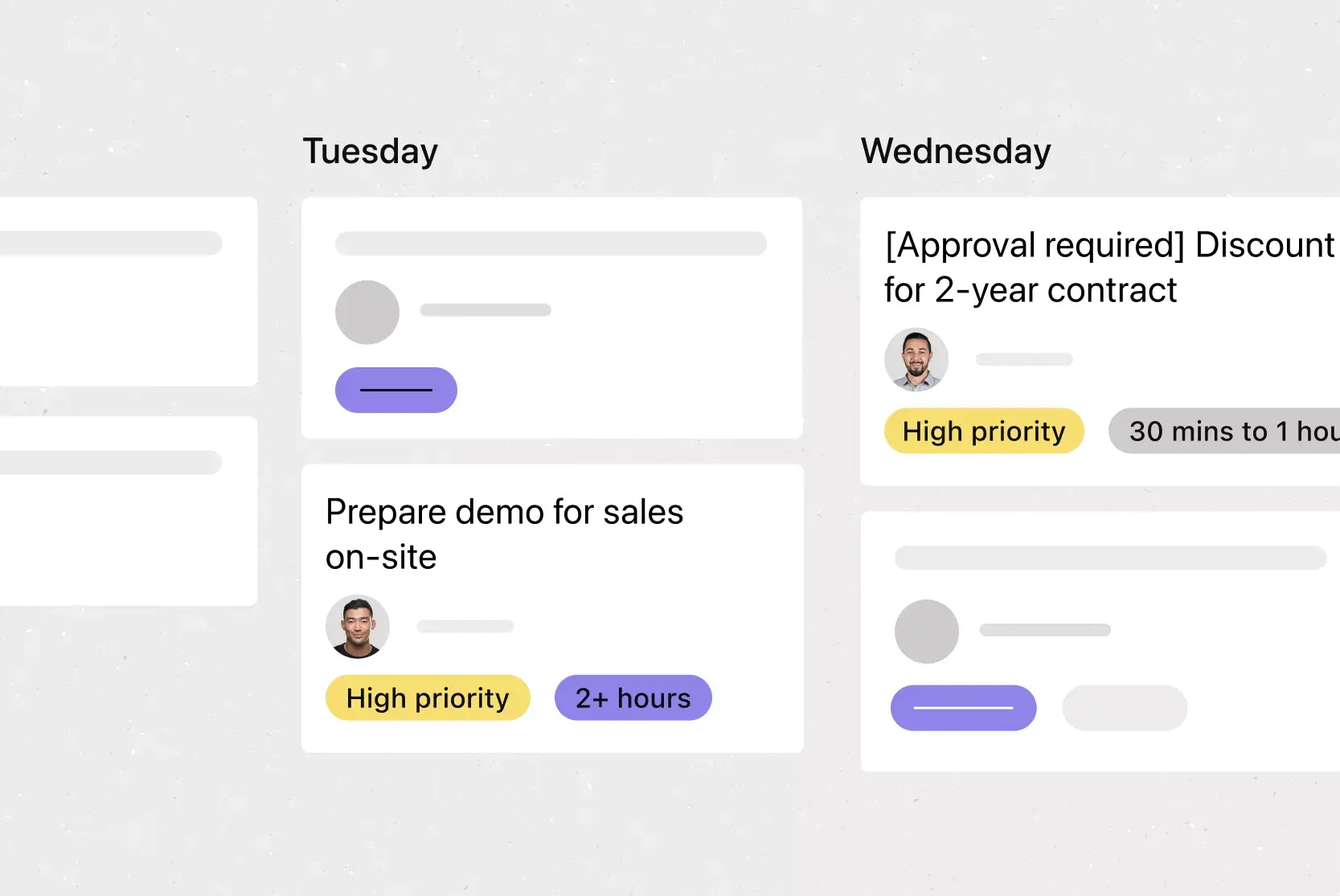
Approvals. Sometimes you don't just need to complete a task; you need to know whether a deliverable is approved. Approvals are a special type of task in Asana that allow you to "Approve," "Request changes," or "Reject" the task. That way, task owners get clear instructions on the actions they should take and whether their work has been approved.
Project status updates. Say goodbye to sorting through multiple tools to find project status information or sitting through another meeting that could have been an email. Project status updates in Asana aren't just easier to use; they're also directly connected to the work your team does. This makes it easy for team members to access additional project information, like your project plan, communication plan, project goals, milestones, deliverables, and more.
Recommended apps
Dropbox. Attach files directly to tasks in Asana using the Dropbox file chooser, built into the Asana task pane.
Box. Attach files directly to tasks in Asana using the Box file picker, built into the Asana task pane.
Google Workplace. Attach files directly to tasks in Asana using the Google Workspace file picker, built into the Asana task pane. Easily attach any My Drive file with just a few clicks.
OneDrive. Attach files directly to tasks in Asana using the Microsoft OneDrive file chooser, built into the Asana task pane. Easily attach files from Word, Excel, PowerPoint, and more.
Streamline your status reporting with Asana
Status reports don't have to be a time-consuming chore. With a clear template and a consistent process, you can keep stakeholders informed, catch blockers early, and spend more time on the work that moves your projects forward.
The status report template in Asana gives you pre-built sections, real-time data from your projects, and a simple way to share updates without switching between tools. Get started and try it today.
Project status report free templateFAQs about status report templates
Weekly reports are the most common cadence for active projects, while monthly or quarterly reports suit long-term initiatives and daily check-ins work best for fast-moving work like product launches.
A status report is a point-in-time snapshot of a project's health, while a progress report focuses on work completed over a period and how it compares to the original plan. The two terms are often used interchangeably, but status reports tend to be more frequent and action-oriented.
The best format is consistent and scannable, with a project health indicator, a summary of recent progress, current blockers, and clear next steps. Using a work management tool like Asana keeps the format standardized and the data up to date.
When you create a new status update in Asana, the template comes pre-populated with sections you can fill out, including: project status, project summary, recent accomplishments, project blockers, and next steps. You can also pull data from your Asana project to highlight completed milestones, tasks, and approvals.
Related templates
![[Templates] Editorial Calendar (Share image)](https://assets.asana.biz/transform/5fac5de2-17f6-4d69-8cd3-091a887a24bd/TG23-web-thumbnail-042-editorial-resource-management-static-2x?io=transform:fill,width:2560&format=webp)
![[Templates] Marketing Project Plan (Card) image](https://assets.asana.biz/transform/af70ac54-97b9-4639-b639-be3a3d951e3e/TG23-web-thumbnail-016-stakeholderregister-static-2x?io=transform:fill,width:2560&format=webp)
![[Templates] Operations Project Plan (Card)](https://assets.asana.biz/transform/ec3bf1b9-cbcd-413c-a20c-82bf1dbe10d2/TG23-web-thumbnail-008-risk-management?io=transform:fill,width:2560&format=webp)
![[Template] IT project plan (Card image)](https://assets.asana.biz/transform/8aa523a9-4dcb-4053-8e69-7bdf900b48b9/web-product-template-thumbnail-IT-EN-US?io=transform:fill,width:2560&format=webp)
![[Old Product UI] Sprint planning project with t-shirt sizes in Asana (Lists)](https://assets.asana.biz/transform/34817820-b376-4110-a8be-9a2c7c546a77/inline-project-planning-t-shirt-sizing-product-ui-list-view-sprint-planning-en-2x?io=transform:fill,width:2560&format=webp)



![[Templates] RFP Process (Card image)](https://assets.asana.biz/transform/14aa111b-ab22-483f-bfd1-3090acb7d2a5/RFP-process-premium-m?io=transform:fill,width:2560&format=webp)

![[HR Project Plan] template Card Image](https://assets.asana.biz/transform/663b8e5e-89c9-4b0b-b48b-1b17e01d1889/TG23-web-thumbnail-033-process-improvement-static-2x?io=transform:fill,width:2560&format=webp)
![[Templates] Waterfall project management (card image)](https://assets.asana.biz/transform/d87fc21c-53f0-4bc9-9094-9789b963be9b/article-project-management-waterfall-project-management-methodology-2x?io=transform:fill,width:2560&format=webp)
![[Templates] Event Marketing Plan (Card image)](https://assets.asana.biz/transform/6c7b9329-b612-4732-910a-7917fa079f0b/TG23-web-thumbnail-014-project-chart-static-2x?io=transform:fill,width:2560&format=webp)

![[Templates] Communication plan (card image)](https://assets.asana.biz/transform/3dc9eadf-9d2d-40a2-a05d-63adb32a1de7/article-collaboration-synchronous-vs-asynchronous-communication-2x?io=transform:fill,width:2560&format=webp)






![[Templates] Design Project Plan (Card image)](https://assets.asana.biz/transform/c768a28c-822f-420f-93f9-f2eea4c93780/TG23-web-thumbnail-032-bill-of-materials-static-2x?io=transform:fill,width:2560&format=webp)
Create templates with Asana
Learn how to create a customizable template in Asana. Get started today.