


Scrumban template
Combine Scrum's planning with Kanban's flexible workflows using this reusable Scrumban template. Set up your board, define WIP limits, and standardize your process across projects.
Sign up to create your own template.
Scrumban template
Combine Scrum's planning with Kanban's flexible workflows using this reusable Scrumban template. Set up your board, define WIP limits, and standardize your process across projects.
Create your templateSign up to create your own template.
INTEGRATED FEATURES
Recommended apps




![[Product ui] Scrumban project in Asana, in a Kanban board (Boards)](https://assets.asana.biz/transform/dd4854fa-f1a7-498f-9c95-40c3f486fa30/TG23-web-hero-028-scrumban-feature-static-2x?io=transform:fill,width:2560&format=webp)
Summary
If you're looking to switch from Scrum to Kanban, a Scrumban template can help your team transition. This template grounds your team with familiar methods while they learn to use the new one.
What is a Scrumban template?
A Scrumban template is a reusable blueprint that project managers use to create and organize Scrumban projects. It standardizes the Scrumban process, so your team has an easily repeatable framework as they shift between projects.
Scrumban is an Agile framework that combines two common project management strategies: Scrum and Kanban. It is commonly used to help teams transition from Scrum to Kanban, or vice versa.
Create a Scrumban templateHow Scrumban combines Scrum and Kanban
Scrumban takes the structure of Scrum and the visual workflow management of Kanban to create a flexible project management approach. Here's what each framework contributes:
From Scrum: Iterative planning cycles and a prioritized backlog. Teams use short planning sessions to review and reprioritize work without committing to rigid sprint timelines. Regular retrospectives help teams reflect on what's working.
From Kanban: A visual board layout with work-in-progress (WIP) limits. Team members pull new tasks as they complete current ones, maintaining a continuous flow rather than waiting for a sprint to end.
This combination lets teams maintain Scrum's planning discipline while gaining Kanban's pull-based flexibility, making Scrumban particularly useful for teams with varying workloads or shifting priorities.
How do you create a Scrumban template?
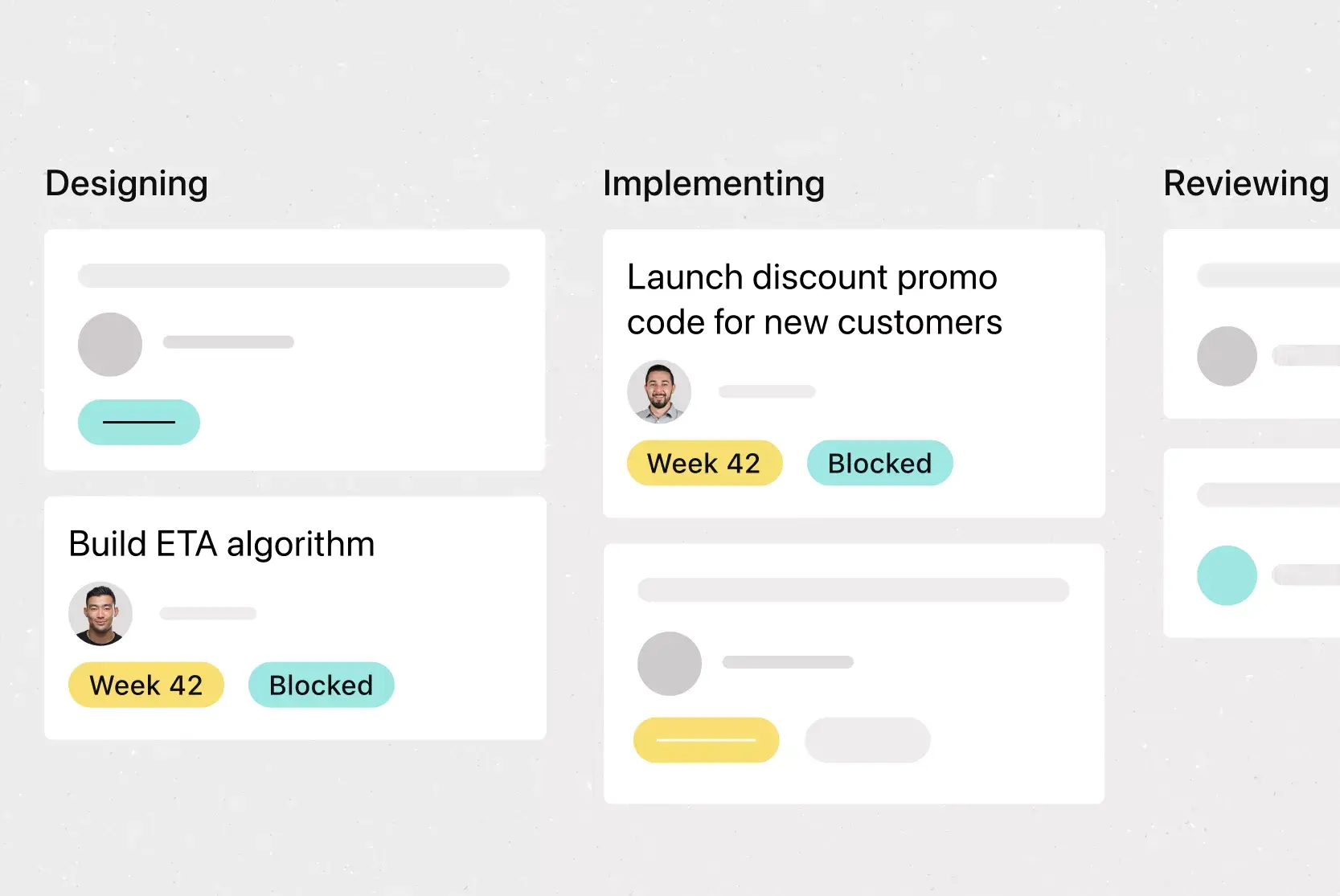
Scrumban projects are organized on a Kanban-style board. Tasks are written on individual cards and sorted into columns corresponding to task stages. As team members work on tasks, they move the card into the column representing that task's current stage.
Based on your team's workflow, you can organize your Scrumban board template in one of three ways:
Basic Kanban workflow: The simplest method with three stages: Task backlog, In progress, and Done. Team members pull cards from the backlog, move them to in progress, and then to done when the task meets the team's definition of done.
By task priority: Use two separate Kanban boards. One board organizes tasks by priority and serves as the backlog. From there, move cards to a second board aligned with your team's workflow stages.
By story points: Organize cards by estimated effort. Tasks marked with more story points are prioritized over those with fewer, helping teams tackle high-effort work first.
How to use your Scrumban template
Start by working with your team to standardize your Scrumban process. Once you establish a consistent workflow, use it as a template across multiple projects. If a single project requires adjustments, tweak the template for that specific case using a digital project management software.
Set up your template with a basic pull system using three stages: backlog, work in progress, and done. From there, tailor the steps under "in progress" to match what works best for your team.
Your Scrumban team should also agree on a clear definition of "done." Every member needs to know exactly what stages each card must go through to mark a user story complete.
When to use a Scrumban template
A Scrumban template works well when neither pure Scrum nor pure Kanban is the right fit. Consider using Scrumban when:
Your team is transitioning frameworks: Scrumban provides a bridge that retains familiar elements while introducing new practices gradually.
Your workload is unpredictable: The pull system lets you absorb unplanned work without disrupting your planned sprint.
Sprint planning feels too rigid: Scrumban's on-demand planning lets you plan only when your backlog reaches a trigger point.
You need continuous delivery: Maintain flow without the start-stop cycle of traditional sprints.
Scrumban may not suit teams that need strict sprint boundaries for stakeholder reporting or organizations where Scrum's ceremonial structure provides essential accountability.
The benefits of using a Scrumban template
Using a template can simplify learning the Scrumban methodology. Here are the key benefits:
Consistency in formatting: A Scrumban template provides familiar steps as your team transitions. From project to project, they'll know exactly what to expect.
Easily customizable: Customize the template to fit each project's needs. Adding different stages or custom fields can help reduce bottlenecks in the backlog.
Transition between Scrum and Kanban: As a hybrid framework, Scrumban templates help teams move between methodologies. This is especially useful when training multiple teams.
Integrated features:
Board View. A Kanban board-style view that displays project information in columns organized by work status. Tasks appear as cards with associated details, including title, due date, and custom fields.
Automation. Automate manual work with trigger-and-action Rules. Automatically assign work, adjust due dates, set custom fields, and notify stakeholders.
Subtasks. Break large tasks into smaller components while keeping them connected to the parent task. Useful when tasks have multiple contributors or need stakeholder approval.
Custom fields. Tag, sort, and filter work with custom fields for any information you need to track. Share fields across tasks and projects for organizational consistency.
Recommended apps:
Jira. Create connected workflows between technical and business teams. Quickly create Jira issues from within Asana, so work passes between teams at the right time.
Google Workspace. Attach files directly to tasks in Asana with the built-in Google Workspace file chooser.
GitHub. Automatically sync GitHub pull request status updates to Asana tasks for cross-functional collaboration.
ServiceNow. Automate task creation in Asana from ServiceNow and provide cross-platform visibility into real-time status and context.
Get started with Scrumban in Asana
Building a Scrumban template in Asana takes just a few steps. Set up a Board View project with columns that match your workflow stages and add WIP limits using custom fields. From there, create task templates for recurring work items.
Once your template is ready, duplicate it for each new project. Asana's built-in automation moves tasks between columns and notifies stakeholders as work progresses.
Sign upFAQs about Scrumban templates
A Scrumban template is a reusable framework for Agile teams transitioning between Scrum and Kanban. It helps Scrum masters and product owners standardize the hybrid methodology across projects.
Use a Scrumban template when your team is transitioning from Scrum to Kanban or vice versa. The template provides a familiar framework while your team learns the nuances of the other methodology.
Pair the template with a digital project management tool, establish your standardized workflow, and duplicate it for each new Scrumban project. Customize as needed for specific project requirements.
WIP (Work-in-Progress) limits cap the number of tasks allowed in each board column at any given time. They prevent overload and help identify bottlenecks early.
Yes. Scrumban's visual board structure and pull-based workflow translate well to distributed teams when paired with a digital project management tool for real-time visibility.
Related templates
![[Templates] Sprint Retro (Card image)](https://assets.asana.biz/transform/889d64ca-6f95-485f-888a-b015a0932852/TG23-web-hero-049-launch-post-mortem-thumbnail-2x?io=transform:fill,width:2560&format=webp)
![[Templates] Web Design Process (Card image)](https://assets.asana.biz/transform/91cfb3ee-da0a-44d4-82a4-3cc08d1d6451/TG23-web-thumbnail-035-changelog-static-2x?io=transform:fill,width:2560&format=webp)
![[Agile Daily Standup] template Card Image](https://assets.asana.biz/transform/0df37b8d-d69a-42af-b4ac-c0fc41658276/TG23-web-thumbnail-019-weeklytodo1-static-2x?io=transform:fill,width:2560&format=webp)

![[Templates] Software and System Deployment (Card image)](https://assets.asana.biz/transform/8b9bb024-d81b-48ec-8cd8-148453823fbe/software-and-system-deployment?io=transform:fill,width:2560&format=webp)

Create templates with Asana
Learn how to create a customizable template in Asana. Get started today.