Sprint backlog: Definition, benefits & how to create


85% of Fortune 100 companies choose Asana¹






Summary
When you're working on a complex project, it's easy to feel overwhelmed by the volume of work. When that happens, everything from quality to team productivity suffers.
If you've ever been in a similar situation, you may be wondering if working in sprints is right for you. Sprints are short iterations that break multiple projects into manageable tasks.
Sprints can help your team stay organized and efficient, but starting out might feel intimidating. You may wonder how to decide what to work on and when.
This is where the sprint backlog helps. It shows your team exactly which tasks to complete during a sprint, so everyone knows what to focus on. In this article, we’ll explain what a sprint backlog is, discuss its benefits, and give examples to help you make your own.
How to build a transformational AI strategy from the ground up
The journey of AI adoption is no longer uncharted territory. Supported by research from our Work Innovation Lab in partnership with frontier AI safety and research company, Anthropic, this guide offers a how-to for navigating the journey of AI adoption.
What is a sprint backlog?
A sprint backlog is a list of tasks your development team agrees to finish during one sprint, which usually lasts two to four weeks. It includes user stories, tasks, and bug fixes chosen from the product backlog during sprint planning, along with a plan for how to complete them. The sprint backlog is a visible commitment that helps teams stay focused on their sprint goal and avoid taking on extra work.
When should you use a sprint backlog?
You'll create a sprint backlog during your sprint planning meeting, typically every two to four weeks, depending on your sprint length.
Key responsibilities include:
Product owner: Prioritizes items in the product backlog and helps select which ones move into the sprint.
Scrum master: Facilitates the planning session and distributes the backlog to stakeholders.
Development team: Selects the work they can commit to and documents tasks as user stories.
Product backlog vs. sprint backlog
A product backlog and a sprint backlog differ quite significantly, though both begin at the product level.
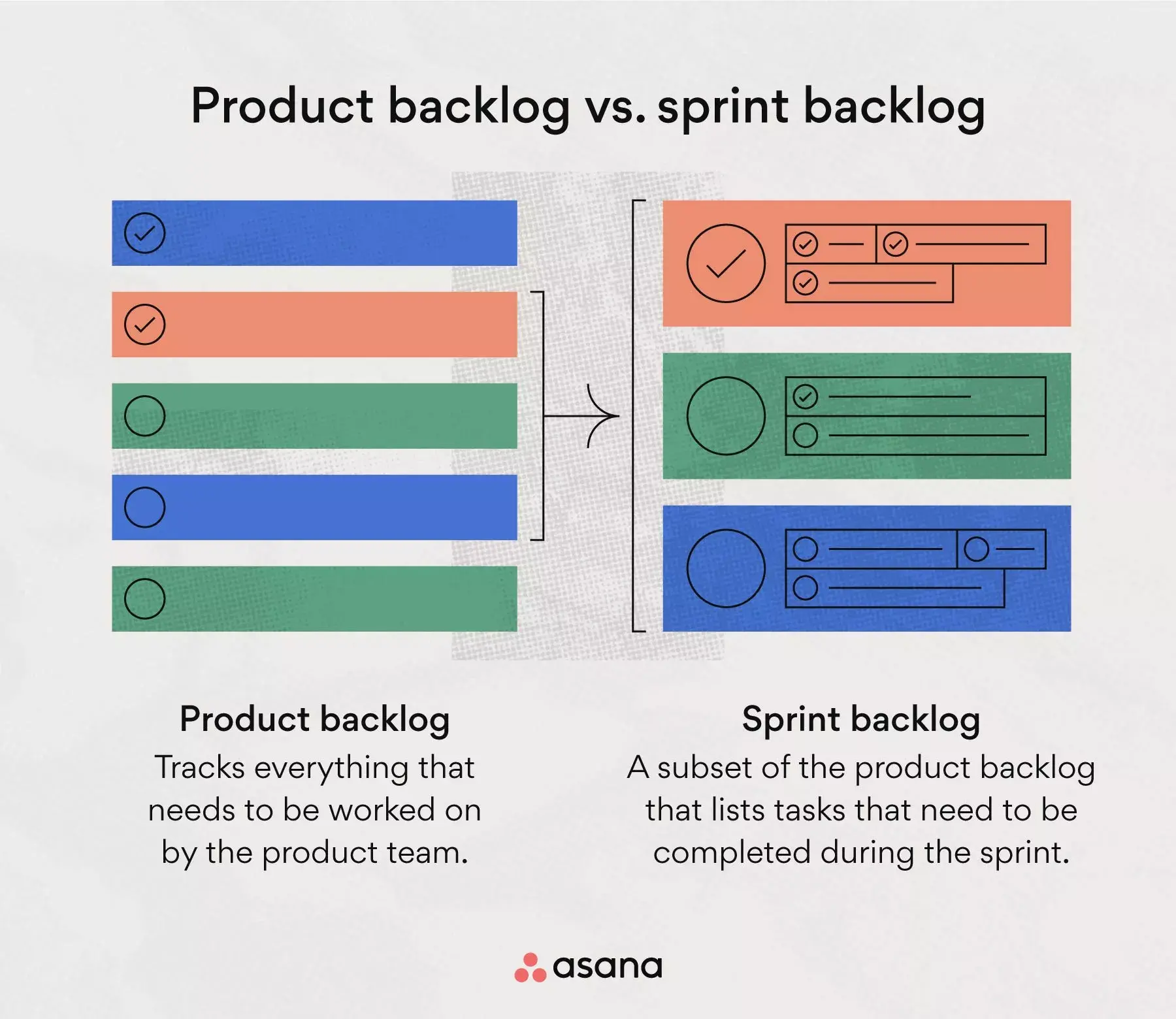
A product backlog tracks the work the product team does. The product owner performs backlog refinement periodically to ensure the most important initiatives are at the top with all the information needed to complete them.
A sprint backlog is a smaller list taken from the product backlog. It shows the tasks to finish in one sprint. These tasks are chosen during sprint planning and usually do not change once the sprint starts.
Benefits of a sprint backlog
A well-structured sprint backlog helps your team work with focus and confidence by delivering these key benefits:
Prevents scope creep: By defining exactly what's in scope for each sprint, your team can say no to distractions and stay on track.
Creates team alignment: Everyone knows what they're working on and why, reducing confusion and duplicate effort.
Improves transparency: Stakeholders can see sprint progress at a glance, making status updates simpler and more accurate.
Supports better estimation: Over time, sprint backlogs help teams understand their velocity through story points and plan more realistically.
Encourages accountability: When work items are clearly assigned and visible, team members take ownership of their contributions.
The purpose of a sprint backlog
A sprint backlog serves several key purposes:
Centralizes information: Keeps all sprint work in one shared space, streamlining communication across the team.
Defines scope: Items not in the backlog are not in scope, helping team members avoid scope creep and stay focused.
Connects to the sprint goal: Every backlog item should contribute to achieving it, giving your team a unified purpose.
What's included in a sprint backlog?
A sprint backlog should include key components such as user stories and task descriptions.
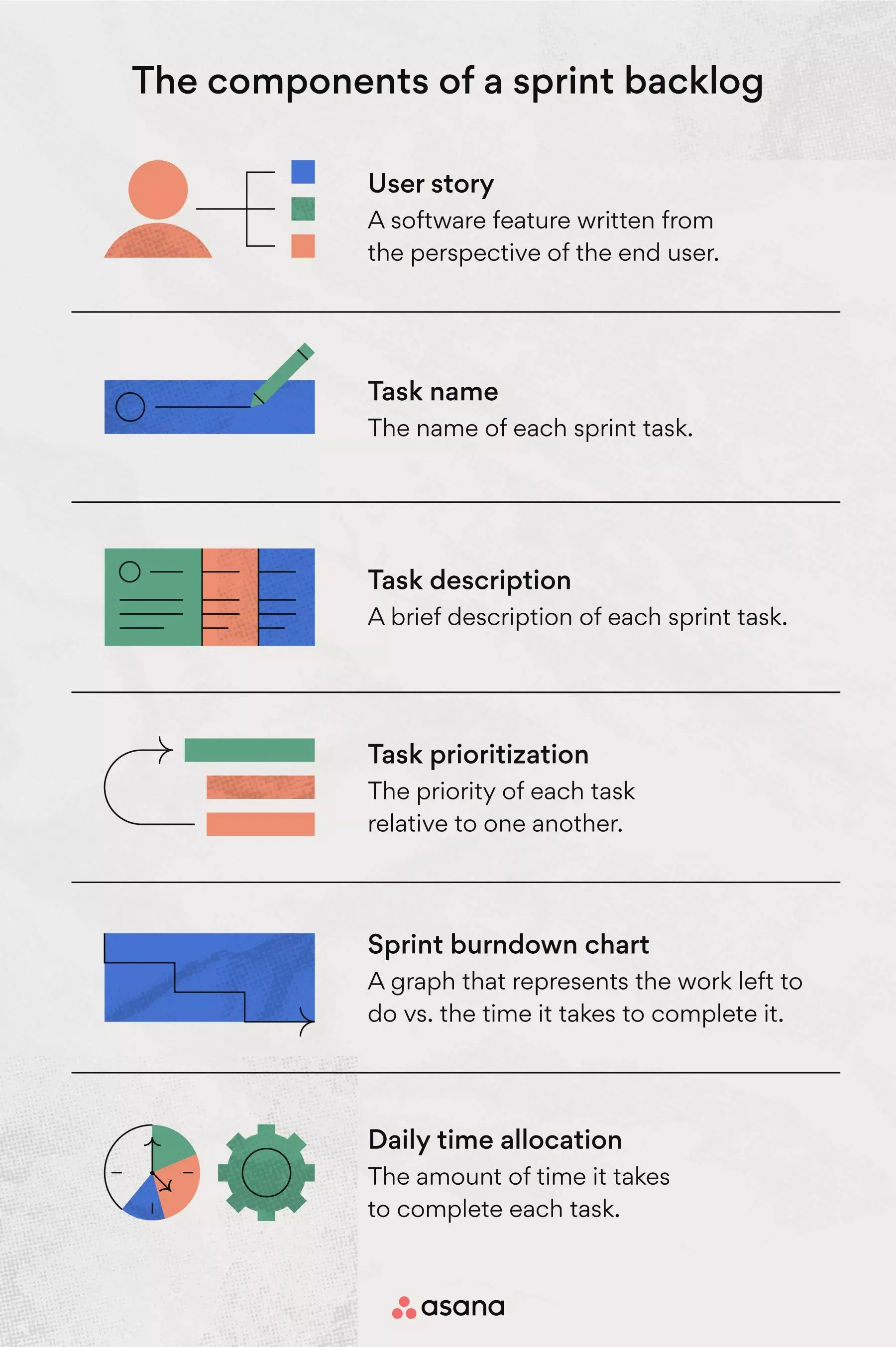
Your backlog should document the sprint name, user stories, task priorities, real-time changes, and scheduling details for planning meetings or daily stand-ups. Include these essential details:
User story: A user story is a software feature written from the perspective of the end user to help you understand the effect each feature has on them.
Task name: Keep your backlog organized with clear, action-oriented names. Start each task title with a verb; for example, "Design new mobile component for web app" is more descriptive than "New mobile component."
Task description: Include a brief description of each task so stakeholders are aware of upcoming steps.
Task prioritization: Prioritize your most important goals to ensure you meet deadlines and keep your sprint on track.
Sprint burndown chart: A graph representing work left to do versus time remaining. Your team uses these charts to estimate how long each iteration will take.
Daily time allocation: Track how long each task takes in minutes or hours to compare against your burndown chart estimates.
Each sprint backlog may look a little different, but these are important details to include when you create yours.
When is a sprint backlog created?
Create a sprint backlog during the planning phase of a new project sprint. Most teams do this every two to four weeks, depending on sprint length.
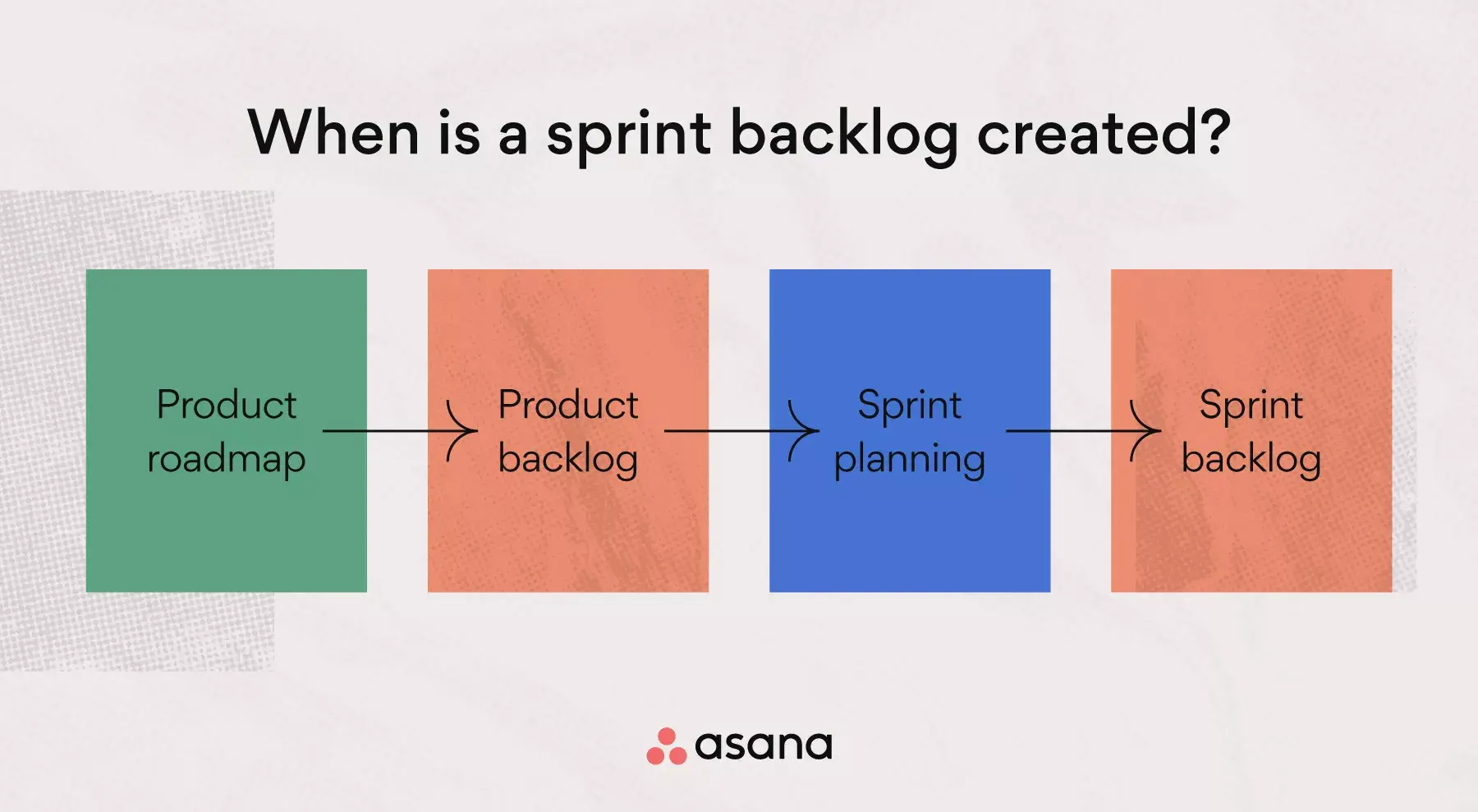
You can update details for individual tasks during the sprint, but the main backlog should not change much once the sprint starts.
The log is stored in a shared space for stakeholders and Scrum masters to review during a retrospective meeting. Think of it as a roadmap that logs all Scrum artifacts and serves as the source of all sprint information.
How to create a sprint backlog
Since Scrum masters use a new backlog for each sprint, having a reusable template saves time. Here's how to create one:
Build a blank template: Create a baseline template you can duplicate for each sprint.
Add key columns: Include columns for user stories, task names, descriptions, priority levels, and time estimates.
Use a digital tool: A workflow management tool centralizes information in one shared place, making collaboration easier.
Here's an example of a sprint planning and backlog project:
![[Old Product UI] Sprint planning in Asana - Sprint backlog project in a Kanban board view (Boards)](https://assets.asana.biz/transform/ac257895-cdf5-4fe2-8a34-2bef6aa4168e/inline-agile-sprint-planning-1-2x?io=transform:fill,width:2560&format=webp)
Work in sprints to reach your goals faster
When you work on complex projects with many stakeholders, coordinating tasks can feel like putting together a puzzle. Every part needs to fit together smoothly. Sprints help improve efficiency, support teamwork, and make it easier to reach your goals.
From planning to organizing and managing agile projects, sprint backlogs help your team collaborate on project components together. Use kanban boards to simplify projects and communicate effectively with agile management software. Ready to bring more structure to your sprints? Get started with Asana today.
Create a sprint backlog templateFrequently asked questions about sprint backlogs
The development team creates the sprint backlog during sprint planning by selecting items from the product backlog (prioritized by the product owner) that they can commit to completing.
The 3-5-3 rule summarizes Scrum's structure: 3 roles (Scrum Master, Product Owner, Development Team), 5 events (Sprint, Sprint Planning, Daily Scrum, Sprint Review, Sprint Retrospective), and 3 artifacts (Product Backlog, Sprint Backlog, Increment).
Yes, developers can update tasks as they learn more, but the sprint goal stays fixed and significant scope changes should be avoided.
There's no fixed number; the right amount depends on your team's capacity, item complexity, and historical velocity.