


Knowledge management template
Use our knowledge management template to capture, organize, and share team knowledge so people can find what they need fast, and important know-how doesn’t get lost.
Sign up to create your own template.
Knowledge management template
Use our knowledge management template to capture, organize, and share team knowledge so people can find what they need fast, and important know-how doesn’t get lost.
Create your templateSign up to create your own template.
INTEGRATED FEATURES
Recommended apps



Summary
Institutional knowledge is invaluable, yet it is often overlooked. Many prefer to complete their work without documenting processes, and process documents are frequently underutilized. While team members may not reference process documents daily, these resources are essential when needed. Without a shared source of information and guidance, teams face unnecessary obstacles in completing their work.
Knowledge management organizes information for teams, departments, and specific tasks. Consistent management practices ensure all teams, especially cross-functional ones, can easily access what they need. A knowledge management template supports this consistency.
What is knowledge management?
Knowledge management is the process of capturing, organizing, storing, and sharing information so teams can access it when needed. A knowledge management system helps your company make the most of what your people already know. This makes it easier to identify repeated mistakes, reuse proven solutions, and keep institutional knowledge from slipping through the cracks.
Once organized into a knowledge base, you can easily see how you've done things in the past, what worked, what didn't, and any corresponding metrics. This is helpful for strategic planning, using what you already know to plan for the future. For example, you can use the historical data in your knowledge base to influence how you build a future roadmap.
Knowledge management processes need to be well-structured and coordinated to work, which is much easier to do with a business process management template.
Knowledge management templates
Knowledge management templates provide a consistent method for capturing and reviewing important information. Regardless of who manages the process, templates ensure knowledge is organized uniformly, reducing the risk of missing key details and supporting a reliable workflow.
For example, if you have a knowledge management process for company budgets and planning, you can save this as a template. This way, when a team member uses the knowledge management template for the upcoming quarter, they don't forget to include important information or steps. Educators and trainers can take a similar approach by using a ready-made lesson plan template to organize objectives, timelines, and materials in a consistent, repeatable format.
Remember to include items beyond the budget itself, such as your change management process if you go over-budget, or a how-to article for troubleshooting your budget management system.
Create a knowledge management templateTypes of knowledge to capture in your template
Recognizing different types of knowledge enables you to build a more comprehensive template. Understanding what knowledge exists in your organization ensures your template captures each type effectively.
Explicit knowledge: Information that's already documented and easy to share, such as process guides, company policies, training manuals, and standard operating procedures. This is the most straightforward type to capture in a template because it already exists in a written or recorded format.
Tacit knowledge: Expertise and insights held by individuals, such as a senior engineer’s debugging instincts or a sales lead’s approach to objections. Templates can prompt team members to document lessons learned, tips, and best practices that might otherwise remain unwritten.
Implicit knowledge: Know-how embedded in daily workflows, such as how the design team manages feedback rounds or the informal steps the finance team follows during month-end close. Including workflow documentation sections in your template helps surface and share this knowledge across teams.
Including prompts for all three knowledge types in your template ensures your team captures a comprehensive view of how work is accomplished, beyond what is already documented.
Do you need a knowledge management template?
Most teams benefit from a knowledge management template, especially in larger organizations. In enterprise environments, multiple individuals and teams oversee processes. Templates ensure consistency across these varied roles, leading to more reliable outcomes.
A knowledge management template formats your process so you can capture and store information in the exact same way across departments, helping reduce organizational silos company-wide. It serves as a step-by-step guide outlining the necessary items for a successful process. For example, if you need certain knowledge base articles and technical documentation included in every IT FAQ section, you can add them directly to your template.
Overall, building a template simplifies knowledge sharing so you can see how work gets done, what's working, and where process improvement methodologies can help refine your workflows. Plus, knowledge management is inherently cross-functional; you're often building out a knowledge base to help other teams and individuals access your information. Digital knowledge management templates built in project management software have the added benefits of being easier to share, use, and access across teams.
How to create a knowledge management template
Your knowledge management template guides users through your process step by step. If someone wants to know how to create a knowledge base, they'll find all the instructions and guidance they need right in the template.
When building your template, create sections for each area of knowledge you wish to include. For example, consider sections for:
Relevant resource docs: If you're using a project management platform, you can create tasks for each resource and attach the document directly to each task. This reduces the amount of time and effort people have to spend searching for relevant information.
Team-specific processes: For example, you can link to or list out the customer feedback process for the customer support team. This can act as a central source of truth for all of your team's processes.
Frequently asked questions sections: FAQs can help answer any commonly asked questions, so your team isn't answering the same thing over and over again. This is especially useful for IT or other teams that frequently work with other teams and departments.
Contact section: Include team members responsible for specific tasks, so you know who to contact for related questions.
Managing knowledge with Asana
Knowledge management takes coordination. That's why many people use a project management tool to organize their information, so they can quickly and easily share everything with anyone, any time they need.
With Asana, you can:
Assign the tasks for each section to the person responsible for decision-making. For example, if the knowledge management template is for the engineering team, you can create a section for onboarding new hires to the team, and assign those tasks to the relevant HR team members, people managers, and onboarding mentors.
Coordinate across teams by easily adding different members to shared projects and portfolios.
Once you have your sections outlined, you can create related tasks and subtasks, along with the guidelines and processes.
Create the template once, and use it forever with a quick click of the "duplicate" button.
Integrated features
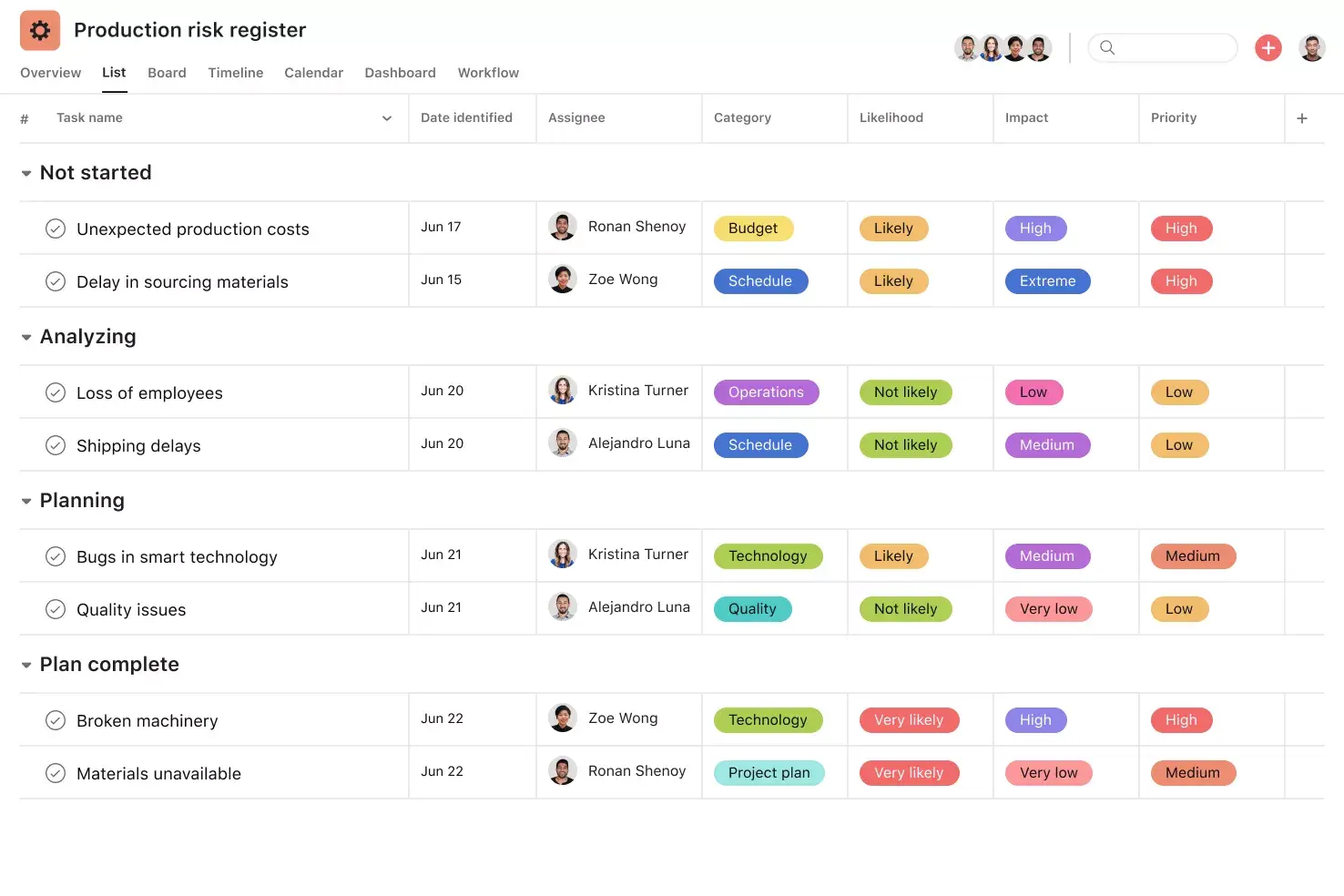
List View. List View is a grid-style view that lets you see all your project's information at a glance. Like a to-do list or a spreadsheet, List View displays all your tasks at once so you can not only see task titles and due dates, but also view any relevant custom fields, such as Priority, Status, and more. Unlock effortless collaboration by giving your entire team visibility into who's doing what by when.
Automation. Automate manual work so your team spends less time on busywork and more time on the tasks you hired them for. Rules in Asana function on a basis of triggers and actions, essentially "when X happens, do Y." Use Rules to automatically assign work, adjust due dates, set custom fields, notify stakeholders, and more.
Subtasks. Sometimes a to-do is too big to fit into a single task. If a task has more than one contributor, a broad due date, or stakeholders who need to review and approve before it can go live, subtasks can help. Subtasks are a powerful way to distribute work and split tasks into individual components, while keeping the small to-dos connected to the overarching context of the parent task.
Custom fields. Custom fields are the best way to tag, sort, and filter work. Create custom fields for any information you need to track, from priority and status to email addresses and phone numbers. Use custom fields to sort and schedule your to-dos so you know what to work on first.
Recommended apps
Dropbox. Attach files directly to tasks in Asana using the Dropbox file chooser, built into the Asana task pane.
Google Workplace. Attach files directly to tasks in Asana using the Google Workspace file picker, built into the Asana task pane. Easily attach any My Drive file with just a few clicks.
OneDrive. Attach files directly to tasks in Asana using the Microsoft OneDrive file chooser, built into the Asana task pane. Easily attach files from Word, Excel, PowerPoint, and more.
Best practices for knowledge management templates
Creating a knowledge management template is only the first step. To ensure your team uses it effectively, follow these best practices:
Assign ownership: Each template should have a designated owner responsible for keeping it accurate and up to date. Without ownership, templates tend to go stale.
Start simple and build over time: You don't need to capture everything on day one. Begin with the most critical knowledge, like core processes and frequently referenced documents, and expand as your team gets comfortable with the system.
Schedule regular reviews: Set a recurring cadence, whether quarterly or after major projects, to review and update your knowledge management template as part of continuous improvement. This helps you catch outdated information before it causes confusion.
Make templates easy to find: A template that's buried in a folder no one checks won't help anyone. Store your templates in a central, shared location and ensure new team members know where to find them during onboarding.
Encourage team contributions: Knowledge management works best when it's a shared effort. Invite team members to flag gaps, suggest updates, and contribute their own expertise.
Get started with knowledge management in Asana
Institutional knowledge is one of your organization's most valuable assets, and a knowledge management template helps you protect it. By capturing explicit, tacit, and implicit knowledge in a consistent format, you make it easier for every team to find what they need and avoid repeating past mistakes.
With Asana, you can build and share your knowledge management template across your entire organization, assign ownership, and keep everything connected to the work that matters. Ready to organize your team's knowledge in one place? Get started with a free knowledge management template in Asana today.
Create a knowledge management templateFAQs about knowledge management templates
A knowledge management template outlines your knowledge management process so everyone organizes their knowledge in the same way. This gives you one consistent system across teams, departments, or the entire organization.
A knowledge management template ensures that everyone documents knowledge in the same way, making it easy to access and sort through work across teams. Over time, this reduces the busywork of sifting through unorganized information.
Larger companies often have many teams operating in different ways across departments, which makes it hard to access information cross-functionally. A standardized knowledge management template makes it easier for everyone to find and share knowledge, no matter which team created it.
Your template should cover three main types of knowledge: explicit knowledge (documented processes, policies, and guides), tacit knowledge (expertise and insights that live in people's heads), and implicit knowledge (the know-how embedded in everyday workflows). Including prompts for all three helps you build a more complete picture of how your team works.
Each knowledge management template should have a designated owner, whether that's a team lead, operations manager, or knowledge manager, who keeps it accurate and up to date. For organization-wide efforts, a central owner who coordinates with team leads across departments helps keep everything aligned.
Related templates

![[Templates] Event planning (Card image)](https://assets.asana.biz/transform/78e1727d-905a-4ee5-baa6-9dd141f5a3c6/Template_EventPlan_Thumb?io=transform:fill,width:2560&format=webp)

![[Templates] Cross Functional Project Plan (Card image)](https://assets.asana.biz/transform/60887a05-0b92-49c2-a6e7-f1ace41c5596/TG23-web-thumbnail-041-editorial-resource-management-static-2x?io=transform:fill,width:2560&format=webp)
![[Templates] Request tracking workflow template (card image)](https://assets.asana.biz/transform/c871372a-ce51-44f4-b586-0f6da7063706/Template_RequestTrack_Thumb?io=transform:fill,width:2560&format=webp)
Create templates with Asana
Learn how to create a customizable template in Asana. Get started today.