


Business continuity plan template
Use a business continuity plan template to document roles, recovery steps, communication plans, and critical operations. Give your team a practical response plan for disruptions before they happen.
Sign up to create your own template.
Business continuity plan template
Use a business continuity plan template to document roles, recovery steps, communication plans, and critical operations. Give your team a practical response plan for disruptions before they happen.
Create your templateSign up to create your own template.
INTEGRATED FEATURES
Recommended apps




Summary
No business is immune to disruption. Whether it's a natural disaster, a cybersecurity threat, or a supply chain issue, the organizations that recover fastest are the ones that planned ahead. A business continuity plan (BCP) gives your team a clear path forward when the unexpected happens.
Below, you'll learn what goes into a business continuity plan template, how to build and test one, and how it differs from a disaster recovery plan.
What is a business continuity plan?
A business continuity plan (BCP) is a documented strategy that outlines how your business will continue operating during and after a major disruption, such as a natural disaster, cyberattack, or supply chain failure. It defines the people, processes, and procedures your team needs to minimize downtime and recover quickly.
What is a business continuity plan template?
A business continuity plan template is a reusable structure you can duplicate whenever you need to create a new BCP. It provides a consistent set of sections, so your team fills in the right information every time. The more familiar your team is with the template, the faster they can activate the plan when it matters.
See templateWhy should you use a business continuity plan template?
A BCP template saves time and reduces the risk of omitting critical details from your plan. Here are the key benefits.
Faster recovery: When a disaster occurs, you want to recover quickly to minimize the downtime your company faces. Having a BCP template prepared can help minimize the time required to develop a full BCP strategy.
Create multiple fail-safes: Sometimes one BCP is not enough. A BCP template can help you create multiple plans, so you have more than one way to recover should an emergency occur.
Insurance doesn't cover everything: While insuring your business is a smart move, it won't help you in all situations, such as an economic downturn. Using a BCP template means your business is ready to develop a strategy before external environments change, so your team can start planning as soon as you catch wind of something on the horizon.
Better coordination across teams: A consistent template makes sure everyone, from leadership to frontline staff, is working from the same playbook. When your team knows exactly where to find contact lists, recovery steps, and communication protocols, they can respond faster and with less confusion.
Stronger compliance posture: Many industries require documented business continuity plans. A template helps you meet regulatory requirements more efficiently and ensures you're covering all the areas auditors and stakeholders expect to see.
What components does a business continuity plan template have?
The goal of a business continuity plan template is to help everyone on your team understand what to do after an emergency happens. Your BCP template should organize key information into the following categories.
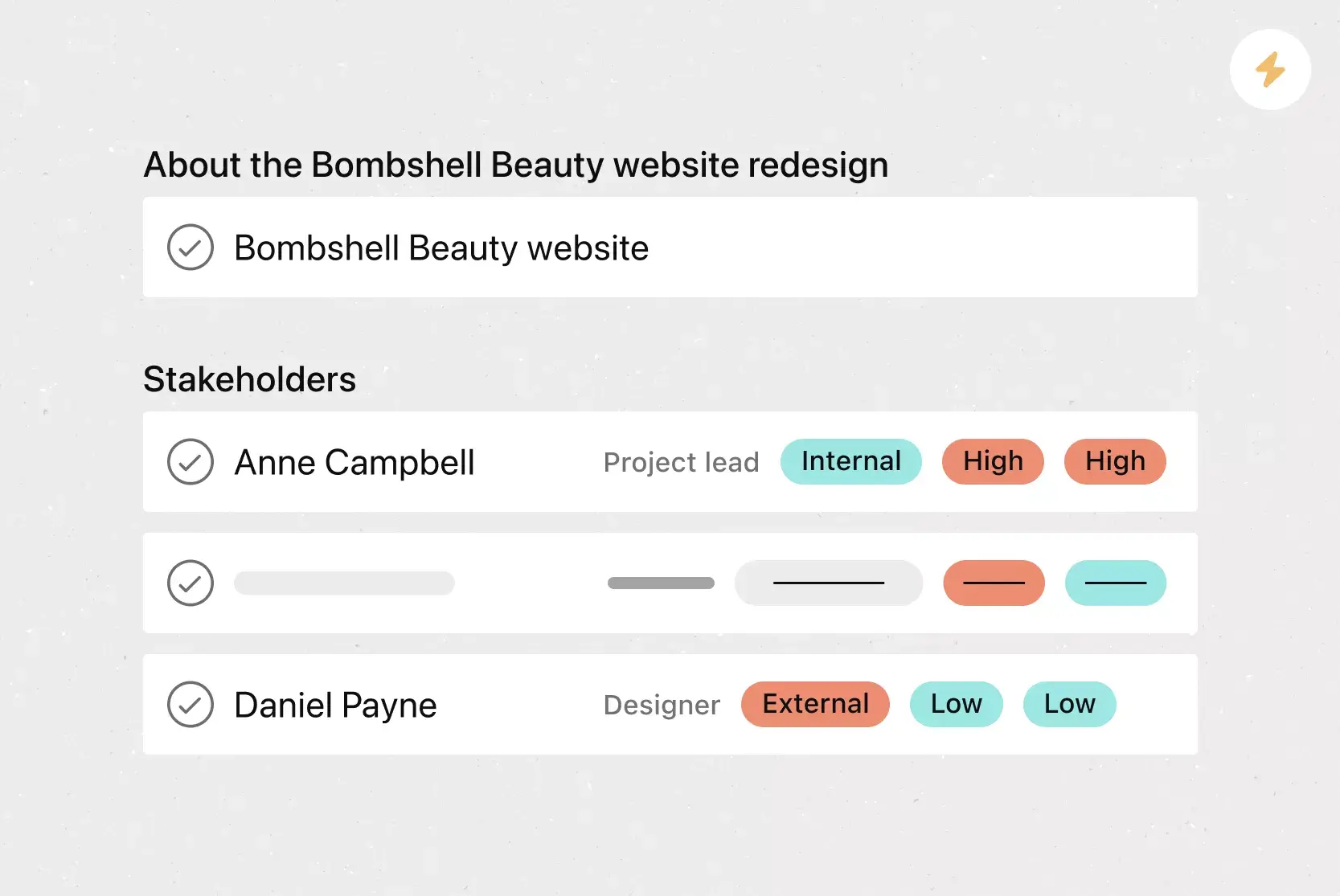
Directly responsible individuals (DRIs) or important tiger teams: These are the points of contact you would go to in an emergency. You'll find contact information for the DRIs, plus the best way to reach them, in this section.
Business impact analysis: This section identifies your most critical business functions and evaluates how a disruption would affect them. It helps your team prioritize which operations to restore first and establishes recovery time objectives (RTOs) and recovery point objectives (RPOs).
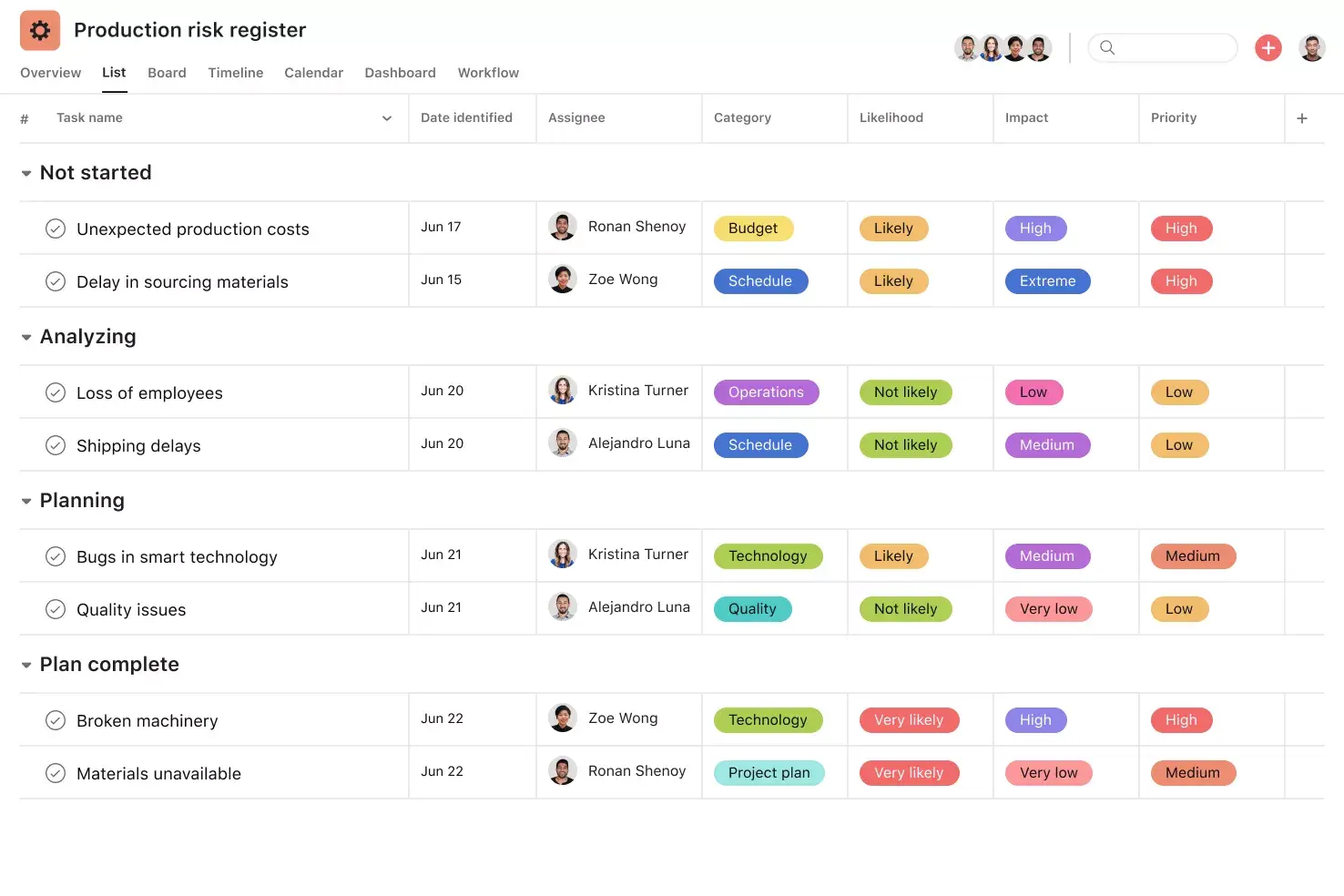
Risk assessment: This includes risk analysis documents, such as a risk register, which analyzes potential setbacks a project or your business may encounter.
Action plan: The step-by-step plan your team will follow if an emergency happens.
Recovery procedures: This section details the steps your team should take to recover from any major business interruptions.
Crucial business functions: The key aspects of the business that are necessary to keep things functioning. These are the bare minimum operations your business needs to function.
Succession plan: In the event that leaders or DRIs are unable to fill a role, a succession plan provides a backup person to take their place.
Internal communication strategy: It's important to develop a communication plan for how you share information with your entire team. Developing a communication strategy in advance can help prevent misinformation and confusing messaging during emergencies.
Alternate business processes (aka backup plans): This section details ways your business can continue to function if part of it fails. This can include alternate vendors or suppliers, or manual workarounds for automated tasks.
Integrated features
List View. List View is a grid-style view that makes it easy to see all of your project's information at a glance. Like a to-do list or a spreadsheet, List View displays all your tasks at once so you can see not only task titles and due dates but also relevant custom fields such as Priority, Status, and more. Unlock effortless collaboration by giving your entire team visibility into who's doing what by when.
Subtasks. Sometimes a to-do is too big to fit into a single task. If a task has more than one contributor, a broad due date, or stakeholders who need to review and approve before it can go live, subtasks can help. Subtasks are a powerful way to distribute work and split tasks into individual components, while keeping the small to-dos connected to the overarching context of the parent task.
Custom fields. Custom fields are the best way to tag, sort, and filter work. Create unique custom fields for any information you need to track, from priority and status to email or phone number. Use custom fields to sort and schedule your to-dos so you know what to work on first.
Messaging. Need to share information that isn't actionable? Try Messages in Asana. Messages enable you to communicate within Asana about non-actionable work.
Suggested apps
Microsoft Teams. With the Microsoft Teams + Asana integration, you can search for and share the information you need without leaving Teams. Easily connect your Teams conversations to actionable items in Asana.
Slack. Turn ideas, work requests, and action items from Slack into trackable tasks and comments in Asana. Go from quick questions and action items to tasks with assignees and due dates.
Google Workplace. Attach files directly to tasks in Asana using the Google Workplace file chooser built into the Asana task pane. Easily attach any My Drive file with just a few clicks.
Zoom. Asana and Zoom are partnering to help teams have more purposeful, focused meetings. The Zoom + Asana integration makes it easy to prepare for meetings, have actionable conversations, and access information after the call.
How to create a business continuity plan
Follow these steps to build a plan that's practical, thorough, and ready when you need it.
Conduct a business impact analysis. Identify the functions most critical to your operations and determine how a disruption would affect revenue, customer service, and productivity. This helps you prioritize which areas to restore first.
Assess your risks. Evaluate threats such as severe weather, cyberattacks, and supply chain failures using a risk matrix. Rate each risk by likelihood and severity so your plan addresses the most pressing scenarios.
Develop recovery strategies. For each critical function, outline how your team will maintain or restore operations. Be specific about backup systems, alternate vendors, and the resources needed.
Assign roles and responsibilities. Define who is responsible for each part of the response. Establish a chain of command, including an incident commander, and designate backup personnel in case primary contacts are unavailable.
Create your communication plan. Decide how you'll notify employees, customers, and vendors during a disruption. Specify channels, message owners, and update frequency.
Document and distribute the plan. Store everything in a single, shared location, such as a work management platform like Asana. Make sure all stakeholders have reviewed it and know where to find it.
Test, review, and update regularly. Schedule recurring tests and reviews to identify gaps. Update the plan whenever your business, team, or risk landscape changes.
Business continuity plan vs. disaster recovery plan
Business continuity planning and disaster recovery planning are closely related, but they serve different purposes.
Business continuity plan (BCP)
Focuses on keeping the business operating during disruptions
Covers people, processes, facilities, and communication
Applies to events such as natural disasters, economic downturns, leadership changes, and operational disruptions
Answers the question: How do we keep the business running?
Serves as the broader organizational strategy
Disaster recovery plan (DRP)
Focuses on restoring IT systems, data, and infrastructure
Covers technology, backups, and network recovery
Applies to cyberattacks, system failures, outages, and data loss
Answers the question: How do we get our systems back online?
Functions as one component of the broader business continuity plan
Most organizations need both plans, and they work best as part of a unified preparedness strategy.
How to test and maintain your business continuity plan
A business continuity plan is only effective if you test it regularly and keep it up to date.
Run tabletop exercises. Walk through a hypothetical disruption with your team to identify gaps and clarify roles. These are low-cost and reveal a lot about your plan's readiness.
Conduct simulation drills. Have your team follow the plan's procedures in a hands-on test, such as activating backup channels or testing data recovery. This shows how the plan performs under real conditions.
Review after every incident. After any disruption, document what worked, what didn't, and what needs to change. Use those findings to support continuous improvement in your BCP.
Schedule regular updates. Review and refresh your plan quarterly or biannually, and whenever there are major changes to your team, vendors, or technology.
Track ownership and deadlines. Use a work management tool like Asana to assign review tasks, set deadlines, and track progress on updates.
Get started with your business continuity plan
The best time to build a business continuity plan is before you need one.
Asana makes it easy to build, share, and maintain your BCP in one place. Assign owners to every step, set due dates for plan reviews, and keep your entire team aligned so everyone knows exactly what to do when the unexpected happens. Get started today and create your first business continuity plan template.
See templateFAQs about business continuity plan templates
The five steps are: conduct a business impact analysis, assess risks, develop recovery strategies, document the plan with clear roles, and test and update it regularly.
Start with a business impact analysis, then document your risks, recovery strategies, roles, and communication protocols in a shared tool like Asana. Use a BCP template to make sure you cover every key component consistently.
The four P's are people, processes, premises, and providers. These categories help you account for your employees, operations, physical locations, and key vendors when building your BCP.
A BCP is a broad strategy for keeping your entire business operational during a disruption, while a disaster recovery plan focuses specifically on restoring IT systems and data. Most organizations need both working together.
A BCP checklist is a list of tasks your team completes during an emergency to minimize disruptions. Using a business continuity plan template is the easiest way to create a consistent checklist for every scenario.
Test your BCP at least once or twice a year through tabletop exercises or simulation drills. Update it whenever there are major changes to your team, technology, vendors, or locations, and after any real incident.
Related templates
![[Templates] Event planning (Card image)](https://assets.asana.biz/transform/78e1727d-905a-4ee5-baa6-9dd141f5a3c6/Template_EventPlan_Thumb?io=transform:fill,width:2560&format=webp)

![[Templates] Cross Functional Project Plan (Card image)](https://assets.asana.biz/transform/60887a05-0b92-49c2-a6e7-f1ace41c5596/TG23-web-thumbnail-041-editorial-resource-management-static-2x?io=transform:fill,width:2560&format=webp)
![[Templates] Request tracking workflow template (card image)](https://assets.asana.biz/transform/c871372a-ce51-44f4-b586-0f6da7063706/Template_RequestTrack_Thumb?io=transform:fill,width:2560&format=webp)
Keep your team connected
Learn how to create a business continuity plan template in Asana with a free trial today.