


Interview guide template
Use a repeatable interview framework to plan questions, compare candidates fairly, and document feedback. Asana helps hiring teams conduct more consistent interviews and improve hiring decisions.
Sign up to create your own template.
Interview guide template
Use a repeatable interview framework to plan questions, compare candidates fairly, and document feedback. Asana helps hiring teams conduct more consistent interviews and improve hiring decisions.
Create your templateSign up to create your own template.
INTEGRATED FEATURES
Recommended apps




Summary
Hiring the right candidate can be tough when interviews feel disorganized or lack a consistent format from one interview to the next. One manager might ask technical questions while another focuses on culture fit, leaving you with notes that are hard to compare. An interview guide template provides a structured approach so that every candidate experiences a consistent process, and your hiring team has a unified system for evaluation.
Instead of scrambling with disconnected spreadsheets and notes, you can use the interview template to design a roadmap for key questions, log detailed responses, and record overall impressions. In this article, you'll learn what an interview guide template is, who benefits from using one, the different types of interview guides, how to set one up step by step, and common mistakes to avoid along the way.
What is an interview guide template?
An interview guide template is a standardized document that outlines the questions, evaluation criteria, and structure that your hiring team uses to conduct consistent candidate interviews. It serves as a shared reference so every interviewer follows the same process, asks comparable questions, and scores candidates against the same criteria.
A typical interview guide template includes:
Candidate details: Name, role applied for, and interview date.
Competency ratings: A scoring rubric tied to the skills and qualities the role requires.
Structured questions: A defined sequence from introductions and background questions to role-specific prompts and a closing segment.
Interviewer notes and follow-ups: Space to log responses, flag discussion points, and record overall impressions.
Beyond organizing the interview itself, a well-built template creates a record you can reference when comparing candidates, aligning with your team, or reviewing your hiring process over time.
Who benefits from interview guide templates?
Unstructured interviews can be confusing for both talent acquisition teams and candidates. A repeatable template helps everyone ask the right questions, collect comparable feedback, and make fair hiring decisions.
Hiring managers
Use an interview guide template to ask job-related questions, evaluate soft skills, and log impressions in one place. Having the job interview pre-planned means your decisions are based on evidence, not guesswork.
Recruiters and HR teams
Templates help coordinate candidate evaluations across multiple interviewers. Additionally, an interview guide template helps reduce bias and keeps the hiring process efficient.
Interview panels
You create a fair process when conducting interviews by using a shared template to organize topics, track follow-ups, and ensure each candidate has a consistent experience.
Candidates
Prospective hires benefit indirectly because the process feels professional and consistent. Structured interviews demonstrate respect for people's time and provide them with an opportunity to highlight their relevant skills.
Types of interview guides
Not every interview calls for the same approach. The right guide depends on the role, the stage of the hiring process, and the competencies you're evaluating.
Structured interview guide: Uses the same questions, question order, and scoring rubric for every candidate. Best for high-volume hiring where fair comparison and bias reduction matter.
Behavioral interview guide: Uses the STAR method to evaluate how candidates handled past situations. Best for leadership, management, and customer-facing roles.
Technical interview guide: Tests hard skills through coding exercises, case studies, work samples, or problem-solving prompts. Best for engineering, data analysis, and design roles.
Panel interview guide: Divides question areas among interviewers in a shared session. Best for cross-functional roles that require input from multiple team members.
Screening interview guide: Covers qualifications, salary expectations, availability, and role fit. Best for early-stage recruiter conversations before candidates move into later interview rounds.
Why use Asana's interview guide template?
A recruiter once faced a week of back-to-back interviews without a structured plan. Some candidates were evaluated with detailed notes, while others left behind vague impressions, such as "seeming confident."
Using a customizable interview guide template prevents that frustration. It gives you:
A roadmap of interview stages so every candidate goes through the same process.
Standardized evaluation criteria for technical skills, soft skills, and cultural fit.
A shared workspace for hiring managers to record feedback in real time.
A system that reduces bias and offers more confident hiring decisions.
Recommended features
Asana gives hiring managers the tools to log detailed feedback, reduce manual work, and make informed decisions, all within the same template your team already uses.
Custom fields enable you to capture data such as competencies, interview stages, and candidate fit. These fields standardize evaluations across multiple interviewers so comparisons are consistent and unbiased.
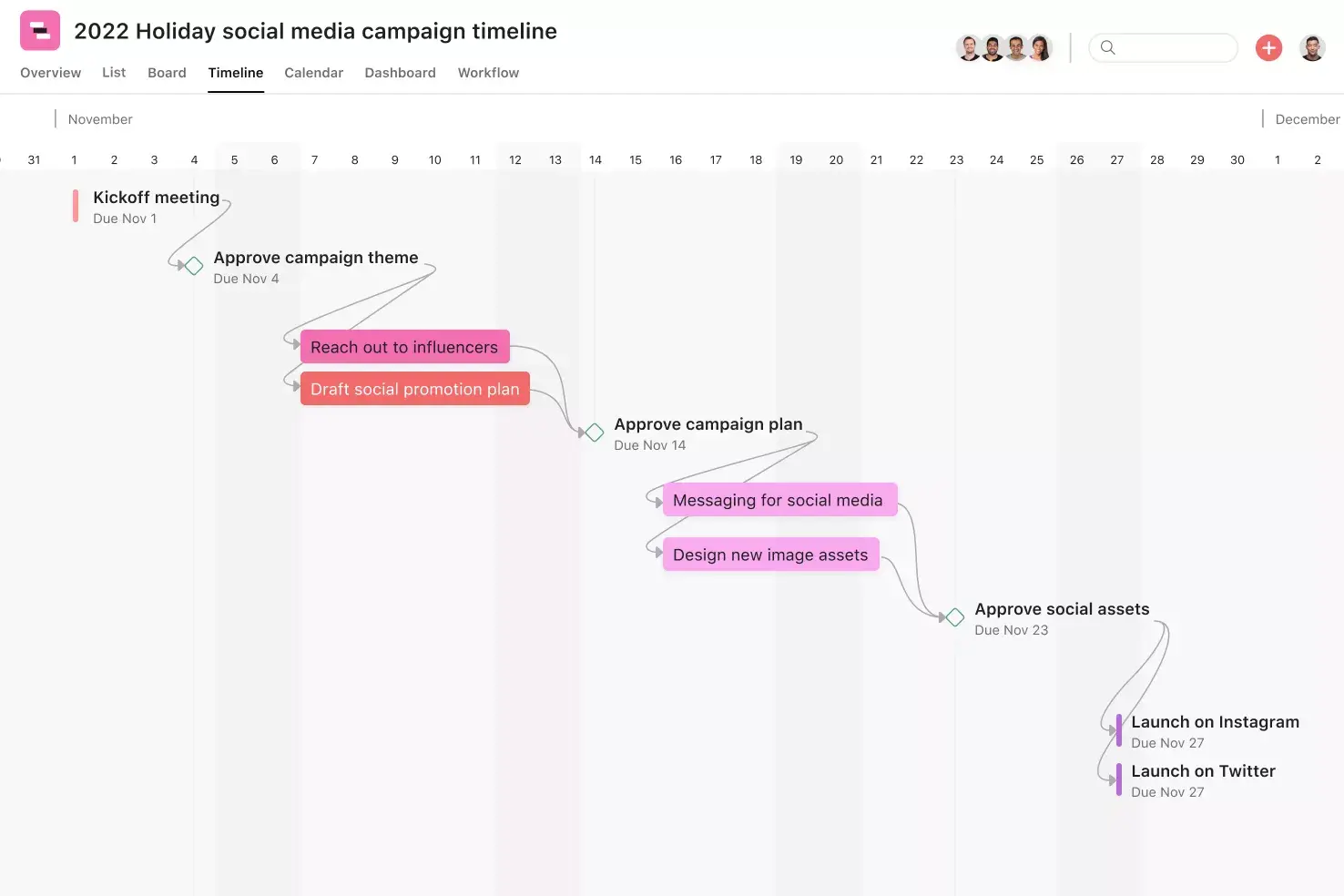
Project views display candidates in ways that suit your workflow. Switch between list view for detailed feedback, board view to track interview stages, or timeline view to schedule interviews and follow-ups.
Rules and automation remove manual tasks from the process. You can trigger a follow-up task when a candidate is marked for review or automatically notify HR when an interviewer logs a recommendation.
Approvals enable hiring managers to confirm or reject recommendations directly within the template. By reviewing evaluations in one place, you reduce delays in final decision-making.
Reporting dashboards summarize your team's evaluations into measurable insights. You can track metrics like time-to-hire or evaluate consistency across interviewers, giving leadership a broader view of the hiring process.
Recommended integrations
Integrations connect your free interview guide template to tools you already use in recruiting and communication. By syncing systems, you break down silos and collaborate more effectively. Explore more apps and integrations in our library.
Slack integration sends updates from Asana directly into your hiring channels. You can notify interviewers when candidate scorecards are ready for review or when follow-up tasks are overdue, keeping interviews on schedule.
Google Drive connects directly to your template, allowing you to store resumes, interview notes, and candidate presentations. All documents stay attached to the right candidate, eliminating the need to dig through email chains.
Google Slides allows you to link presentation decks, case studies, or technical exercises to candidate tasks. Interviewers can access and update these materials in real time, making assessments smoother and more reliable.
Jira Cloud syncs technical requirements with your hiring process. For roles that depend on product or engineering input, you can create tasks tied to technical assessments or test environments to keep logistics aligned.
How to use this interview guide template
The interview guide template organizes your hiring process into repeatable steps. Instead of piecing together notes from different interviewers, you work from one roadmap that supports preparation, consistency, and accurate decision-making.
Step 1: Define role and skills
Start by outlining the role, required competencies, and technical skills directly in the template. Use fields such as Interview Stage and Competency to link each question to a specific requirement.
At a minimum, define the following for each role:
Technical skills: The hard skills and tools the candidate needs to succeed.
Soft skills: Communication, collaboration, and leadership qualities relevant to the position.
Cultural fit: Alignment with your team's working style and company values.
Problem-solving ability: How the candidate approaches challenges and makes decisions.
Setting this baseline early makes it easier to compare candidates and helps reduce bias in your hiring decisions.
Step 2: Structure interview flow
Map out the sequence of your interview, from introductions to technical or behavioral questions. You decide who covers each topic, when to ask follow-up questions, and how long to spend on each section. Using a structured interview schedule ensures candidates experience a professional and consistent process. It also prevents overlap between interviewers and keeps your evaluation criteria focused on what matters most.
Step 3: Develop questions
Preparing your questions in advance gives every candidate a level playing field to demonstrate their abilities. Use the Question Type field to tag each question and aim for a balanced mix across these categories:
Technical questions: Assess hard skills and role-specific knowledge.
Behavioral questions: Explore how candidates have handled past situations using the STAR method.
Situational questions: Present hypothetical scenarios to evaluate problem-solving and decision-making.
Case studies or prompts: Give candidates a real-world exercise, especially useful for data analysts or technical roles.
Step 4: Include interviewer tools
Attach case studies, sample tasks, questionnaires, or role-specific assessments directly to the template. Use the Follow-up Required field to flag deeper probes when a candidate's answer raises new discussion points. Providing interviewers with consistent tools ensures candidates are evaluated against the same standards. It also supports detailed notes and simplifies the scoring system for use across multiple interviewers.
Step 5: Review and test template
Before using your interview process for everyone, test the guide with one or two candidates. Ask interviewers if the flow, rating scales, and criteria gave them enough information to make a confident choice.
Testing your template early helps you refine weak points and streamline workflows. Once tuned, your customizable interview guide template becomes a reusable tool that supports structured interviews and faster hiring decisions.
Common mistakes to avoid when using interview guides
Even with a good template, some mistakes can still hurt your hiring process. Look out for these common issues:
Using the same guide for every job: A guide made for a marketing manager won't fit a software engineer. Adjust your template so the questions and criteria match each role.
Skipping the rating scale: Without a clear scoring system, evaluations can be too subjective. Make sure every interviewer uses the same scale so you can compare candidates fairly.
Asking leading or hypothetical questions: Leading questions nudge candidates toward a "right" answer, and overly hypothetical ones don't reveal real performance. Focus on behavioral and situational questions that draw on actual experience.
Not training interviewers on the guide: A template only works if everyone knows how to use it. Go over the guide with your panel and agree on scoring before the first interview.
Treating the guide as static: Your hiring needs change over time. Review and update your template regularly based on interviewer feedback, candidate experience, and hiring outcomes.
Improve your hiring process with Asana
An effective interview guide template takes the guesswork out of hiring and gives your team a consistent, fair process for every candidate. When you pair that structure with Asana, you can manage every step of the interview process in one place, from defining role requirements and assigning interview questions to logging feedback and tracking candidates through each stage.
With features like custom fields, automation, and reporting dashboards, Asana helps your hiring team stay aligned, reduce manual work, and make confident decisions faster. Ready to bring more clarity to your interviews? Get started and build your interview guide template in Asana today.
FAQs about interview guide templates
An interview guide template is a reusable document that helps interviewers plan questions, evaluate responses, and document feedback consistently. It usually includes the role requirements, interview questions, follow-up prompts, scoring criteria, and space for interview notes.
Hiring teams use interview guide templates to keep interviews focused on the skills and experience that matter for the role. Instead of relying on different questions for each candidate, interviewers can use the same structure to compare responses more fairly.
Structured interviews help hiring teams evaluate candidates using the same criteria. When each candidate answers the same core questions, and interviewers use the same rubric, the team can compare responses more fairly and reduce the chance that personal preference or unrelated details influence the decision.
They also make the hiring process easier to manage. Recruiters, hiring managers, and interview panel members can review the same scorecards, document feedback in the same format, and make decisions based on role-specific evidence rather than scattered notes.
Start with the role requirements, then build the guide around the skills, experience, and behaviors the team needs to evaluate. A strong interview guide should give each interviewer enough direction to run a useful conversation without turning the interview into a script.
A typical interview guide includes:
Role summary and interview goals
Core skills or competencies to evaluate
Standard interview questions
Follow-up prompts
Scoring rubric or rating scale
Space for notes and candidate examples
Final recommendation or next-step decision
After you create the guide, review it with the hiring team before interviews begin. This helps everyone understand what they’re evaluating and how they should document feedback.
The five main parts of an interview protocol are the introduction, question set, follow-up prompts, scoring criteria, and closing steps. Together, these pieces give interviewers a repeatable structure for running the conversation and documenting feedback.
Introduction: Explain the role, the interview format, and what the candidate can expect.
Question set: Ask questions that evaluate the skills, experience, and behaviors required for the role.
Follow-up prompts: Give interviewers a way to ask for more detail when an answer feels incomplete.
Scoring criteria: Define what strong, average, and weak responses look like.
Closing steps: Give the candidate time to ask questions and explain what happens next.
A free interview guide template gives hiring teams a more practical starting point than a blank spreadsheet. Instead of building the process from scratch, teams can start with sections for interview questions, scorecards, feedback, and next steps.
Excel or Google Sheets can work for simple tracking, but they often become messy when multiple interviewers need to add notes, review feedback, or manage candidate stages. A template in Asana can help teams assign interview tasks, set deadlines, collect feedback, and keep hiring work connected to the broader recruiting process.
Related templates

![[Templates] Candidate tracking (card image)](https://assets.asana.biz/transform/70ec5311-0378-430f-9be6-f7023a8070c6/inline-board-view-hiring-pipeline-2x?io=transform:fill,width:2560&format=webp)
Create templates with Asana
Learn how to create a customizable template in Asana. Get started today.