


Interview questions template
Give your team ready-to-use questions, scoring criteria, and shared notes to run fairer interviews, compare candidates, and make better hiring decisions.
Sign up to create your own template.
Interview questions template
Give your team ready-to-use questions, scoring criteria, and shared notes to run fairer interviews, compare candidates, and make better hiring decisions.
Create your templateSign up to create your own template.
INTEGRATED FEATURES
Recommended apps




![[Product UI] Interview questions template & scorecard (list)](https://assets.asana.biz/transform/3eb0d9af-3ebf-40ac-89b5-2b15a3e47dfa/inline-interview-questions-template-scorecard?io=transform:fill,width:2560&format=webp)
Summary
Hiring the right person starts well before the interview, with knowing what to ask, how to evaluate responses, and how to keep the process fair for every candidate. An interview questions template helps you do all three by giving your team a shared set of questions and a structured scorecard to guide each conversation. In this article, you'll learn what an interview questions template is, why it matters, the types of questions to include, and how to use a scorecard to make confident hiring decisions.
What is an interview questions template?
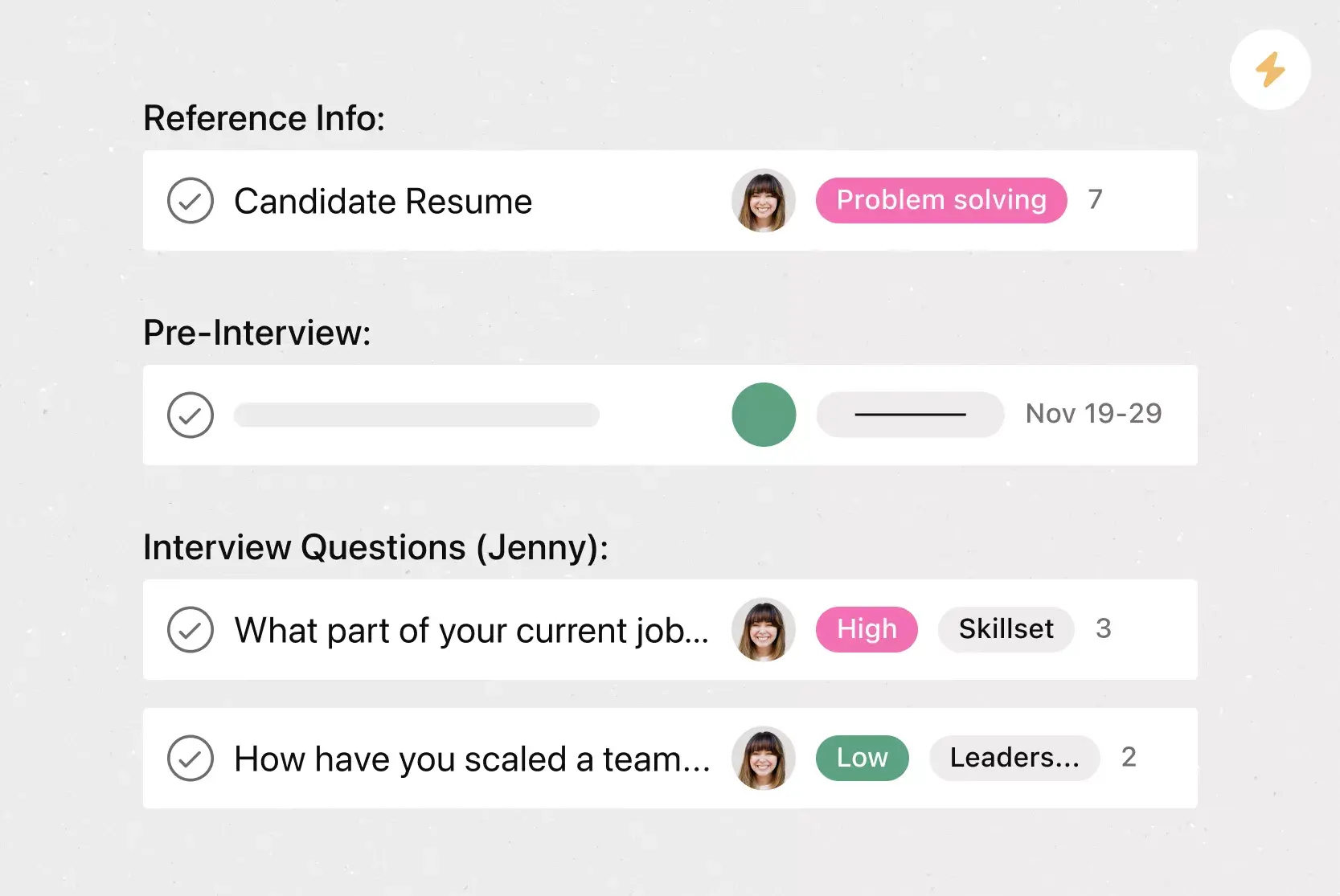
An interview questions template is a structured document that lists the exact questions to ask every candidate for a role, along with evaluation criteria and a scoring scale for each response. Rather than improvising in each conversation, your interviewers use the same interview guide, so every candidate gets a fair and thorough evaluation.
A good template typically includes:
A set of core questions tied to the role's hard skills and soft skills
Evaluation criteria that define what strong, average, and weak answers look like
A scoring scale (such as 1–5) so interviewers can rate responses objectively
Space for notes to capture specific examples and observations during the interview
When paired with a scorecard, an interview questions template becomes a complete evaluation tool. Together, they help your team move from gut-feel hiring to evidence-based decisions.
Free interview questions templateWhy use an interview questions templates?
Without a shared template, every interviewer takes a different approach. Some may ask tough technical questions, while others keep things conversational. That inconsistency makes it hard to compare candidates fairly and can introduce bias into every round.
Here's why templates make a real difference:
They reduce bias. When everyone is assessed against the same criteria, unconscious bias and personal preferences take a back seat to job-relevant skills.
They make comparisons easier. When every candidate answers the same questions against the same rubric, you can make apples-to-apples comparisons instead of relying on vague impressions.
They speed up decisions. Teams using structured scorecards reduce time-to-hire by reducing debate over whom to advance. When scores are clear, debriefs are shorter and more productive.
They protect your organization. Structured processes create documented, consistent evaluation records. If a hiring decision is ever challenged, you have clear evidence of fair treatment.
Research spanning 85 years shows structured interviews are 2.5x more predictive of job performance than unstructured ones. That makes an interview template one of the highest-impact changes you can make to your hiring process.
How to plan and manage your interview questions template
Hiring a top candidate is a win for them and your team. Without an organized hiring process, recruiting teams move slowly, leave interviewers unprepared, and risk losing out on key candidates. A consistent process ensures everyone has the right information at the right time.
Create a consistent experience. Start with a bank of questions in our template to ensure you're asking a consistent set and that no teammates overlap on topics or miss any.
Keep the process organized. Responding quickly to candidates and keeping your interview process consistent can help you secure top candidates faster, rather than letting details slip through email.
Save your own templates. As you hire, you can save templates for the roles you've filled. That way, when you need to hire again, you don't have to start from scratch.
Types of interview questions to include in your template
The best interview templates use a mix of question types to assess candidates from multiple angles. Align your questions with the key competencies for the role and build your template around these three main categories:
Behavioral questions: Ask candidates to describe past experiences (e.g., "Tell me about a time you solved a problem").
Situational questions: Present hypothetical scenarios to test judgment (e.g., "How would you handle a difficult customer?").
Role-specific questions: Assess technical skills and domain knowledge unique to the position.
Behavioral questions
Behavioral questions ask candidates to describe how they handled real situations in past roles. They're based on a simple principle: past behavior is the best predictor of future performance. These questions typically start with "Tell me about a time when..." and prompt candidates to walk through specific examples.
Examples to include in your template:
"Tell me about a time you had to solve a problem with incomplete information. What steps did you take?"
"Describe a situation where you disagreed with a colleague on an approach. How did you resolve it?"
"Give me an example of a time you had to meet a tight deadline. How did you manage your time?"
Tip: Encourage candidates to structure their answers using the STAR method (Situation, Task, Action, Result) so you get a complete picture of their experience.
Situational questions
Unlike behavioral questions, situational questions focus on the future by presenting candidates with hypothetical workplace scenarios. They assess judgment and problem-solving skills by asking what a candidate would do, rather than what they have done.
Examples to include in your template:
"How would you handle a situation where two high-priority projects had the same deadline?"
"Imagine a team member wasn't pulling their weight on a group project. What would you do?"
"What would you do if a client asked for something outside the scope of your project?"
Situational questions are especially useful for roles where candidates may not have direct prior experience but need to demonstrate sound judgment.
Role-specific questions
Role-specific questions assess the technical knowledge, domain expertise, or functional skills a candidate needs to succeed in the position. These should be tailored for each role and developed in collaboration with the hiring manager.
Examples to include in your template:
For a marketing manager: "Walk me through how you'd plan and measure the success of a product launch campaign."
For a software engineer: "Describe your approach to debugging a production issue under time pressure."
For a customer success lead: "How would you handle an account renewal conversation with a customer who's had a poor experience?"
By combining all three question types, your template gives interviewers a well-rounded view of each candidate's experience, thinking, and technical fit.
How to use your interview scorecard
A template tells you what to ask. A scorecard tells you how to evaluate the answers. When used together, they give your hiring team a data-driven path to a decision.
Here's how to set up and use your scorecard effectively:
Define your competencies. Pick four to six competencies critical for success in the role. Pull these from the job description, conversations with the hiring manager, and performance data from current top performers.
Set your rating scale. Use a numerical scoring scale (e.g., 1–5), so interviewers can rate candidates consistently based on their proficiency in each competency. Define what each number means so everyone scores consistently.
Write scoring anchors. For each question, define what a 1, 3, and 5 look like. For example, a 5 might mean the candidate provided a specific example with clear actions and measurable outcomes, while a 1 means they couldn't provide a relevant example.
Score independently. Use the same questions for every candidate interviewing for the same role. Score each answer independently before discussing with other interviewers to prevent groupthink.
Debrief with evidence. When the hiring team comes together, compare scores and discuss the specific observations behind each rating. This keeps the conversation grounded in what candidates actually said, not impressions or assumptions.
Even with a strong hiring rubric, different interviewers can interpret scores differently, which is where calibration comes in. Run a short calibration session before interviews begin, where interviewers score sample answers together and align on what each rating level looks like. This small investment of time saves hours of debate later.
Build a consistent and fair hiring process with Asana
A great interview questions template is only as effective as the process behind it. When your hiring workflow lives in scattered documents, email threads, and calendar invites, it's easy for details to fall through the cracks.
With Asana, you can bring your entire interview process into one place. Create a project for each open role, assign interview stages as tasks, attach your question templates and scorecards, and give every interviewer visibility into your candidate tracking workflow. Ready to bring structure to your hiring process?
Get started with Asana and turn your interview template into a repeatable workflow your whole team can rely on.
Free interview questions templateFAQs about interview templates
Four to six questions per interview round is enough to dig into each answer without rushing. If you need to cover more ground, split questions across multiple rounds with different interviewers.
Structured interviews use the same predefined questions and scoring criteria for every candidate, while unstructured interviews are free-flowing conversations with no set format. Research consistently shows structured interviews are significantly more predictive of job performance and less prone to bias.
Run a calibration session before interviews begin where your team scores sample answers together and aligns on what each rating level means. Pair new interviewers with experienced ones for their first few rounds and review completed scorecards together afterward.
The most effective templates blend behavioral questions (e.g., "Tell me about a time you managed competing priorities"), situational prompts (e.g., "How would you handle a project falling behind schedule?"), and role-specific questions tailored to the position. See the sample questions table above for ready-to-use examples across all three categories.
Related templates

![[Templates] Candidate tracking (card image)](https://assets.asana.biz/transform/70ec5311-0378-430f-9be6-f7023a8070c6/inline-board-view-hiring-pipeline-2x?io=transform:fill,width:2560&format=webp)
Create templates with Asana
Learn how to create a customizable template in Asana. Get started today.