


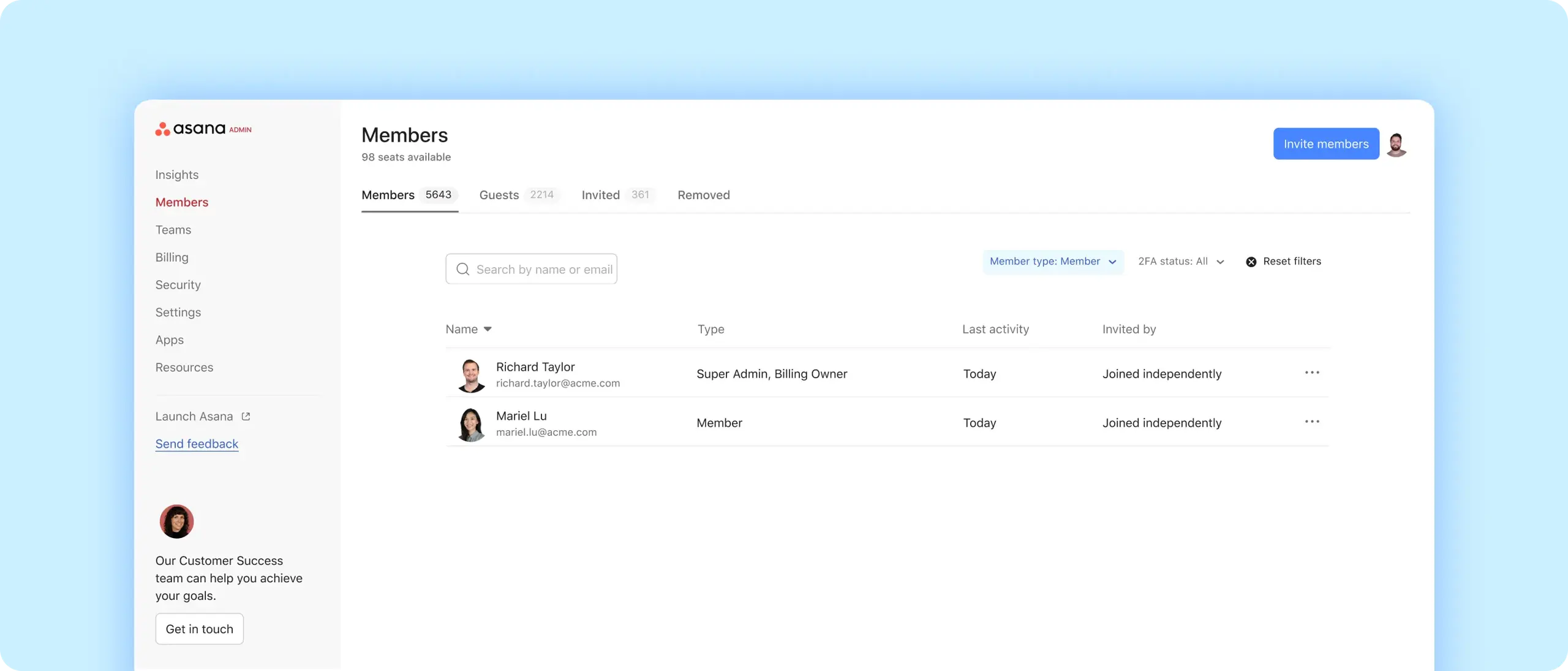
Enhance security
Add extra layers of protection so only the right people can log in.
Safeguard data
Control who can access your organization's data.
Manage users
View, add, and remove members in one central hub.
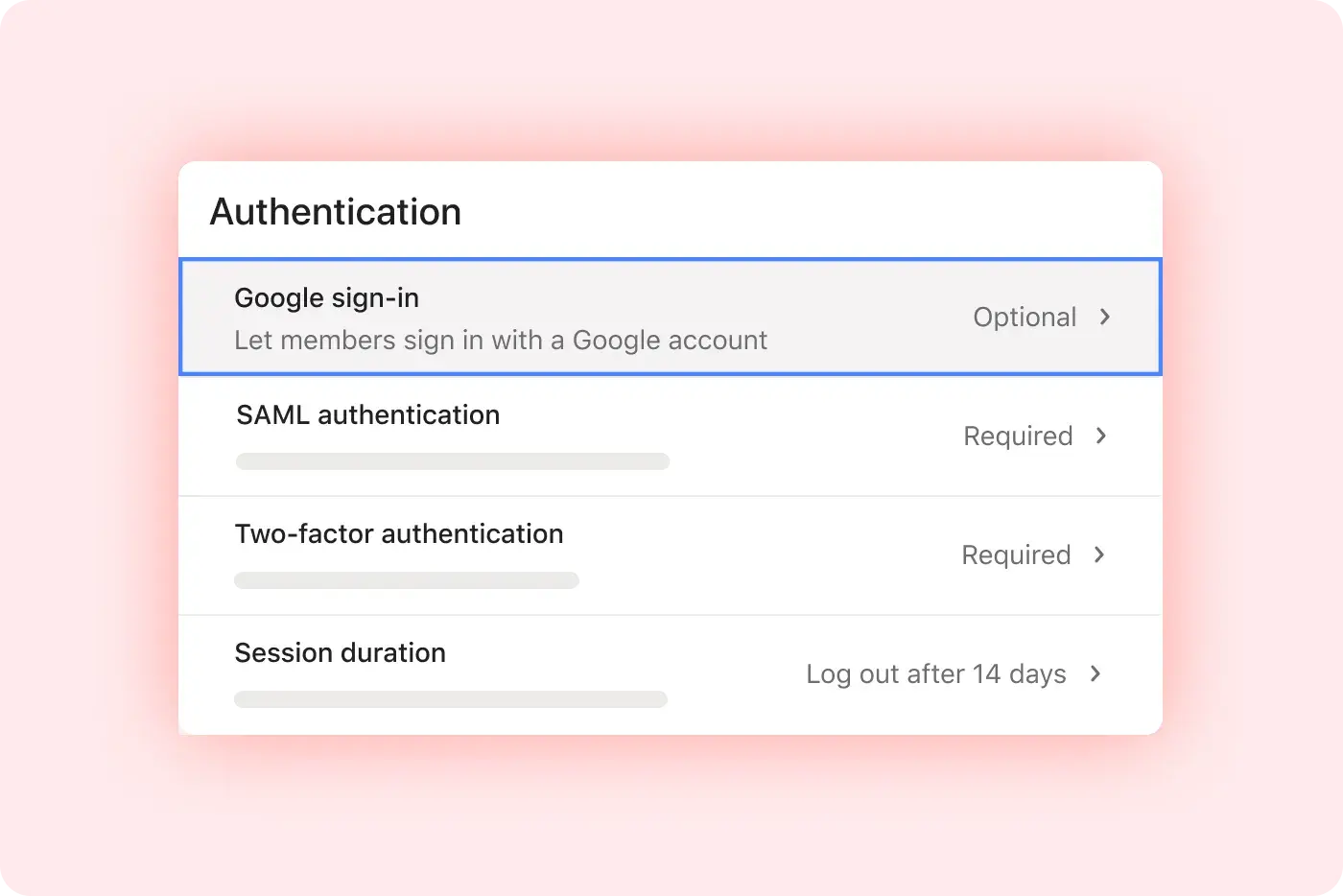
Safeguard everyone's workspace
Log in safely
Turn on Google SSO and SAML authentication so users can securely access Asana without a password.
Reinforce your security
Add two-factor authentication to require a secondary form of verification.
Set parameters
Choose how long users can stay logged in, and set password requirements to make logins more secure.

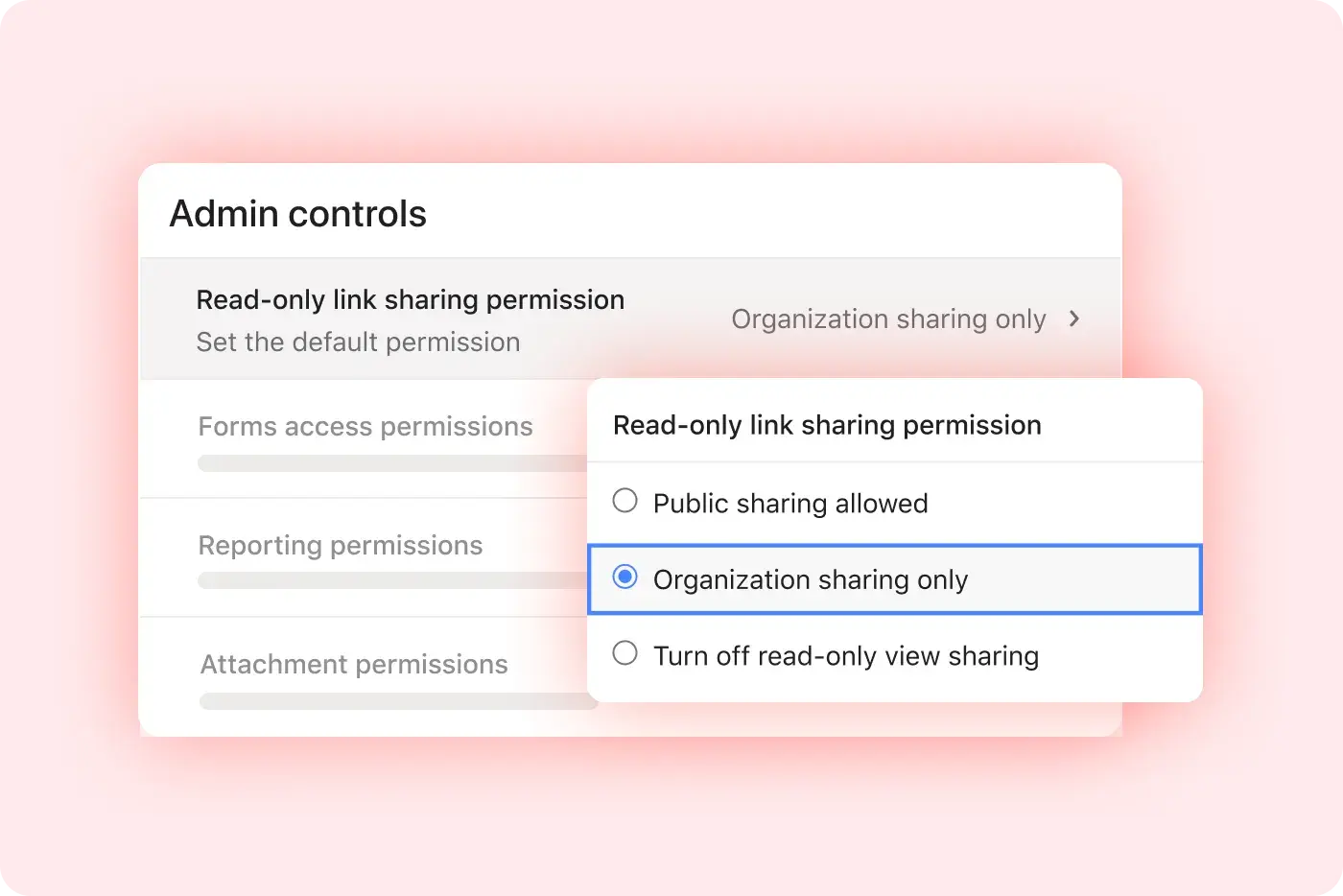
Protect your organization's information
Control sharing
Specify what people can share outside your organization.
Preserve Privacy
Choose how users can pull information for dashboards and reporting.
Set boundaries
Select which integrations people can use, what they can download on the mobile app, and more.
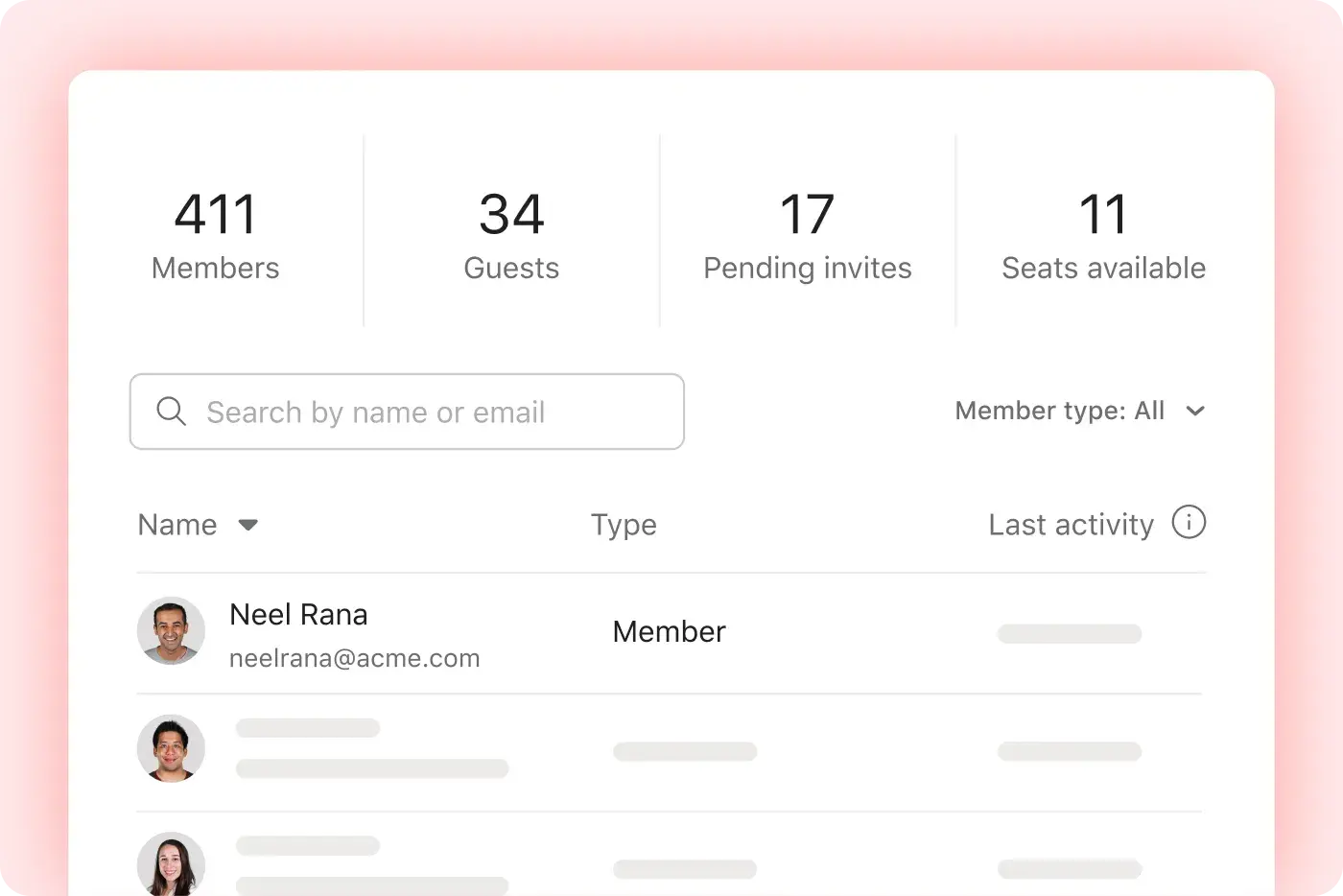
Manage users and edit your plan
See everyone
Search a database of users and teams in your organization, and get a snapshot of how they use Asana.
Add and remove accounts
Manage how many people are on your plan, and see deactivated accounts.
Manage billing
Update payment information, change your plan, and more.
Put it all together
Get a pulse on your organization with these features. Pair them with admin console to understand how your team works, in real time.
Still have questions? We have answers.
The Admin Console in Asana is a central interface for workspace or org-wide administration. It lets you manage all users, teams, permissions, authentication settings, sharing rules, mobile security, and billing plan details.
Asana covers essential needs including data security, reliability at scale, compliance with global, regional, and industry regulations, and more. Learn more about security at Asana.
The Asana plans that include access to the Admin Console are Starter, Advanced, Enterprise, and Enterprise Plus plans. It is not included on free plans.
The users who can use the Admin Console are those with specific roles in Asana: Super Admins (full access to everything including security), Admins (manage users, teams, and security for users), and Billing Owners (can view billing info and access tutorials).
To access the Admin Console, Super Admins and Admins can open it via their profile menu in the top-right corner of Asana once logged in.
The admin console lets you view, search, and sort every member of your organization in one place. You can also:
Add new members to your organization.
Deactivate members, or restore users who were deactivated in the past.
See the number of members, guests, pending invites, and available seats.
Export membership data to a CSV.
The user and team management that can be done includes viewing, searching, and sorting all organization members and teams. You can invite or deactivate users, restore old accounts, export user/member lists, and monitor guests, pending invites, and seat usage.
The authentication and login controls available to Super Admins include enforcing SSO with Google or SAML, setting password requirements, requiring two-factor authentication, limiting session duration, and using SAML group mapping for license assignment.
Session limits work by allowing you to set automatic logout timing between 1 hour and 30 days, after which users must sign in again.
The sharing and data protection settings that exist allow admins to control sharing outside the organization, restrict dashboard/reporting exports, limit integration access, and specify allowable file types.
The mobile security settings supported in Asana allow you to enforce biometric login, disable screenshots and copy-paste, restrict file attachments, and integrate with Intune on iOS.
The billing and plan controls possible in the Admin Console include viewing active seats, updating billing information, changing plans, and seeing usage metrics on seats and engagement.
Transform the way you work with Asana
Start your free trial
Try Asana for free. No credit card required.
Watch the demo
See how Asana connects companies at scale.
Speak with a sales rep
Learn how Asana helps teams collaborate seamlessly.