


Candidate tracking template
Organize all your applicants, hiring stages, and interview feedback in one place so you never miss a great candidate.
Sign up to use this template.
Candidate tracking template
Organize all your applicants, hiring stages, and interview feedback in one place so you never miss a great candidate.
Use templateSign up to use this template.
INTEGRATED FEATURES
Recommended apps




Summary
Hiring the right people is crucial for your team, but without a process, resumes can pile up, feedback may get lost, and you might miss out on great candidates. A candidate tracking template helps you organize every applicant, stage, and decision. In this article, we’ll explain what a candidate tracking template is, why it’s important, what to include, and how to set one up in Asana to make your hiring process easier.
![[Product UI] Hiring pipeline project example (Boards)](https://assets.asana.biz/transform/70ec5311-0378-430f-9be6-f7023a8070c6/inline-board-view-hiring-pipeline-2x?io=transform:fill,width:2560&format=webp)
What is a candidate tracking template?
A candidate tracking template is a ready-made tool that helps you organize, monitor, and review job applicants during the hiring process. It gives your team a single place to store candidate details, track their progress, and capture interview feedback, so you don’t have to build a system from scratch.
No matter how many roles you’re hiring for, a candidate tracking template helps you stay organized. With a template, you can:
Centralize candidate information: Store resumes, contact details, and notes in a single, easy-to-access location rather than having them scattered across emails and documents.
Track pipeline stages: Quickly see where each candidate is in the process, from application to offer.
Coordinate your hiring team: Give recruiters, managers, and interviewers a shared view so nothing is overlooked.
Why use a candidate tracking template
When you're managing multiple open roles, a staffing plan helps keep details from falling through the cracks. A candidate tracking template helps you stay organized, move faster, and deliver a better experience for everyone involved.
Organize candidate details in one place
Resumes, contact details, interview scores, and notes can easily get lost in different inboxes and documents. A candidate tracking template puts everything in one place, so your team always knows where to look.
No more scattered information: You won’t have to search through emails or ask others for interview feedback.
Consistent candidate experience: Interviewers come prepared with the right context and interview questions every time.
Collaborate easily with your hiring team
Hiring is rarely a solo effort. Recruiters, hiring managers, and interviewers rely on cross-functional collaboration to stay aligned on where candidates stand.
Real-time updates: Everyone can see changes as soon as they happen.
Fewer status meetings: Stay on the same page about next steps without needing extra meetings.
Create a better first impression with candidates
Your hiring process reflects your organization. When you’re organized and quick to respond, candidates notice.
Timely follow-ups: Make sure no candidate is left waiting because something was missed.
Consistent experience: Give every applicant a professional experience from the first contact to the final decision.
Key features to include in your candidate tracker
A useful candidate tracking template covers every stage of the hiring process. Here are the core fields your tracker should include to make it actionable.
Position and role details: Job title, department, hiring manager, target start date
Candidate information: Full name, email, phone, current role, application source
Application status: Pipeline stage (Applied, Phone screen, Interview, Offer, Hired)
Interview feedback: Interviewer notes, candidate scores, recommendation
Position and role details
Begin by recording the basics for each open role: job title, department, hiring manager, and target start date. This helps your team understand the context and manage several positions without confusion.
Candidate information and contact details
For each applicant, write down their full name, email, phone number, current company or role, and where they applied from. Keeping this information together makes it easy to contact candidates and see which sources bring in the best people.
Application status and pipeline stages
Define stages for your hiring process, like Applied, Phone screen, Interview, Offer, and Hired. Giving each candidate a status helps you quickly see how many people are at each stage and spot any slowdowns.
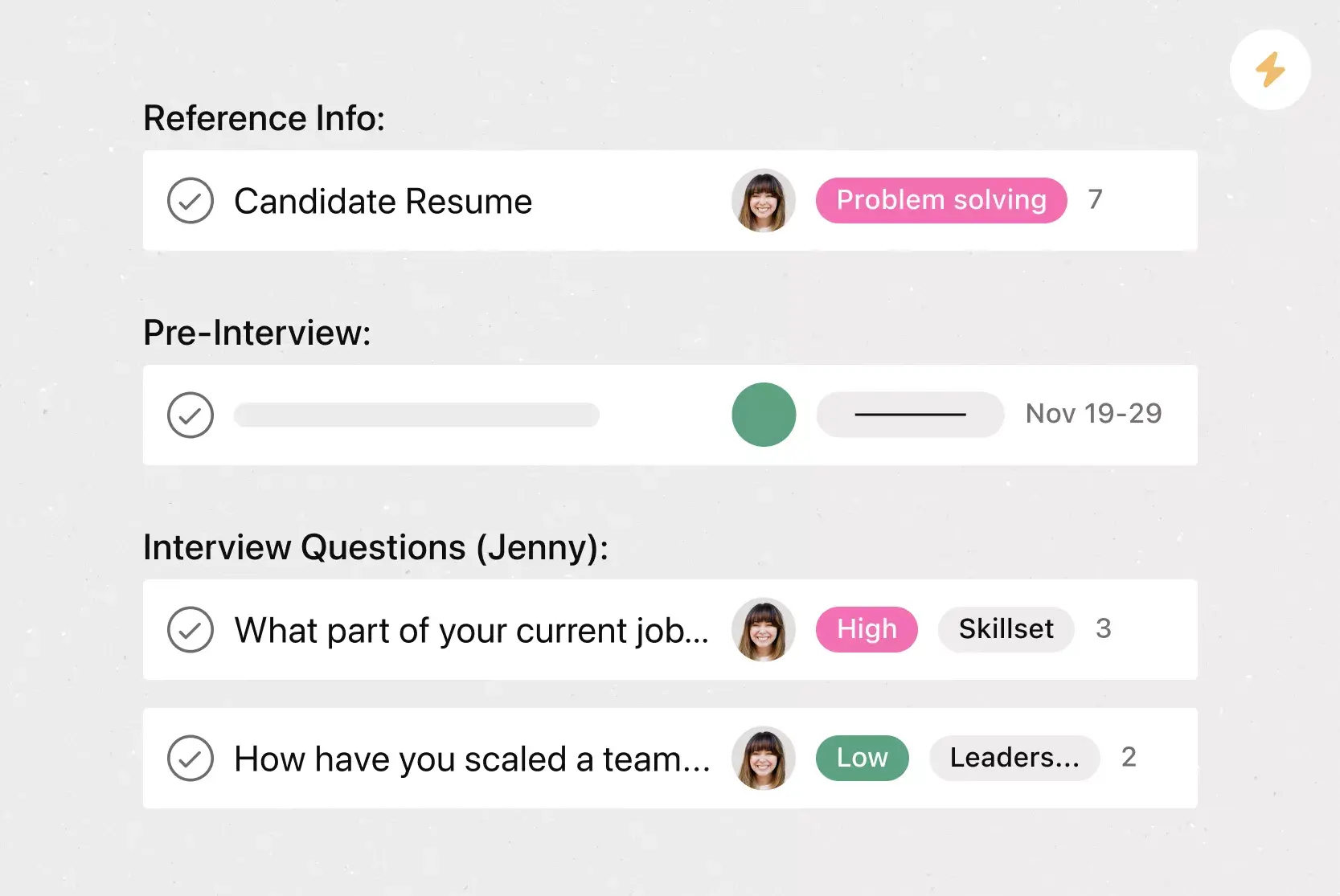
Interview notes and scores
Give interviewers a dedicated space to follow an interview guide, record their feedback, and rate candidates using a consistent scoring system. This makes it easier to compare applicants fairly and ensures valuable insights don't get lost between rounds.
How to plan and manage your candidate tracking project with our template
Finding great talent takes effort, especially when you’re hiring for several roles at the same time. Using a candidate tracking template in Asana helps you:
See where each person stands in the hiring process at any time.
Store important contact details and documents in one shared project.
Capture interview notes so feedback is always accessible to the team.
Keep all the details in one place. Interviewers can come prepared with the right information, so every candidate has a consistent experience. Tracking everything together prevents information from getting lost.
Connect with your favorite tools. Asana links to many other recruiting tools, saving you time and making sure information stays accurate everywhere.
See which stage each candidate is in. With a quick look, you can sort your tracking project to check everyone’s progress and keep things on track.
Hiring great talent is directly tied to your company's success. Take the complexity out of the hiring process and create a seamless system for hiring and onboarding the best candidates.
How to use the candidate tracking template
It’s easy to get started with your candidate tracking template. Follow these steps to set up your tracker and begin managing applicants right away.
Set up your roles and positions
Make a section or column for each open role, including the job title, department, and hiring manager. This setup keeps each search organized, even if you’re hiring for several positions at once.
Add candidate information
When applications arrive, add each candidate to the right role section. Enter their contact details, where they applied from, and any notes from their resume or cover letter.
Track progress through hiring stages
Move candidates through each stage as they progress, from initial review to phone screen, interview, offer, and final decision. Regularly updating their status keeps your whole team up to date on next steps.
Collaborate with hiring managers and interviewers
Use comments and task assignments to loop in the right people at each stage:
Tag a hiring manager when it's time to review a candidate.
Assign an interviewer to complete their feedback by a specific date.
Keep all communication in one place to avoid the hassle of separate email threads.
When to switch from spreadsheets to a work management platform
Spreadsheets work well for tracking candidates when you have only a few roles. But as your team and hiring needs grow, updating them by hand takes more time and can lead to mistakes.
Real-time collaboration: A spreadsheet offers limited support, while a work management platform includes built-in comments, assignments, and notifications.
Status updates: Spreadsheet requires manual updates, while a work management platform updates status automatically as tasks move through stages.
Pipeline visibility: Spreadsheet relies on basic rows and columns, while a work management platform offers visual board, list, and timeline views.
Tool integrations: A spreadsheet offers minimal integrations, while a work management platform connects to recruiting and HR tools.
Scalability: A spreadsheet becomes difficult to manage beyond a few roles, while a work management platform handles multiple roles and teams.
If you're spending more time maintaining your tracker than actually hiring, a work management platform like Asana is a better fit. You get collaboration, automation, and visual pipeline views, all without the limitations of a static spreadsheet.
Simplify your hiring process with Asana
A candidate tracking template helps you stay organized and consistent, but using it with a work management platform takes your hiring to the next level. With Asana, you can:
Automate repetitive tasks, such as moving candidates between stages and sending reminders.
Coordinate with shared projects, comments, and notifications.
Focus on what matters most: finding the right people for your organization.
Get started with a free candidate tracking template and see how much smoother your hiring process can be.
Free candidate tracking templateFAQs about candidate tracking templates
At a minimum, your candidate tracker should include the candidate's name, contact details, the role they applied for, application source, current pipeline stage, interview notes, and scores. You may also want to add fields for the hiring manager, target start date, and any follow-up actions needed.
If you're using a spreadsheet, you can share it via cloud storage tools like Google Drive. For a more collaborative approach, use a work management platform like Asana where team members can view updates, leave comments, and receive notifications whenever a candidate's status changes.
A spreadsheet gives you a simple grid to log candidate data, but it requires manual updates and doesn't support real-time collaboration well. A project management tool like Asana offers automated workflows, visual pipeline views, built-in communication, and integrations with recruiting tools, making it easier to manage hiring at scale.
If you're hiring for more than a handful of roles at a time, coordinating with multiple interviewers, or finding it hard to keep your spreadsheet up to date, it's a good sign you've outgrown it. Moving to a dedicated platform helps you save time, reduce errors, and give your candidates a better experience.
Related templates

Build a better candidate pipeline
Improve your recruiting process with templates in Asana—so you can hire great talent.