


Powered by AI
Work intake template
Use a work intake template to organize, prioritize, and manage all the requests your team receives. Workflow templates help everyone understand what needs to happen next and who is responsible for each step.

![[Templates] Work intake - hero](https://assets.asana.biz/transform/0cd5de6e-6b8c-435c-9628-2aec6502dea1/Work-intake-PMO-Workflow-Package?io=transform:fill,width:2560&format=webp)
Powered by AI
Work intake template
Use a work intake template to organize, prioritize, and manage all the requests your team receives. Workflow templates help everyone understand what needs to happen next and who is responsible for each step.



Centralize requests to prioritize, resource, and kick off the right work
Asana’s work intake workflow template gives teams a simple way to intake, review, and route incoming work without sorting submissions by hand. Every request enters the same workflow, so teams can see what needs attention, who owns each step, and how work is progressing. With built-in automation and AI support, you spend less time gathering information and more time completing the work that matters.
Collect all incoming work into a single, consistent intake workflow.
The template captures key details via a built-in form and assigns each request an ID, allowing teams to easily track work items. Teams can initiate email follow-ups and leave team-only comments to collaborate before starting the work.
Review and qualify requests quickly with AI.
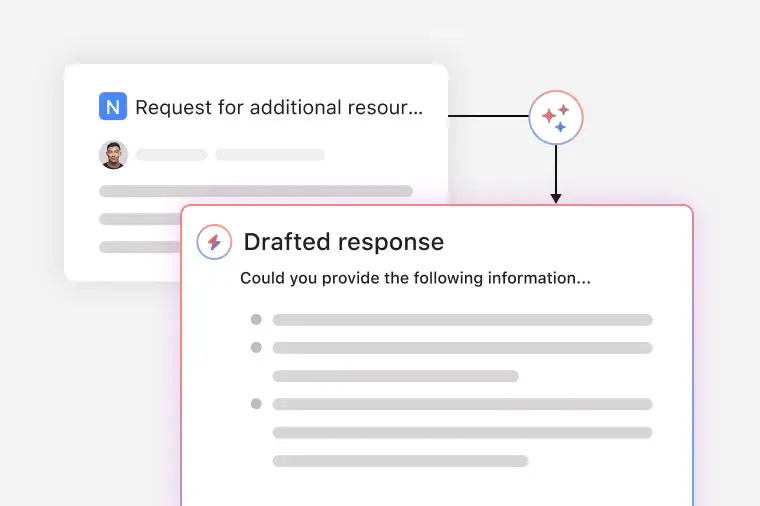
AI names new submissions, prompts requestors for missing information, and drafts replies to reduce back-and-forth early in the intake process.
Organize requests using custom status steps.
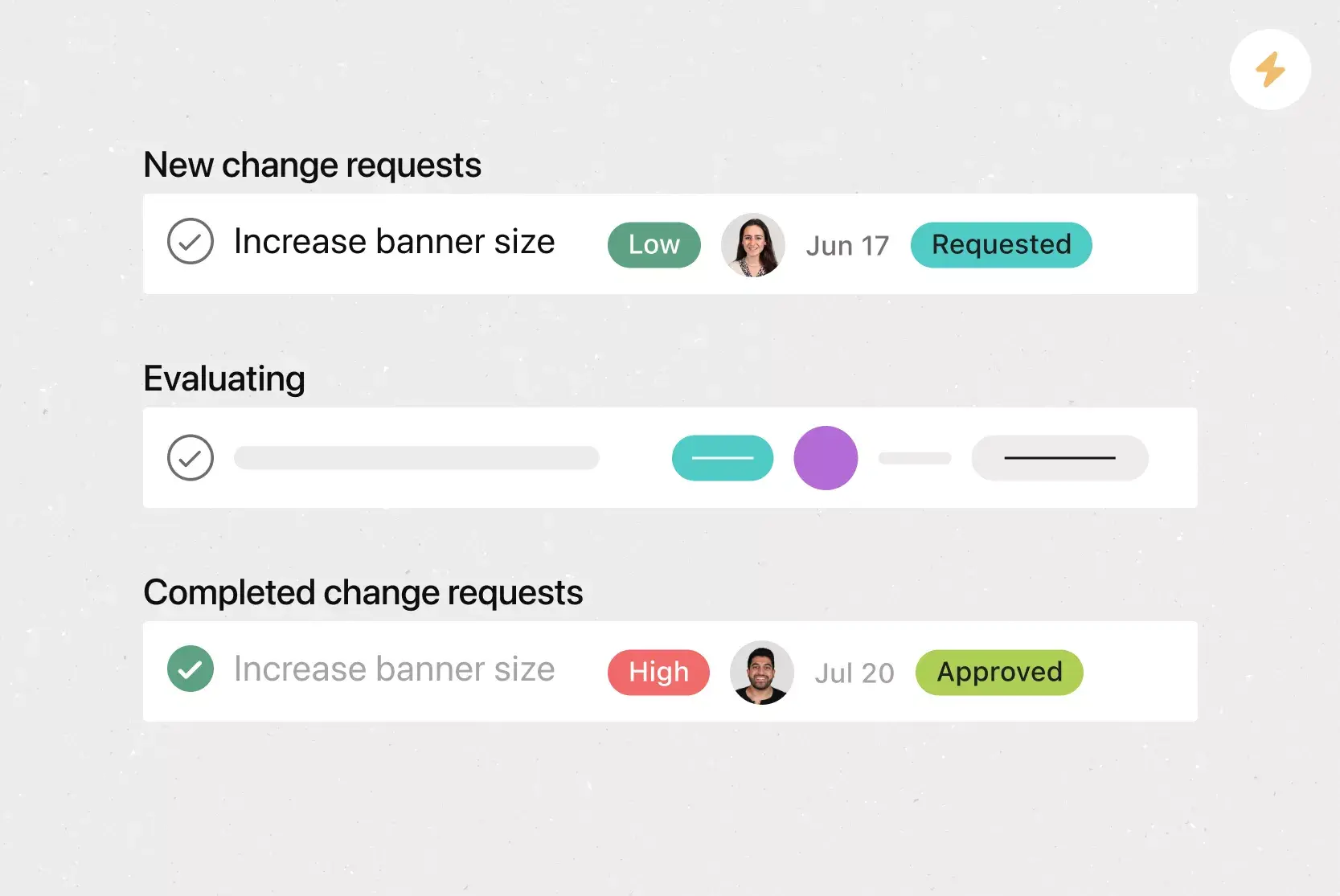
The intake template sorts work requests into custom status types to see what’s new, in progress, blocked, or complete.
Apply due dates automatically.
Rules set deadlines based on the type of request, which helps teams plan work without manual scheduling.
Review and report performance from a single dashboard.
Dashboards show request volume, processing speed, and delays at different stages. The intake template provides teams with real-time metrics, insights, charts, and graphs to improve workflows and avoid delays.
When to use a work intake workflow template
Work intake templates are most useful when your team needs a reliable way to handle incoming work from multiple sources. They offer a single location for requestors to specify their needs, include key details, and track progress without extra check-ins. A workflow template helps reviewers get the information they need to decide what to do next and move work forward with fewer delays.
Use Asana’s work intake form templates when your team wants to:
Organize incoming requests as they arrive throughout the day.
Replace siloed emails, chats, or spreadsheets with a single intake flow.
Plan workloads by assigning and scheduling requests in one system.
Support recurring service needs such as facility repairs, IT help, or onboarding tasks.
Give requestors visibility into the status of their submissions.
A work request workflow template works well for any team that manages recurring requests and needs a reliable intake process to keep everyone on the same page.
How to use a work intake template
Asana’s work intake workflow template gives your team a single place to collect, review, and manage incoming work orders. You move through each step of the workflow in a consistent order, so you always know how new requests progress.
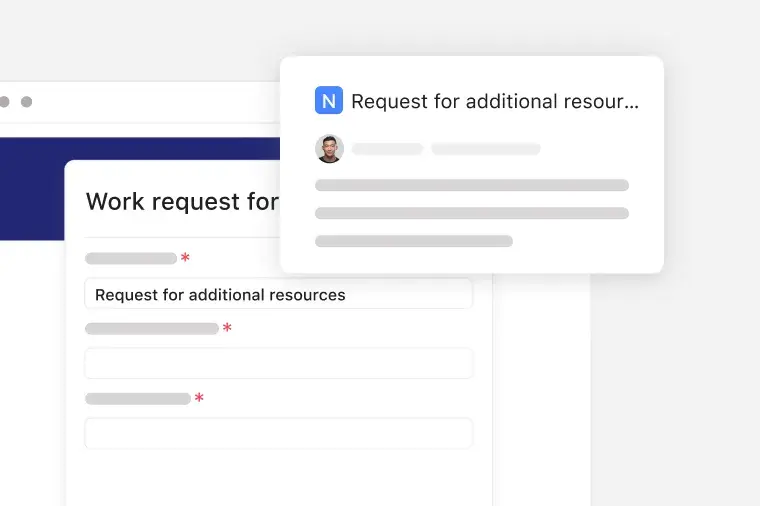
Collect work requests with a form
You capture new submissions through the built-in form and create a standardized entry for every request. You can customize the work order request form to include a description of the work, contact information, or any other details your team needs. The template assigns each item its own ID, and your team adds email follow-ups or team-only comments when collaboration is required. If a facility manager submits an HVAC repair request, the form records all the necessary information at the start.
Review work requests with AI
AI assigns a name to each incoming request, prompts requestors for missing details, and drafts responses to minimize initial back-and-forth. If a requestor omits location details, AI asks a follow-up question before continuing.
Organize work requests by status
Teams use status fields to place each item in the correct stage, such as New request, Needs information, Evaluation, Approved, Declined, or Implemented. If a cross-functional onboarding request sits in “Needs information,” the status tells reviewers exactly what to do next.

Automatically set due dates for requests
Rules assign deadlines based on request type, so teams don’t have to schedule work manually. Automation keeps work on schedule when volume increases. If your team always resolves basic service requests within four days, the rule applies the due date immediately.

Track progress with dashboards
Dashboards display request volume, movement speed, and workflow bottlenecks. These charts help teams recognize patterns and modify their work request process when needed. If a monthly spike in maintenance requests occurs, the dashboard highlights it and guides resource planning.

Asana’s intake template functions like a team member who organizes each submission, prompts next steps, and guides items through review and execution. AI helps with intake tasks, rules keep work flowing, and dashboards report on progress at every stage.
Transform how you manage work requests with Asana AI. Review requests with AI.
Let AI handle the busywork so your team can focus on decisions, not data entry. As work requests come in, AI helps you organize, define, and complete the intake process, without altering your workflow.
AI auto-names each request. AI reads each submission and gives it a detailed title, so your intake board never fills up with “Quick question” or “Need help” again.
AI follows up for missing information. When key details such as scope, timing, or owner are missing, AI asks the requester for more information. You get complete requests on the first review, with fewer back-and-forth messages.
AI drafts responses. AI suggests reply text based on AI suggests reply text based on request details and status, whether you’re approving, declining, or requesting changes. Your team can review, personalize, and send it with just a few clicks.
Customers that use Asana templates to work



![[Logo] Affirm](https://assets.asana.biz/transform/5c33f186-151e-4999-b0b5-4081f236b3cd/Affirm_logo-svg?io=transform:fill,width:2560&format=webp)





Related templates
![[IT Requests] template Card Image](https://assets.asana.biz/transform/893ab6d4-56c6-42b8-9978-39cba3e59227/Template_ITTicketing_Thumb?io=transform:fill,width:2560&format=webp)
![[Templates] Bug Tracking (Card image)](https://assets.asana.biz/transform/49cc8463-4baa-4031-ae46-5ed41fdbe2b8/TG23-web-thumbnail-013-issue-log-2x?io=transform:fill,width:2560&format=webp)
Frequently asked questions about task management tools
The purpose of a work request form is to provide teams with a standardized way to collect the information they need before work begins. Using a work request form template, requestors provide key details early on, such as the problem, scope, and deadlines. Request forms help everyone understand what is being asked and reduce the back-and-forth that can slow down work.
To write a work request, describe the work you need, why it matters, and any context that helps the reviewing team understand the task. A good work request includes the requestor, the desired outcome, the deadline, and any supporting documentation. Writing it this way helps reviewers evaluate the request and move it to the right stage of the workflow.
The difference between a work intake request and a work order is that an intake request begins the conversation, while a work order authorizes the work to begin. A request is the initial submission describing what needs to be done, often from someone outside the team doing the work. A work order is issued later by the reviewing team once the request is approved, documented, and ready for scheduling or execution.
Work request forms are typically used by teams that manage incoming work from many stakeholders, such as facilities, IT, operations, human resources, compliance, and project management offices. These teams rely on standardized intake to prioritize fairly, plan workloads, and avoid miscommunication. Anyone who needs to request help, from employees to external partners, can submit through the form and follow a consistent process.
Work intake templates improve workflow by standardizing how information enters the intake process, reducing manual sorting, and giving teams a reliable framework for triage and decision-making. With a template, every request includes the correct fields and is processed through a set of stages.