


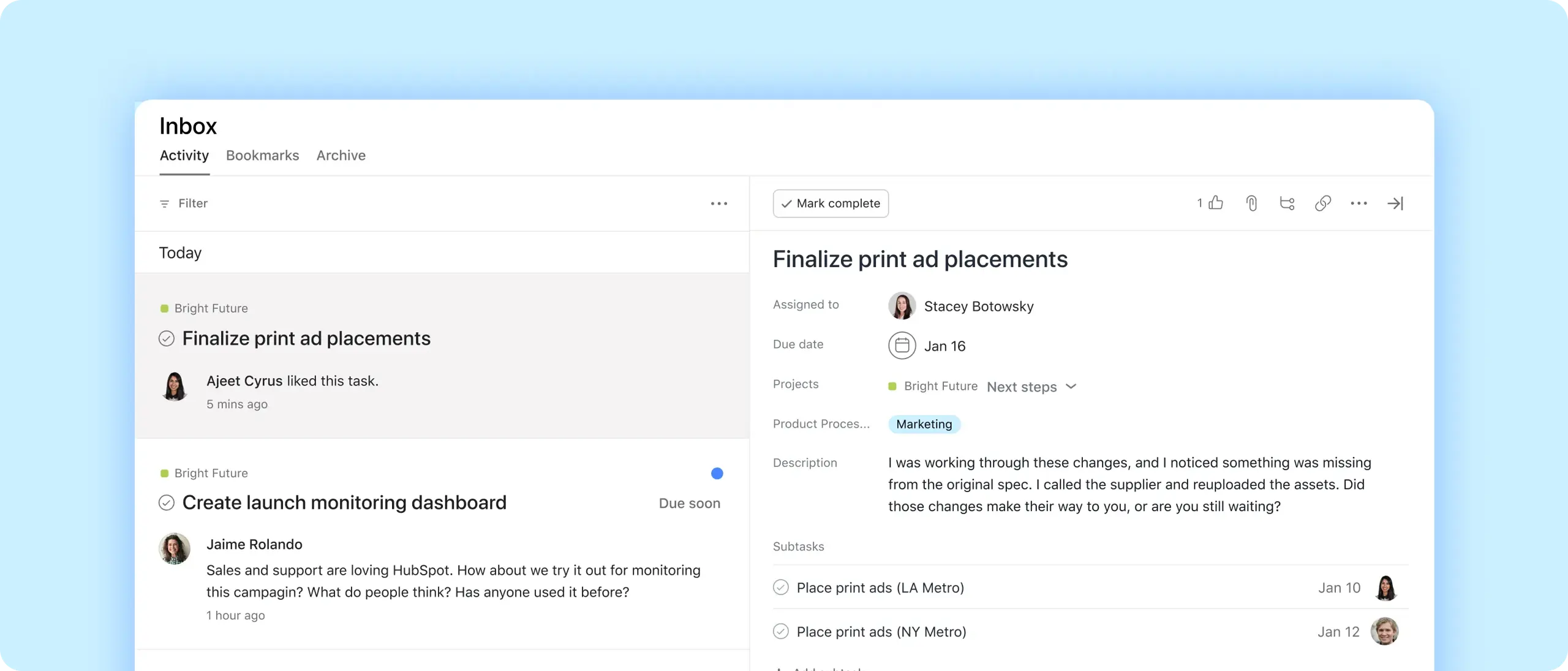
Stay focused
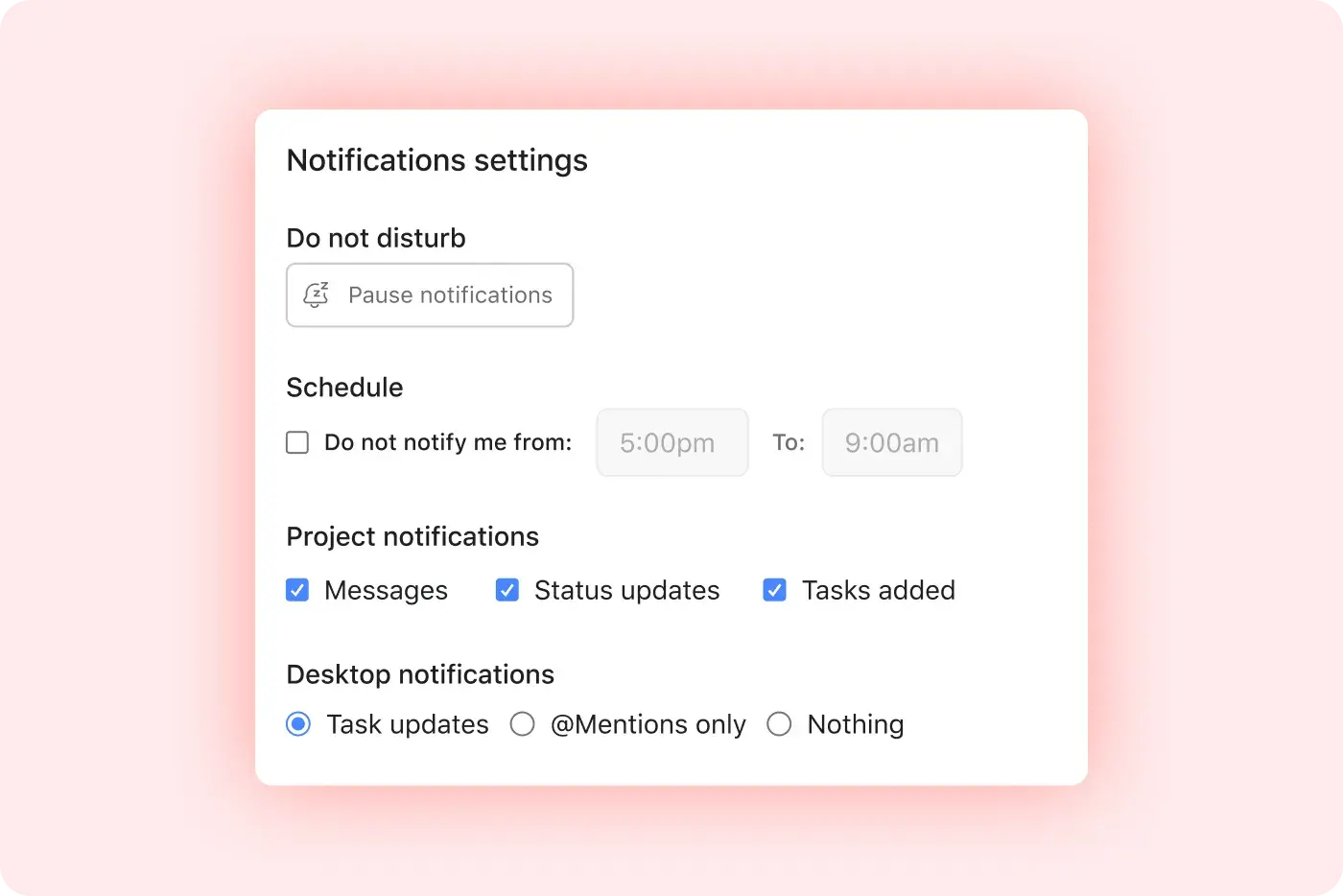
Customize your notification settings to zero in on the work you care about.
Prioritize what matters
Filter and sort your inbox to find the most important updates.
Connect to the work
Follow through on notifications without leaving your inbox.
Customize your inbox
See what’s urgent
Turn on email and browser notifications for new tasks, direct messages, and more.
Protect your focus
Automatically pause notifications during certain hours and days of the week.
Tidy up
Set defaults for projects, like whether you get notifications about status updates, messages, or new tasks.

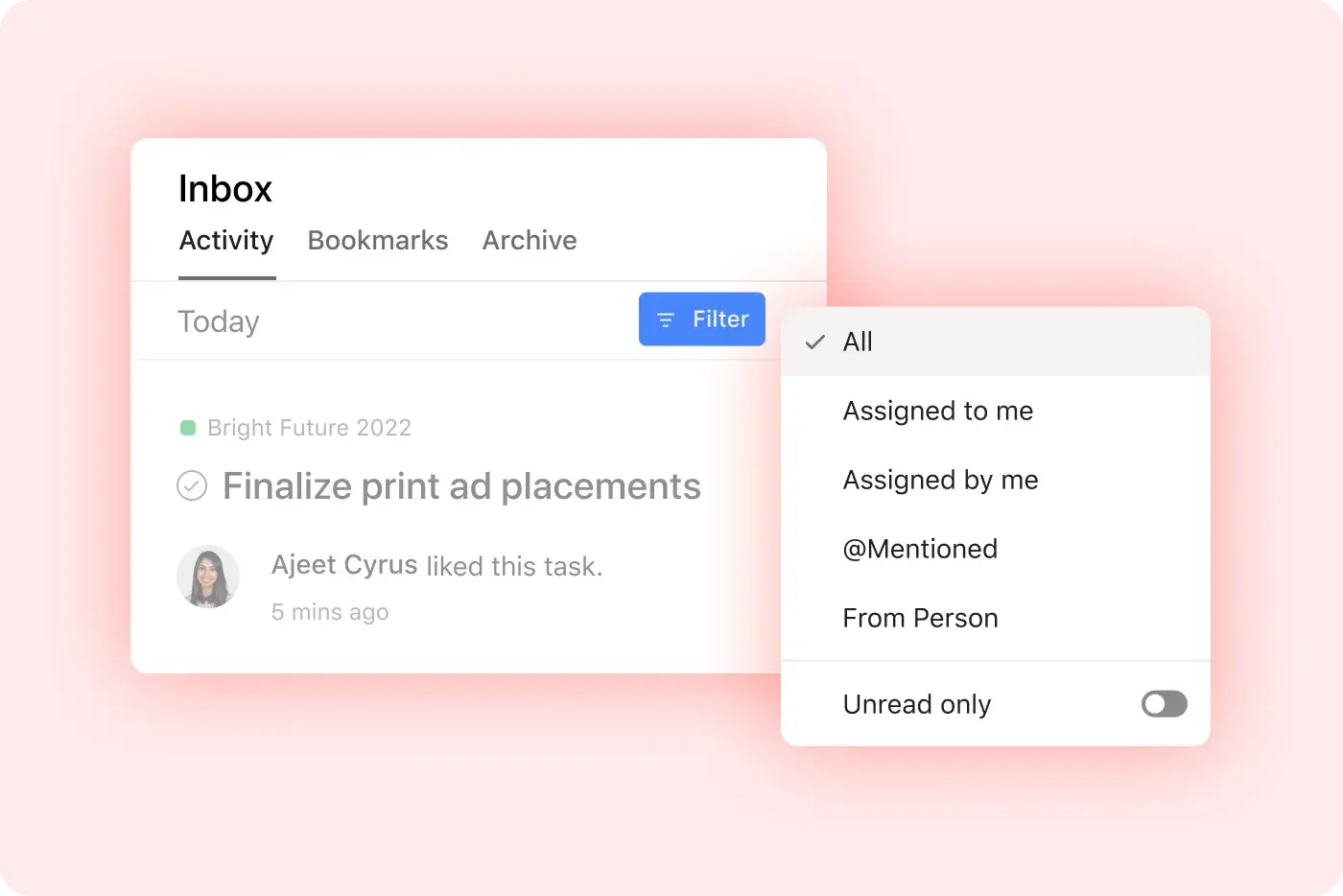
Find what’s important
Sort it out
Find the newest notifications at the top of your inbox.
Add a filter
Narrow your view to see only new tasks, @mentions, unread messages, and more.
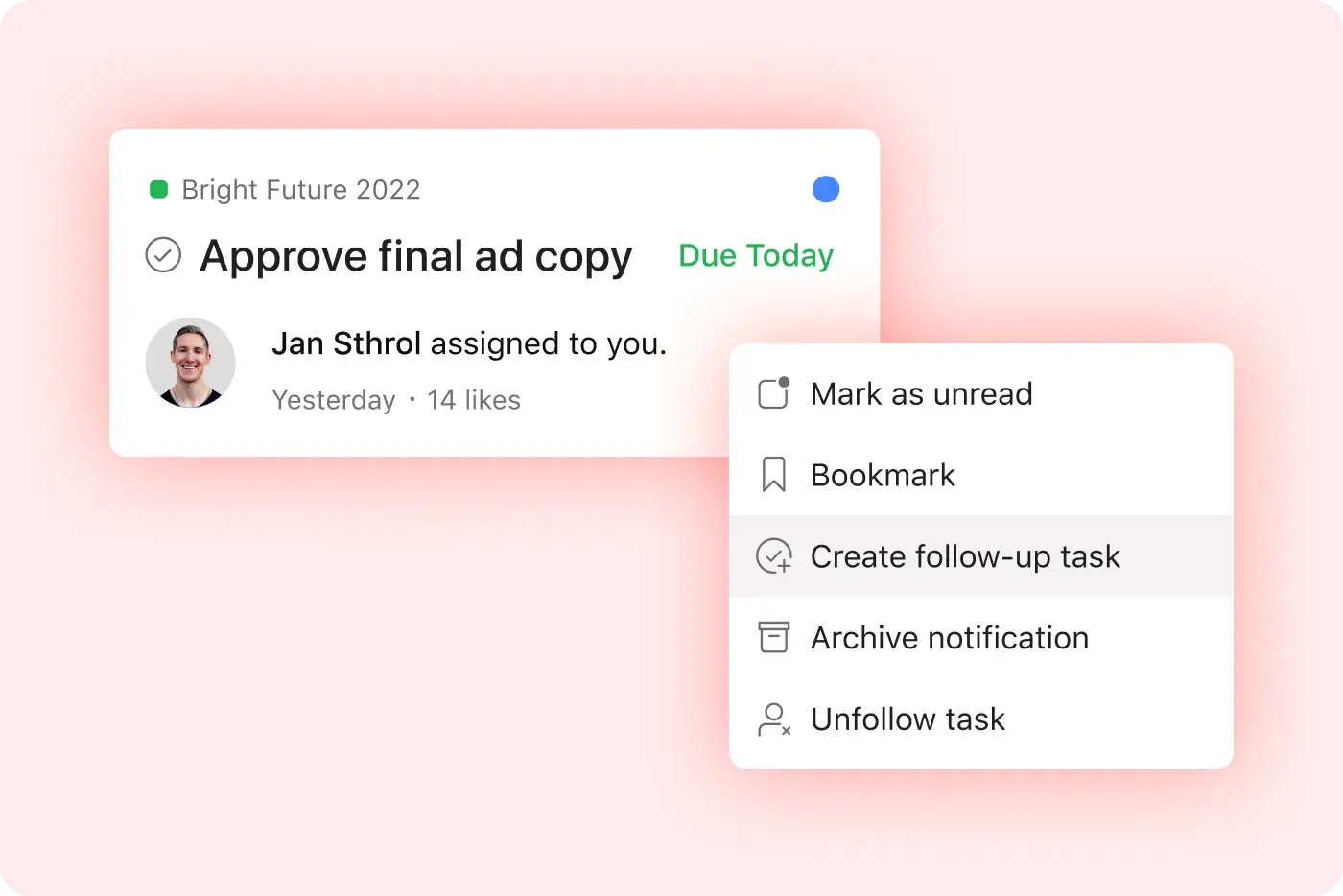
Spring into action
Circle back
Create follow-up tasks for any notification with a single click.
Save it for later
Mark an update as unread, bookmark it, or move it to your archive.
Follow through
Respond to comments and take action on tasks without leaving your inbox.
Put it all together
Inbox is just the start. Combine it with these features to stay organized and jump into work, no matter where you are.
Still have questions? We have answers.
The Asana plans that include inbox are all Asana plans, including Personal, Starter, Advanced, and Enterprise.
To find what you’re looking for, filter your inbox by:
Notifications from a specific person.
Tasks assigned to you.
Comments or tasks where you were tagged with an @mention.
Tasks you’ve assigned to other people.
Unread notifications.
Yes, notifications are fully customizable. You can choose to only receive notifications during certain times of day or days of the week. Plus, opt in (or out) of email and browser notifications for certain types of updates. Finally, set notification defaults for your projects, like whether you want to be notified about status updates, messages, or tasks added.
You cannot filter your inbox by project or team natively. You can filter by @mentions, unread items, tasks assigned to you, or messages, but filtering by project or team is not currently supported natively.
To customize your notification preferences, you can set browser, email, and push notifications, pause notifications during set hours or days, and apply default rules on a per-project basis.
You can prioritize the most important updates in your inbox by sorting your inbox by newest first and filtering to view only unread, @mentions, task assignments, or comment threads.
You can act on a notification without leaving inbox, as Inbox allows you to reply to comments, create follow-up tasks, bookmark or archive updates directly without navigating away.
To clear or archive notifications in bulk, you can archive individual notifications or use the expand menu (...) to clear all notifications in a batch.
It is possible to pause inbox notifications during specific times. Inbox supports notification pause during predetermined hours and days of the week to help protect focused work time.
If you get too many notifications, you should review your project notification settings and unfollow tasks or projects unnecessary to reduce clutter; aim for inbox zero each day.
You see notifications for every task change in templates because if you are listed as a collaborator, you will see each update; avoiding collaborator status on bulk tasks or adjusting settings helps manage volume.
You can see the project name in inbox notifications. The project name appears by default in inbox notifications.
Transform the way you work with Asana
Start your free trial
Try Asana for free. No credit card required.
Watch the demo
See how Asana connects companies at scale.
Speak with a sales rep
Learn how Asana helps teams collaborate seamlessly.