


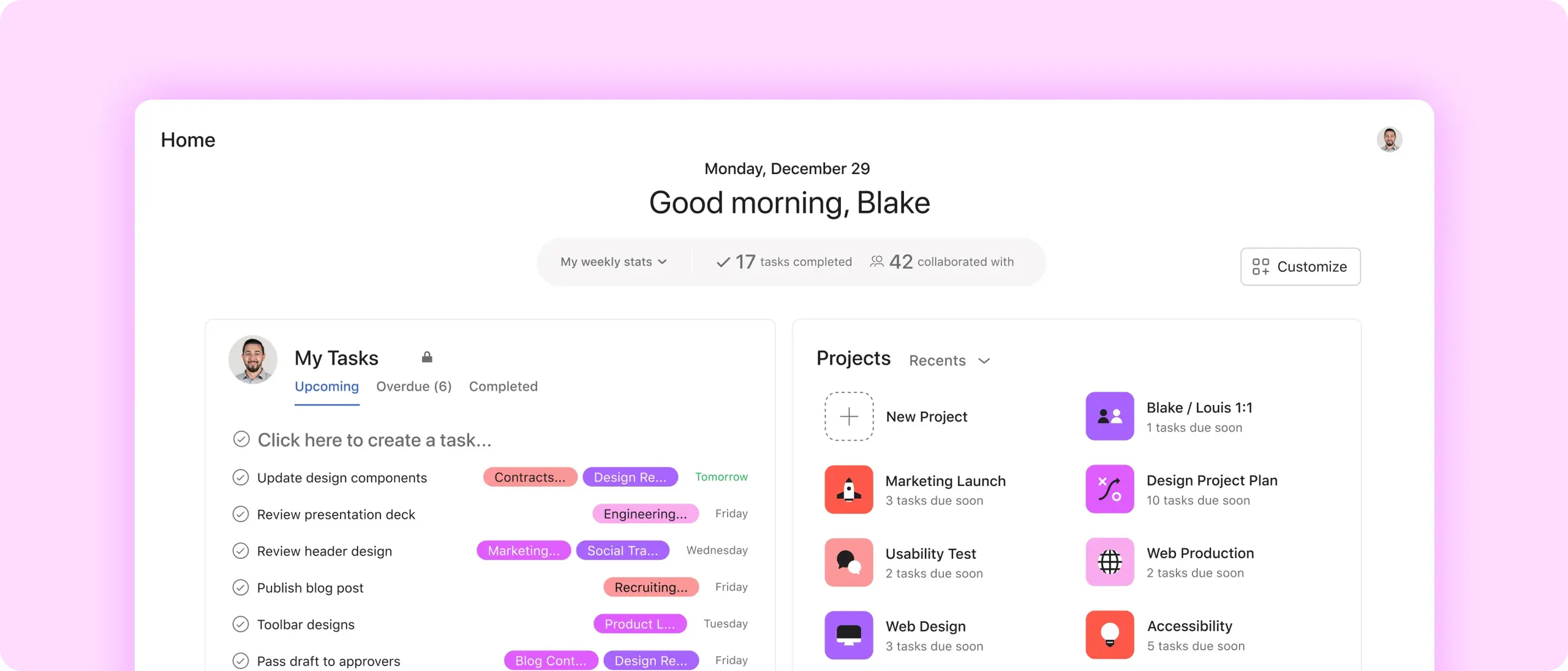
Make it yours
Build your own homepage with custom drag-and-drop widgets.
Take shortcuts
Go straight to the projects, tasks, and forms you care about.
Stay motivated
Track how many tasks you complete every week or month.
Build your home
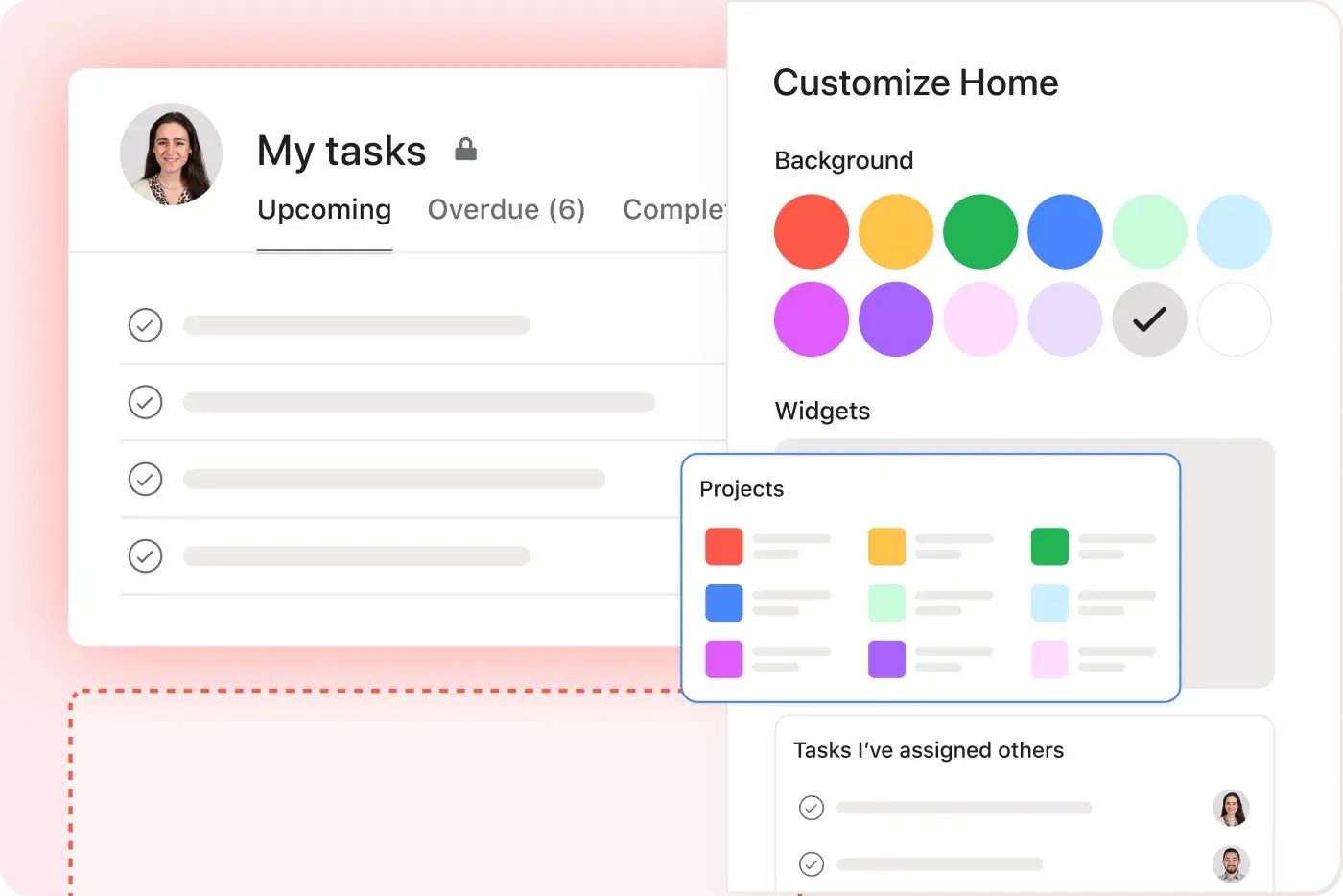
Add custom widgets
Create an overview of the work you care about, like upcoming tasks and recent projects.
Customize your layout
Remove, rearrange, and resize every part of your homepage.
Pick a background
Minimalist or colorful, the choice is yours.

Start your day
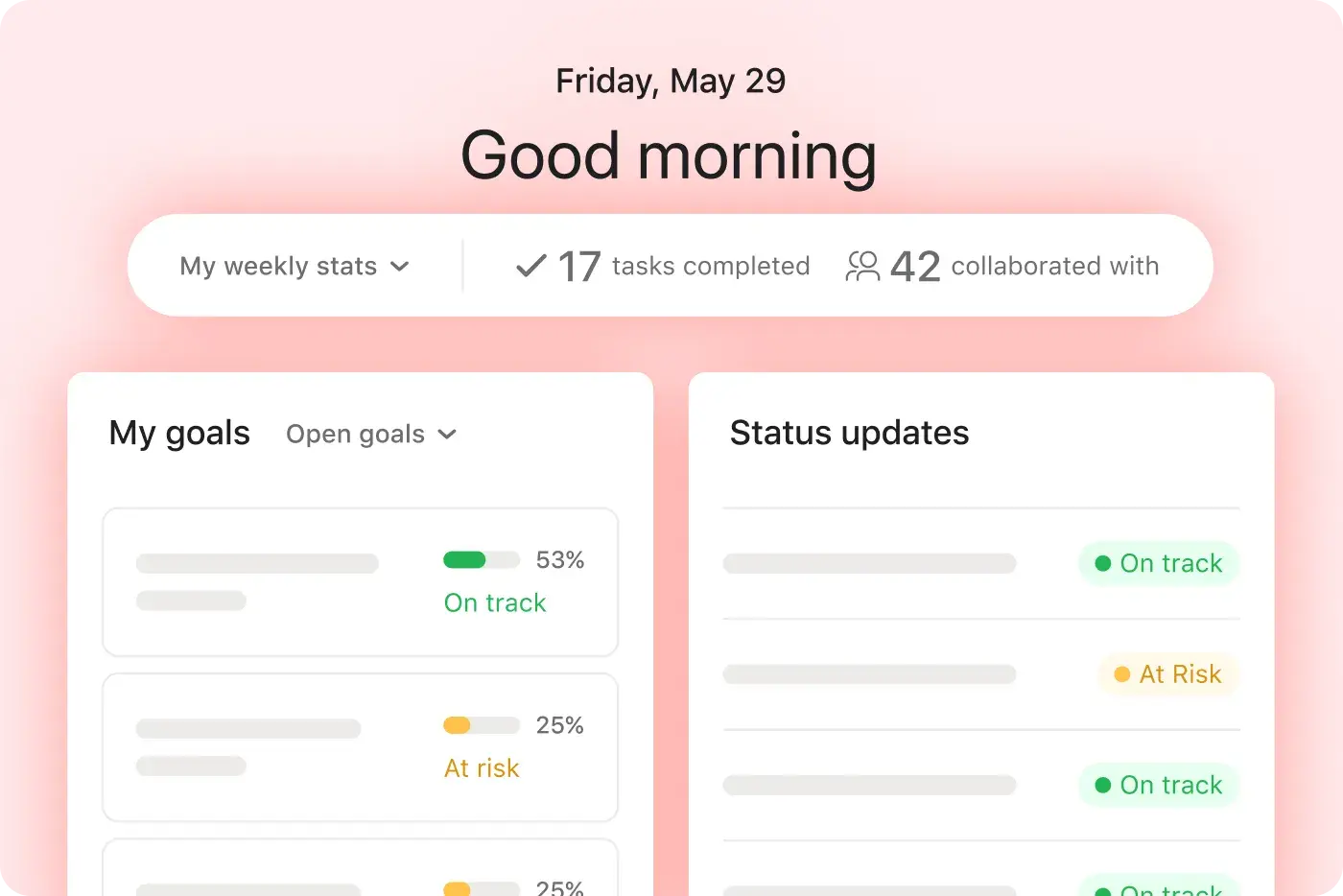
Get your bearings
See every goal you’re working toward.
Track to-dos
View upcoming, overdue, and completed tasks.
See the latest
Monitor status updates for every project, in one place.
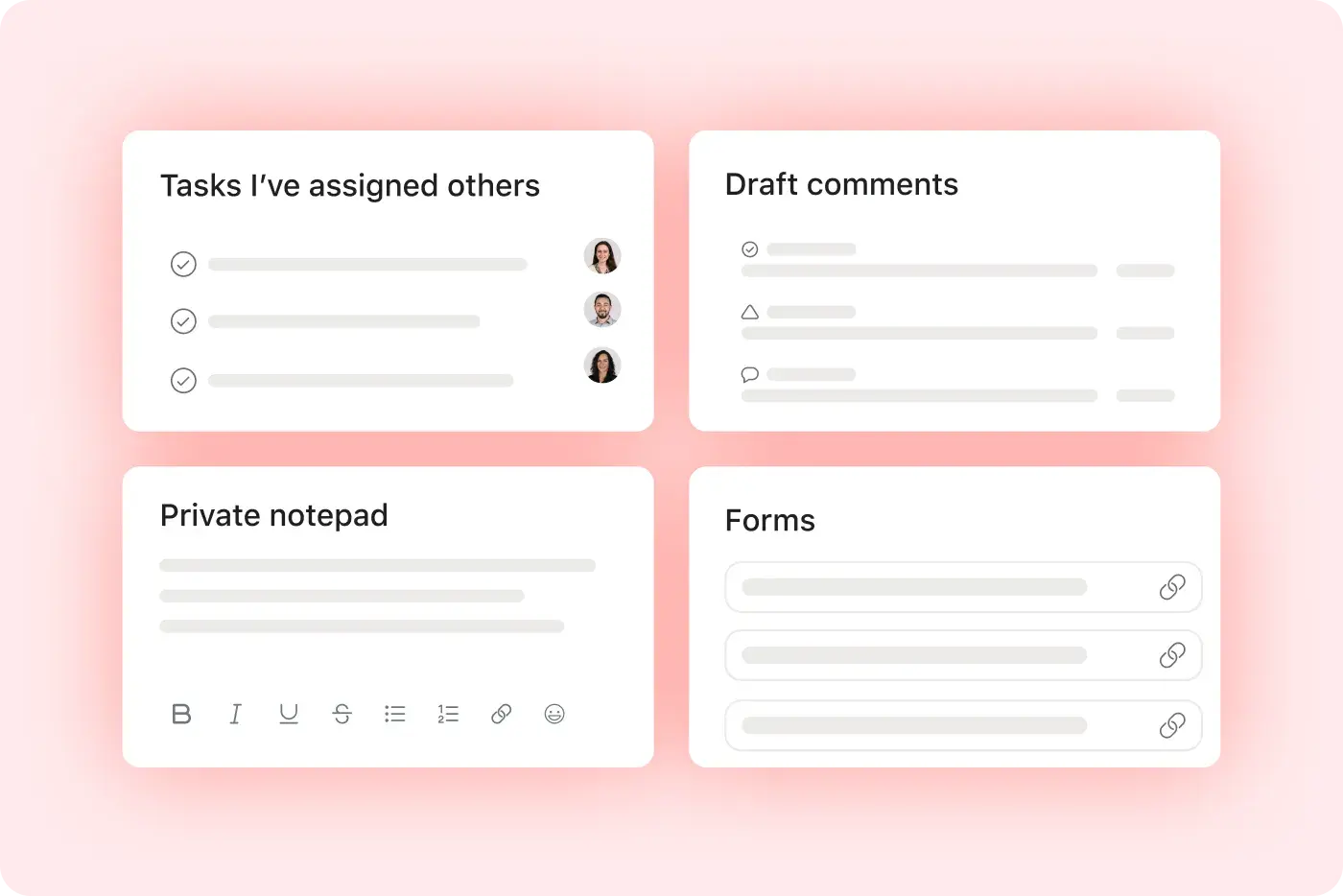
Check your notes
Capture reminders on a private notepad.
Jump back in
Pick up where you left off
See every comment you’ve drafted but haven’t sent.
Stay organized
Find every request form you need.
Save time
Go straight to recent projects and collaborators.
Follow up
Keep tabs on tasks you’ve assigned to other people.
Put it all together
Home is just the start. Get straight to mission-critical work with these features.
Still have questions? We have answers.
The Asana plans that include Home are all Asana plans, including Personal, Starter, Advanced, and Enterprise.
Yes, home is fully customizable. Build it yourself with different ready-made widgets, like a snapshot of your tasks and a private notepad. Then drag, drop, and resize every part of your homepage to fit your needs.
You can customize your Home screen layout in Asana. Home is fully customizable—you can drag, drop, resize widgets, choose background styles, and configure task snapshots and private notepad.
The widgets available on Home include widgets for upcoming tasks, recent projects, task completion stats, status updates, private notes, and quick access today shortcuts.
You can track your weekly/monthly task completion through Home, which shows task completion metrics (weekly or monthly) to help you track productivity.
To access drafted comments and follow-ups, Home surfaces drafts and pending comments so you can pick up communication where you left off.
You can jump quickly to your projects or forms from Home by adding shortcuts to your most-used projects, tasks, and forms for fast navigation.
Home shows project status updates by displaying the latest status updates for the projects you care about to keep you informed at a glance.
You can use a private notepad within Home, as Home includes a private notepad widget for capturing personal reminders or quick notes.
Home is available on mobile and desktop through Asana's desktop and mobile apps, ensuring your personalized start screen syncs across devices.
The purpose of Home in your daily workflow is to act as your personalized dashboard to start the day—showing goals, tasks, comments, and recent activity in one central view.
Transform the way you work with Asana
Start your free trial
Try Asana for free. No credit card required.
Watch the demo
See how Asana connects companies at scale.
Speak with a sales rep
Learn how Asana helps teams collaborate seamlessly.