


Work management software for any business
Coordinate plans, manage projects, and processes across your entire organization with a work management app. Asana empowers every team to focus on executing the work that grows your business.
Why manage work with Asana?
Increase productivity
Teams using Asana are 45% more efficient. Automate routine work. Turn communication into action. And bring good ideas to life faster.
Streamline management
According to 82% of customers, Asana gives teams greater clarity. Because everyone knows the plan, the process, and where work stands.
Improve visibility
80% of customers say Asana increases accountability. With everything teams need to know and do in one place, you can stay aligned on responsibilities and goals.
Watch Asana in action
See how your team can structure work to turn all your goals into actionable plans.
Teams that want results trust Asana









Empower every team with Asana
Simple to deploy
There's no extensive documentation to read or hours of training to sit through. Deploy Asana to teams throughout your organization without fuss.
Easy to adopt
Asana isn't just enjoyable to use. It s also easy to get started, easy to learn, and flexible enough to meet your team s preferences.
Dedicated support
When you have questions, we're here to help. Whether you just have general questions or want explicit guidance to set up projects and processes.
Customizable processes
Asana allows you to structure work to suit every team's particular needs. Plan projects, refine processes, innovate faster. All while meeting business goals.
Pain free reporting
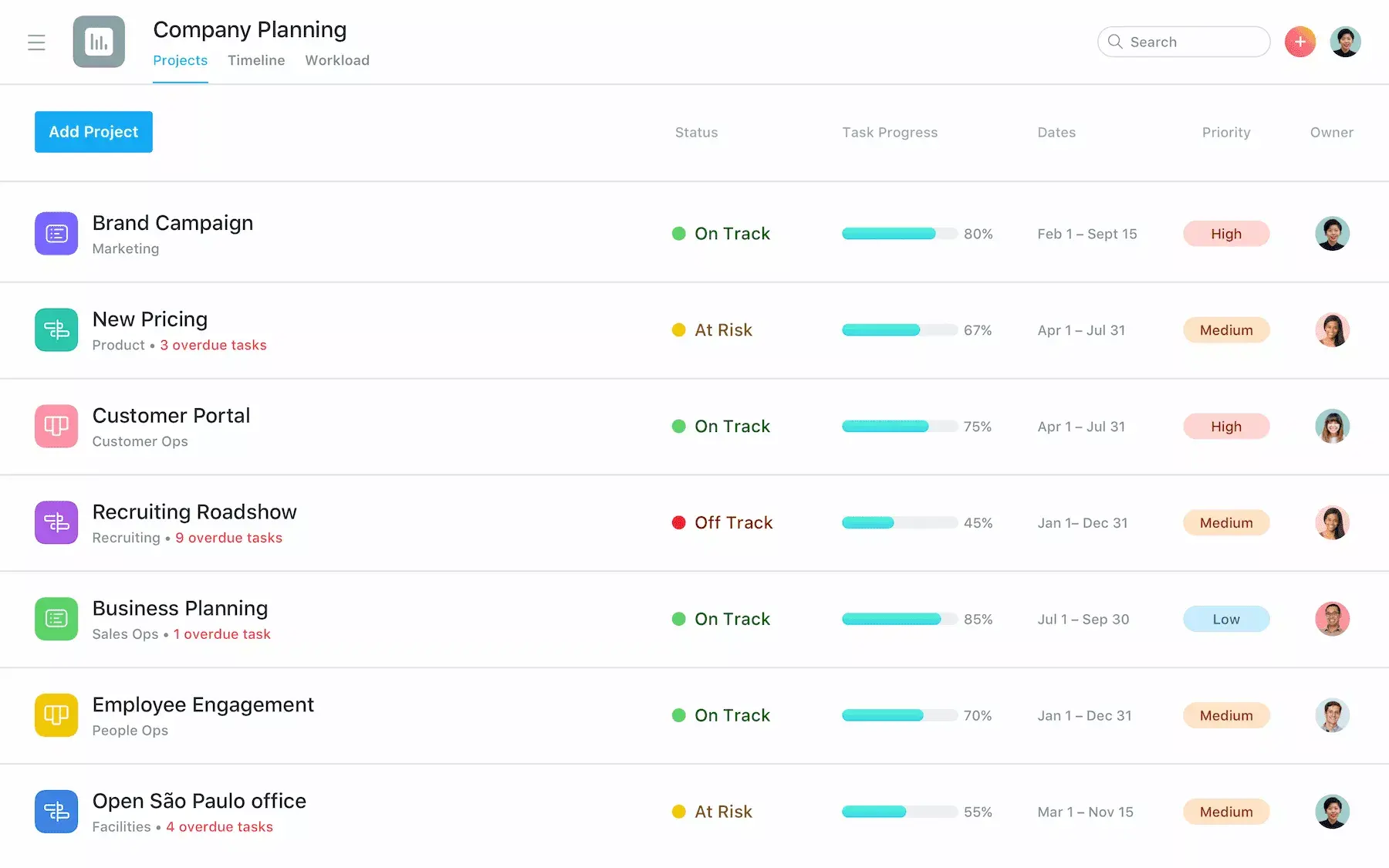
Get real time visibility into work—with as much or as little detail as you desire—so you can quickly identify and address risks. And keep work on track.
Open API
Enable teams to make the most of Asana. Build custom integrations to add features and automate steps for your specific requirements.
Security and privacy
Enable SSO or SAML authentication to prevent unauthorized access to your data. Advanced admin controls and data export offer additional oversight.
Manage work from anywhere
Working remotely or on the go? Check the status of projects and capture new action items with our mobile app. For iOS and Android.
Ways to use Asana to manage work

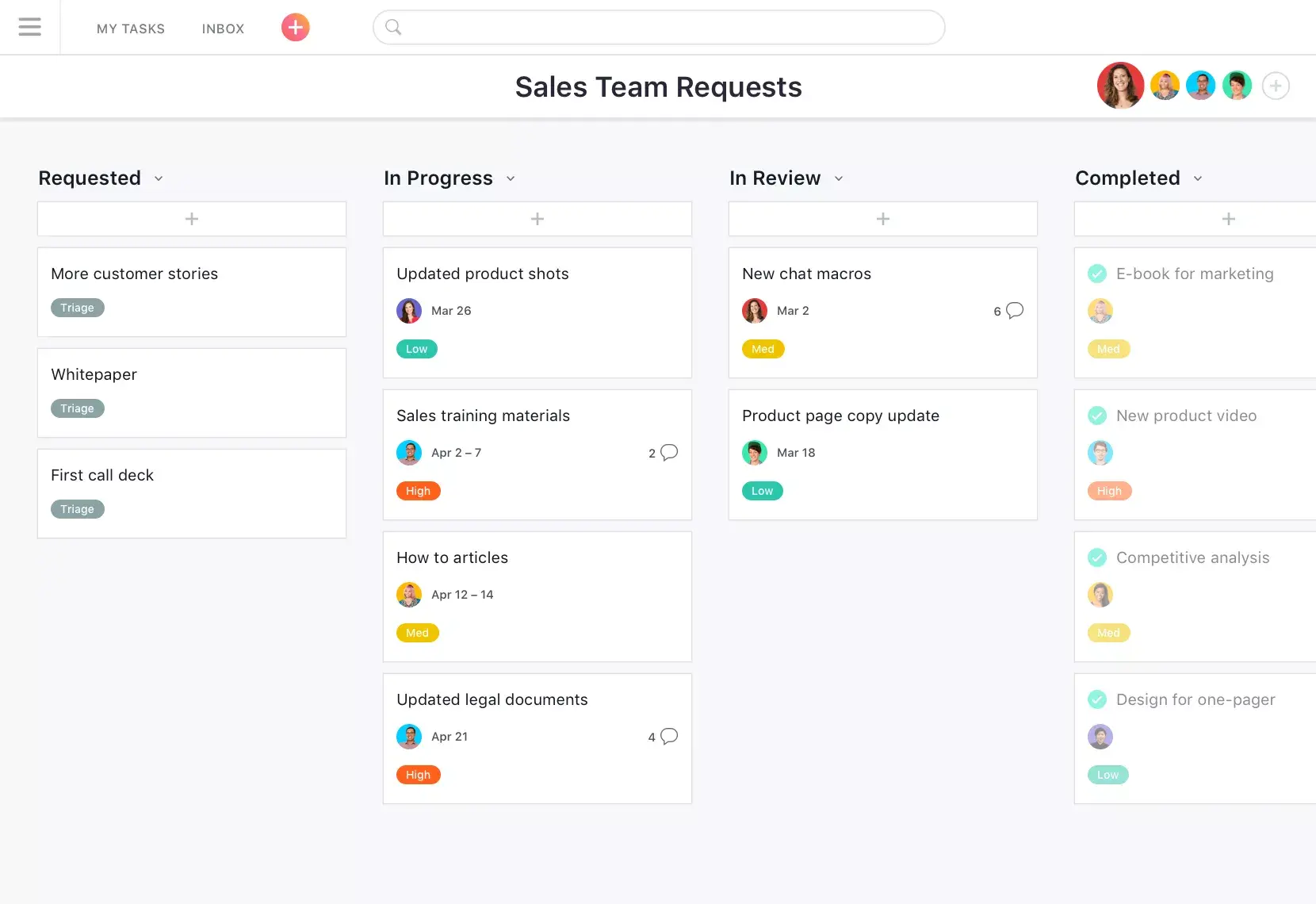
Add tasks to multiple projects to prevent duplicate work and keep everyone in sync across projects and teams.
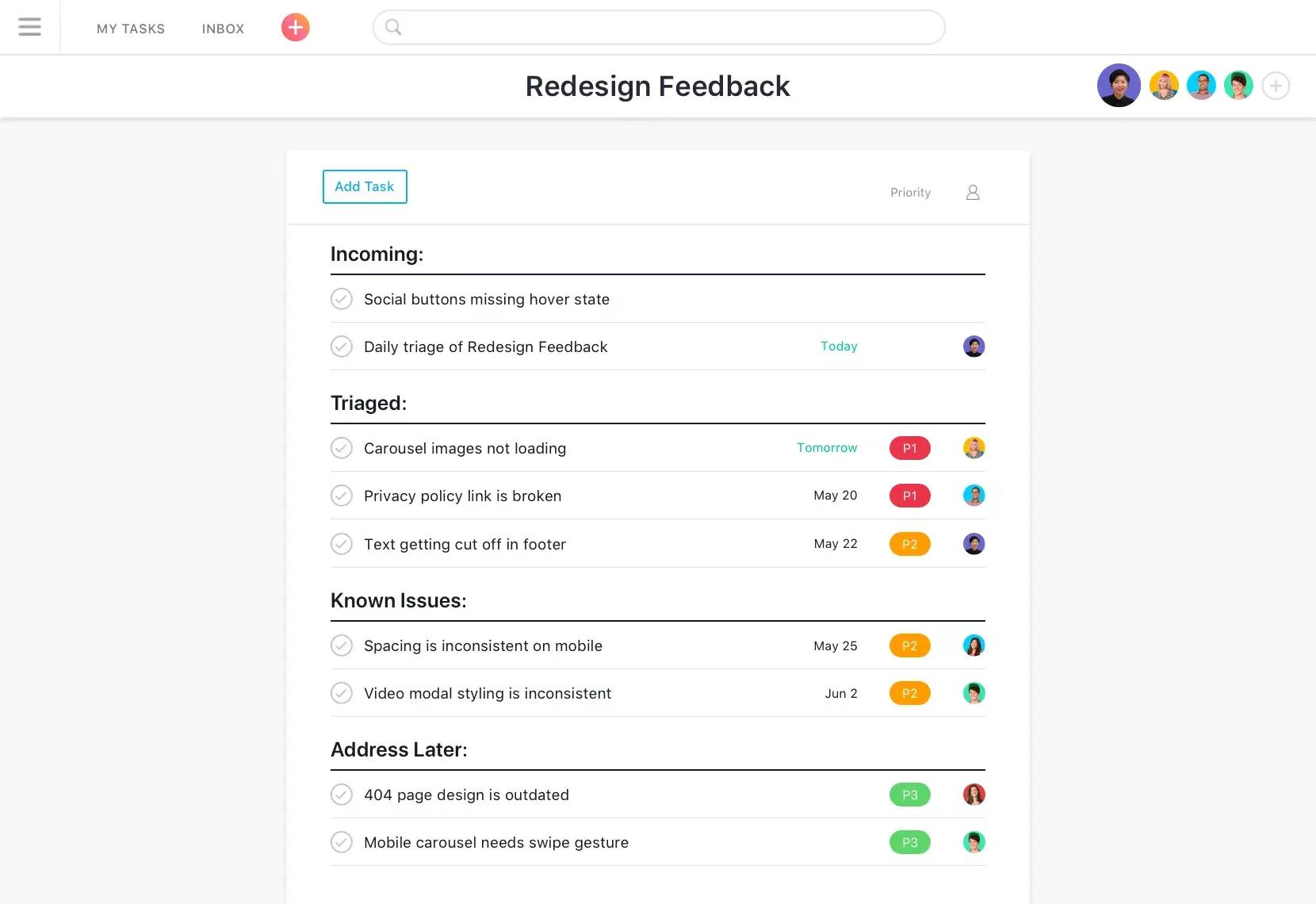
Assign tasks with due dates to teammates so it's clear who's responsible for the work and when it needs to be completed.
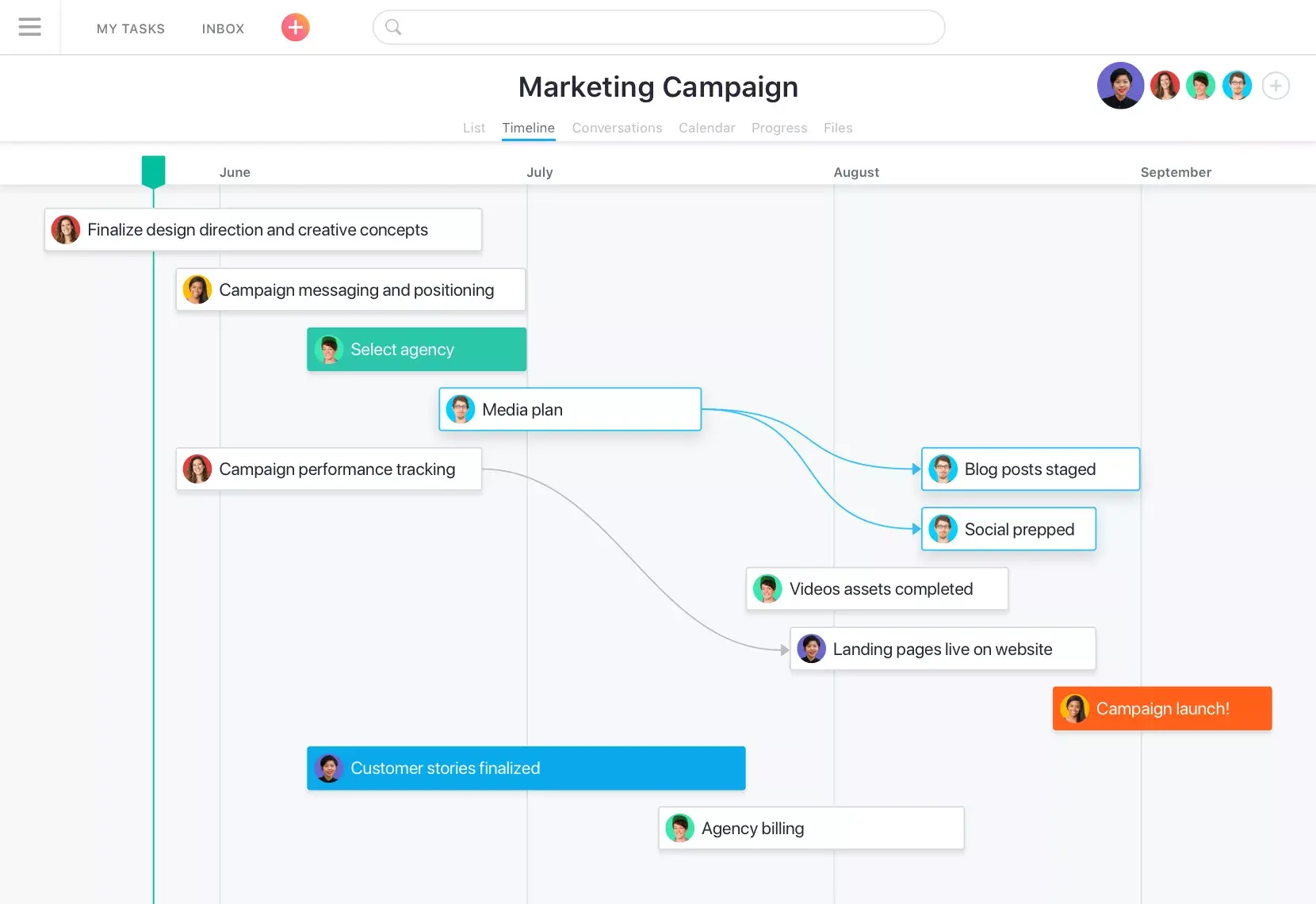
See how all the pieces of your project fit together with Timeline, so you can keep work on track-even as plans change.
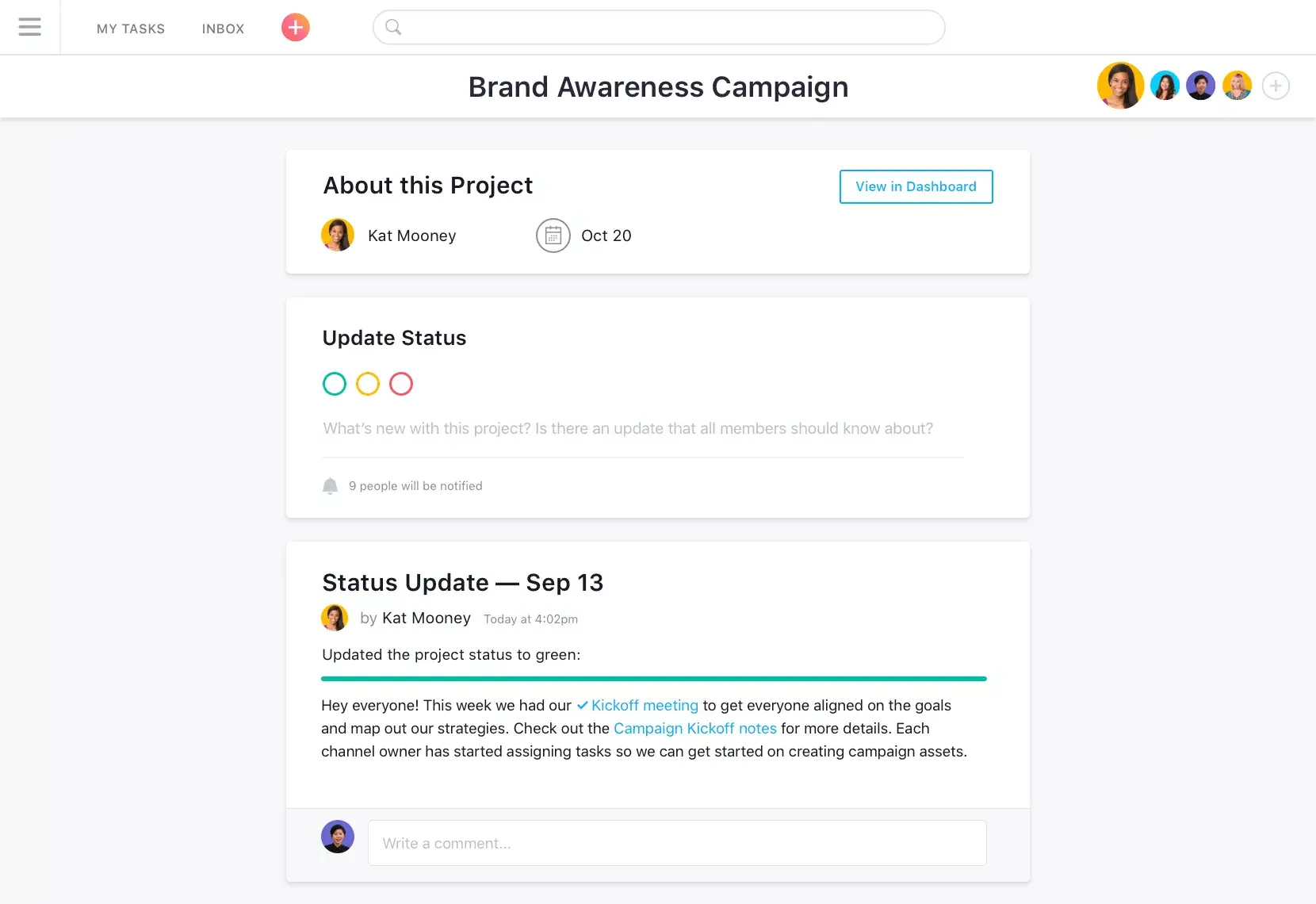
Communicate about work with team conversations, project status updates, and task comments directly in Asana. Plus, connect Asana and Slack to turn conversations into trackable action items.
Connect all the tools you use
Combine Asana with the essential business tools you rely on every day. Connect your work management app to the tools your teams already use for communication, file sharing, and project updates.







Still have questions? We have answers.
A work management app helps teams plan, organize, assign, and track work across projects and ongoing processes. It gives teams a shared place to manage tasks, deadlines, owners, files, updates, approvals, dashboards, and workflow automation.
Work management apps: Work management software helps teams manage cross-functional work, connect tasks to larger goals, automate repeatable steps, and track progress across multiple projects or workflows.
Project management apps: Project management software helps teams plan and deliver specific projects, often with timelines, milestones, task dependencies, Gantt charts, budgets, and project reporting.
Task management apps: Task management software helps individuals or teams organize tasks, to-do lists, recurring tasks, reminders, subtasks, and personal productivity workflows.
Yes, Asana lets you add the same task to multiple projects, helping teams manage related work without duplicating tasks. For example, a launch task can live in a product roadmap, marketing calendar, and executive update project, while the owner, due date, comments, subtasks, and attachments remain tied to the same task.
Assign each task to a single owner, set a due date, and use subtasks when multiple people need to contribute. You can also use custom fields to show priority, status, department, or request type, so teammates know what they own, what comes next, and which tasks need attention first.
Yes, Asana’s Timeline view helps teams map project phases, deadlines, milestones, and task dependencies. Teams can also use Gantt chart-style planning, calendar view, and Kanban boards to review schedules, spot timing issues, and adjust dates when priorities change.
Teams can comment directly on tasks, tag teammates, attach files, and create project status updates in Asana. This keeps decisions, feedback, approvals, and next steps tied to the work itself rather than scattered across group chats or separate email threads.
Yes, Asana helps remote and distributed teams manage work with task assignments, project updates, mobile access, notifications, and asynchronous comments. Teammates can review priorities, update progress, share files, and see what changed without needing every update to happen in a live meeting.
Yes, Asana dashboards provide teams with charts and project data to review progress, workload, deadlines, and open risks. Leaders can use dashboards to understand which projects are on track, where work may need more support, and how teams use resources.
Integrations connect Asana with the tools teams already use, including Slack, Google Drive, Microsoft Teams, Dropbox, Gmail, Zoom, and more. They help teams connect conversations, files, forms, and updates to Asana tasks, while workflow automation can route requests, assign work, and reduce repeated manual steps.
Yes, Asana is a work management platform for strategic planning because teams can connect goals, portfolios, projects, milestones, and tasks. This helps leaders turn company priorities into planned work, assign owners, track deadlines, and review progress against larger business goals.
Asana supports productivity by giving teams a work management system for tasks, projects, workflows, and updates. Compared with a simple to-do list app or note-taking app, Asana helps teams manage recurring tasks, task dependencies, approvals, file sharing, automation, and project reporting in a shared work management tool.
The best work management app depends on how your team plans, tracks, and reports on work. Asana works well for teams that need a flexible work management platform to connect tasks, projects, goals, automations, dashboards, and cross-functional workflows.
Popular work management apps include:
Asana: Best for managing team projects, workflows, goals, dashboards, and assigning tasks.
ClickUp: Often used by teams that want tasks, docs, goals, and reporting in the same workspace.
Trello: Best for simple kanban boards and visual task tracking.
Notion: Useful for teams that want notes, docs, databases, and lightweight task management.
Wrike: Often used for project management, approvals, reporting, and workload planning.
monday.com: Commonly used for customizable boards, automations, and team workflows.
Smartsheet: Useful for teams that prefer spreadsheet-style project tracking and resource management.
Todoist: Best for personal tasks, recurring tasks, and simple to-do lists.
TickTick: Useful for to-do lists, calendar planning, and Pomodoro timer workflows.
Any.do: Best for simple task lists, reminders, and personal planning.
Microsoft To Do: Useful for Microsoft users who need basic task management.
Google Tasks: Best for lightweight task tracking inside Google Workspace.
Evernote: Useful productivity app for note-taking, saved research, and task notes.
Things 3: Best for personal task organization on Apple devices.
Transform the way you work with Asana
Start your free trial
Try Asana for free. No credit card required.
Watch the demo
See how Asana connects companies at scale.
Speak with a sales rep
Learn how Asana helps teams collaborate seamlessly.