


AI to-do list app for teams
Asana AI captures action items from notes and requests, then suggests owners and deadlines.
Let AI teammates build your to-do list from project notes, messages, and requests.
Asana AI integrates with the Google ecosystem—Google Docs, Gmail, and Google Calendar—to sync tasks, conversations, and schedules.
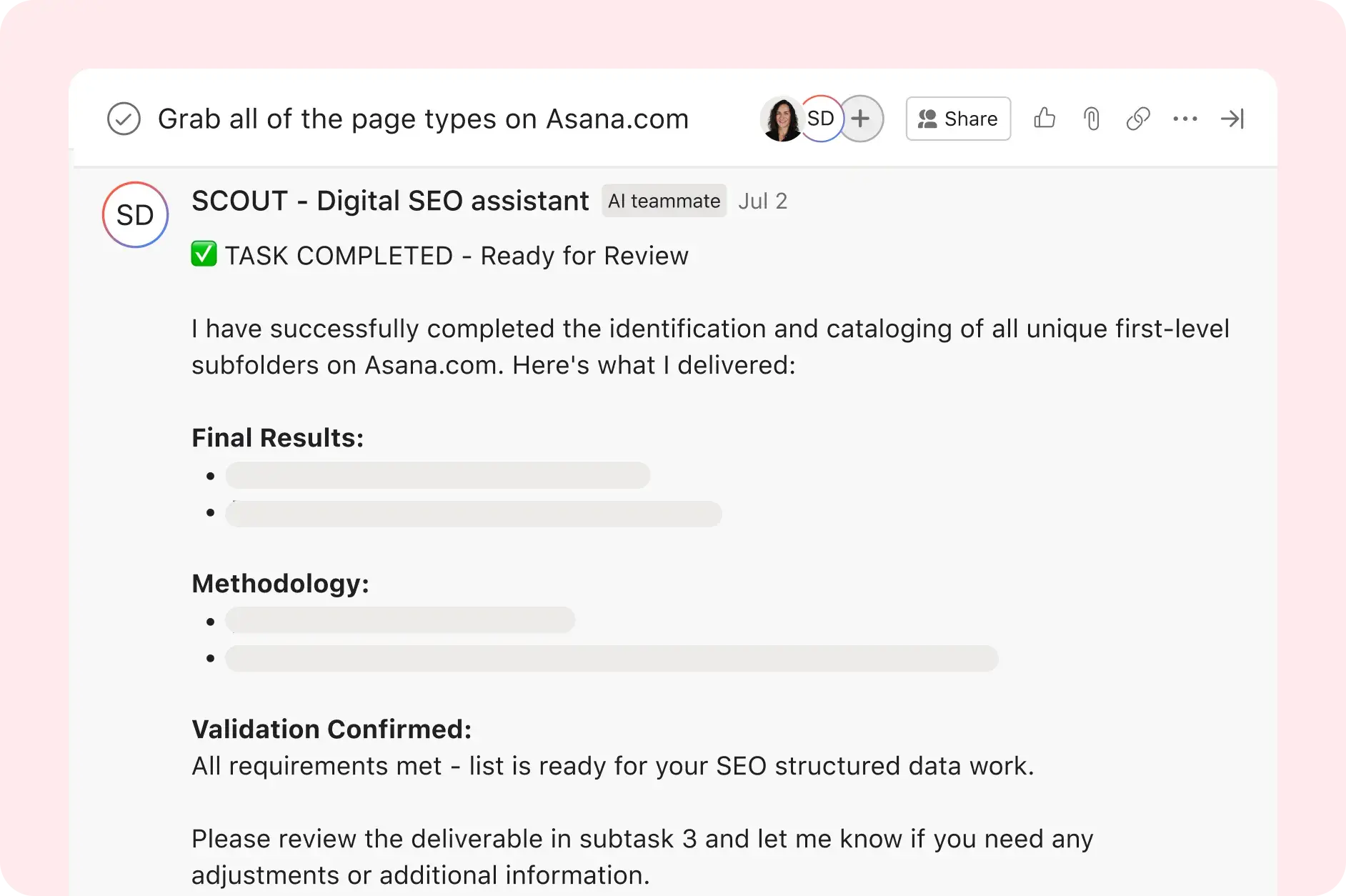





Go beyond checking off daily tasks on your to-do list
Say goodbye to handwritten to-do lists. Asana AI helps turn notes, requests, and project details into tasks with the information your team needs to get work done.
Create AI to-do lists
AI teammates turn notes and requests into organized tasks with suggested owners, due dates, and next steps.
Add details to every task
Include descriptions, attachments, assignees, and due dates with new tasks so instructions and deadlines are clear to team members.
Plan your day from anywhere
Access everything you need to do for the day in My Tasks. Available on the web, desktop, and iOS or Android mobile devices, prioritize and plan your day on a simple user interface.
Never miss a deadline
Set reminders and get notified when important tasks on your to-do list are approaching their due dates. With My Tasks, you can view project tasks assigned to you and create private tasks just for you so nothing slips through the cracks.
Organize your team to-do list and increase productivity
Asana’s project management tools and AI features make it easy to keep track of everything—so you can focus on getting things done.
![[Uses] To Do List (Media Text Stack Image)](https://assets.asana.biz/transform/05323ed8-fdcd-41ee-a92d-55f9cf2d2f62/f5de90?io=transform:fill,width:2560&format=webp)
A simple to-do list maker that meets your team’s needs
Create a to-do list as simple or detailed as you need. Everything in Asana starts with a task, which is an actionable to-do that can stand alone or be a building block for bigger projects. Connect the tasks on your to-do lists back to larger projects, loop in teammates, and share real-time updates online.
![[Uses] To Do List (Media Text Stack Image)](https://assets.asana.biz/transform/83d95871-6e70-4cff-a61e-f7cd2052a0d7/714711?io=transform:fill,width:2560&format=webp)
Teams that want results trust Asana














Company Size
Mid-market
Industry
Nonprofit
With Asana, people aren't as lost anymore. They don’t need to ask, ‘Is this happening on Tuesday?’ If plans change quickly, the team is aware and it’s clearly documented. You don't have to wait until a meeting, a chat. You see everything in one place.
Thea Skaff
Senior Manager, Global Fundraising Campaigns, Wikimedia Foundation
Features
Customize your to-do lists with different views

![[Uses] To Do List (Media Slideshow Image 1)](https://assets.asana.biz/transform/2e7fa916-dc46-4c4b-b180-fba273da7ecd/uses-to-do-list-product-ui-list-1x?io=transform:fill,width:1680&format=webp)
![[Uses] To Do List (Media Slideshow Image 2)](https://assets.asana.biz/transform/48c8aa9b-09a5-4d85-bcee-f0da24786134/uses-to-do-list-product-ui-boards-1x?io=transform:fill,width:1680&format=webp)
![[Uses] To Do List (Media Slideshow Image 3) - REBRAND](https://assets.asana.biz/transform/7f72d894-c121-448c-a223-7453efc1cc16/uses-to-do-list-product-ui-calendar-1x?io=transform:fill,width:1680&format=webp)
![[Uses] To Do List (Media Slideshow Image 4)](https://assets.asana.biz/transform/ff154ed8-6816-4e35-bf03-cbb436ed3379/uses-to-do-list-product-ui-timeline-1x-1?io=transform:fill,width:1680&format=webp)
Organize all the details of your to-dos in a customizable task list or template, and manage tasks—and subtasks—from start to finish in one place.
Drag and drop tasks like sticky notes on a kanban board, and move them through different stages of work quickly, easily, and beautifully.
Learn more about Kanban boardsSpot holes and overlaps in your workflow, and quickly make adjustments by viewing projects and their due dates on a calendar.
Learn more about team calendar softwareMap out project plans on a Gantt chart-like timeline so you can see the relationship between tasks and keep work on track—even when plans change.
Learn more about Gantt chart softwareStill have questions? We have answers.
The Asana To-Do list is a personal list (My Tasks) that organizes work into Today, Upcoming, and Later sections—driven by due dates and priorities.
Yes. Asana offers AI-powered to-do lists that help teams turn natural language input, notes, requests, and project updates into organized tasks. Asana AI can identify action items, suggest owners and deadlines, and help teams decide what needs attention next.
Unlike a basic checklist, Asana connects each task to the project, comments, files, and status updates behind the work. That makes it easier for teams to manage shared to-dos, not just personal reminders.
Yes. In My Tasks, you can view work by due date, priority field, or custom sections. You can also set up sections based on the Eisenhower Matrix, like urgent, important, delegated, and low-priority work.
Yes, Asana supports recurring tasks as you can set tasks to recur daily, weekly, monthly, or custom intervals.
Yes, reminders or notes can be added by adding descriptions, attachments, and comments to tasks for full context.
Yes, mobile is supported as My Tasks is available in mobile and desktop apps so you can manage your to-do list anywhere.
Yes, collaboration on your to-do list is possible as you can share individual tasks or turn them into shared projects with co-assignees.
Yes, you can move task lists into Asana by importing CSV data or using Smart Import to create tasks from files. Export options vary by app, so teams usually start by gathering task names, due dates, notes, and other details in a file Asana can import.
After the tasks are in Asana, you can add owners, priorities, attachments, comments, and project details. That makes it easier to turn a personal checklist from ToDoIst, Trello, Microsoft To Do, Things 3, or TickTick into a shared team effort.
Start with My Tasks’ Today view, then drag and drop tasks into the order you want to tackle them. You can also use time blocking to plan focused work around deadlines, meetings, and priority tasks.
Yes, tasks can be organized into themes by creating custom sections in My Tasks like Work, Personal, Errands to organize by theme.
Personal to-do list apps like Any.do, Todoist, Apple Reminders, and Google Tasks work well for location-based reminders, notifications, and grocery lists. Some people also use Siri, Google Keep, or other productivity apps to capture one-off tasks by voice input or on the go.
Asana works better when to-dos involve teamwork. It’s a task management app that helps teams assign owners, set due dates, prioritize tasks, share project details, comment on tasks, attach files, and track work beyond a basic checklist. See how Asana compares to Todoist and other task management software.
Yes, Asana integrates with Zapier, Notion, and other apps, so teams can create tasks and automate routine workflows across tools. For example, you can create Asana tasks from form responses, messages, notes, or other app activity without copying details by hand.
Asana's AI calendar and scheduling features turn to-dos into planned time blocks based on deadlines, priorities, and availability. You can organize tasks in My Tasks, add due dates, and use Calendar view to see when work needs to happen.
Transform the way you work with Asana
Start your free trial
Try Asana for free. No credit card required.
Watch the demo
See how Asana connects companies at scale.
Speak with a sales rep
Learn how Asana helps teams collaborate seamlessly.