


Asana in Claude: now with even more ways to get work done


85% of Fortune 100 companies choose Asana¹






Starting today, teams can check on their Asana portfolios, generate and preview new projects, and create tasks directly in Claude, Anthropic’s AI offering.
This connection is especially meaningful for teams already using Claude to think through work.
It means when you use Claude to explore a new initiative, like brainstorming a campaign structure, outlining a project plan, or mapping out a cross-functional launch, you can turn that thinking into real, structured work in Asana without breaking your flow. And when you click back into Asana, everything you’ve created or updated through Claude is already reflected in real time.
Here’s how to get set up. (You may need to contact an administrator for access.)
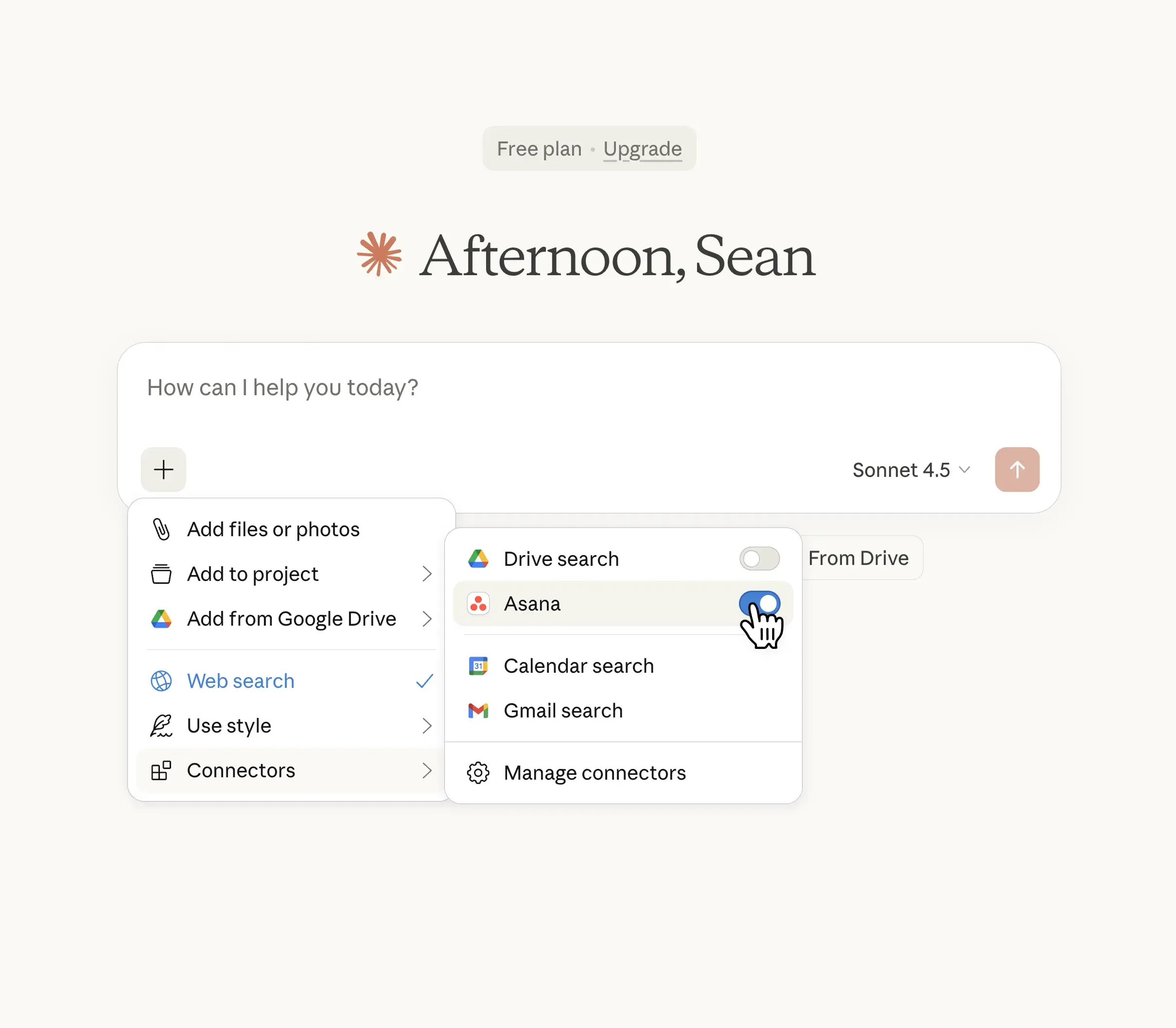
That’s it, now you are ready to talk to Claude like you normally would, only now the conversation can extend to Asana. Here’s one example of how to get started (more prompt ideas below!)

Master the AI Revolution at Work
Learn how leading organizations are turning AI from a tool into a trusted teammate. Access our latest research report to discover five proven secrets of AI-mature organizations and transform your workplace.
Why this helps you get more work done, better
Looking broadly at the data, AI is here: 87% of employees now use AI at work. Claude in particular has become a go-to for knowledge workers doing strategic thinking, planning, and problem-solving.
But AI-generated ideas have been disconnected from where work actually gets tracked and done, which limits its ultimate usefulness. AI should reduce busywork, not increase it. Connecting Asana to Large Language Models bridges that gap so the project plan you sketch in AI becomes the actual project your team executes in Asana.
As you can see in this example, we’re uploading documentation directly into Claude for our global customer initiative and Claude is taking the first pass at creating that project.

And when Claude is done thinking, you’ll get a chance to fully review, request tweaks, and a prompt to “Create project”.

Voila! So much time saved. And here’s your Asana view:

Prompt examples to get you started
#1: Turn conversations into projects
Ask Claude to help you think through a new initiative, then create it in Asana, complete with sections, tasks, and structure.
"Claude, use Asana to create a product launch campaign with sections for Positioning, Content Creation, Channel Activation, and Performance Tracking."
#2: Check on work without context-switching
Get status updates, surface blockers, and see what's behind schedule—all from your Claude conversation.
"What's behind schedule in our marketing campaigns right now?"
"Claude, check Asana for any blockers on the rebrand project."
#3: Assign and delegate intelligently
Route tasks to the right people based on how your team already works.
"Use Asana to assign all design tasks in this project to the Design team based on their usual responsibilities."
"Claude, look at who owns similar work and assign these new tasks accordingly in Asana."
More example prompts to try
We’ve pulled together several more examples to help you kick the tires. While useful for any team, we can see direct benefits for:
Marketing teams turning campaign brainstorms into structured launch plans
PMO and Ops leaders translating strategy conversations into executable project plans with milestones and owners
Cross-functional teams who need AI-assisted planning to flow directly into their system of record
Here’s what that could look like:
For project planning
"Create a hiring project for our new Sales Manager role with interview stages and onboarding tasks."
"Build me a vendor evaluation project in Asana with sections for Requirements Gathering, Vendor Research, Demos, and Final Selection."
"Claude, set up an Asana project for our annual compliance audit with documentation, review, and remediation phases."
To pull status and updates from Asana
"Claude, what's the status of the Q1 Product Launch project in Asana?"
"Use Asana to show me everything my team completed this week."
"Give me a summary of all projects waiting on executive approval."
For navigation
"Claude, open the Customer Onboarding Revamp project in Asana."
"Show me this project in Asana so I can see the full timeline."
Now your turn to try
The Asana app in Claude is available now.
Connect Asana in Claude's app directory, or ask your admin to enable the integration for your workspace. Once connected, just mention Asana in any Claude conversation to start turning ideas into action.


