


How to create a project timeline
Creating a project timeline is the best way to set your project up for success and ensure you’ll hit your deadlines. To visualize your project plan or workflow as a timeline, follow these steps:
1. List out your project’s steps and set clear deadlines
Start by breaking up your project work into tasks with clear assignees. Then, add start dates and due dates to help you estimate how long each step will take.
2. Figure out the order of your tasks
Which tasks need to be completed first? Are there any tasks you can’t start until others are completed? What comes last? Answering these questions will help you figure out how to order your tasks.
3. Share your timeline
Share your project timeline with teammates. This will keep everyone on the same page about project plans, who’s responsible for what, and get buy-in from stakeholders.
4. Track your project’s progress
Watch your team’s progress and make sure they’re on track to meet your project goal and deadline. Send status updates as you complete milestones to keep your team up-to-date on work or any changes to your timeline.
Timeline software for faster project planning
With Asana, you can plan projects, break them down into manageable tasks, and create an online, Gantt chart-like timeline that tells you exactly who’s doing what, by when.
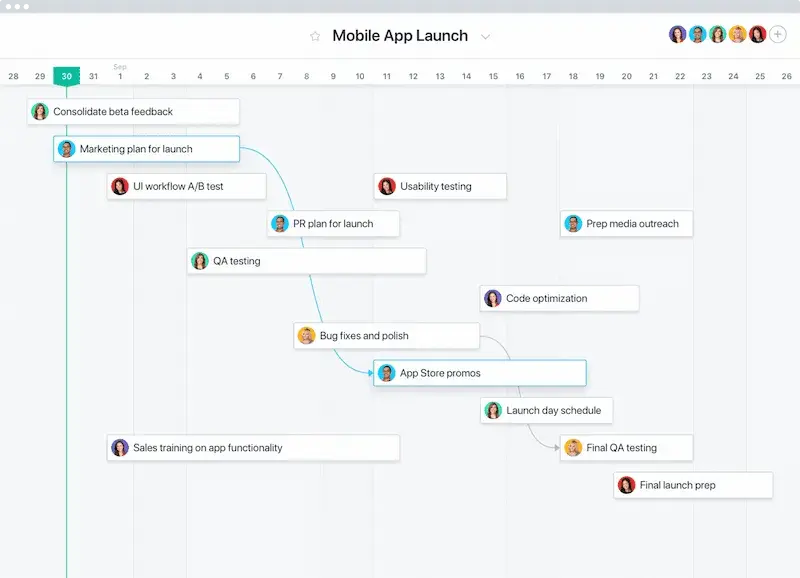
Use templates to create online timelines
Save your team time by creating a custom template from common projects, or use an Asana timeline template to kickstart your project.
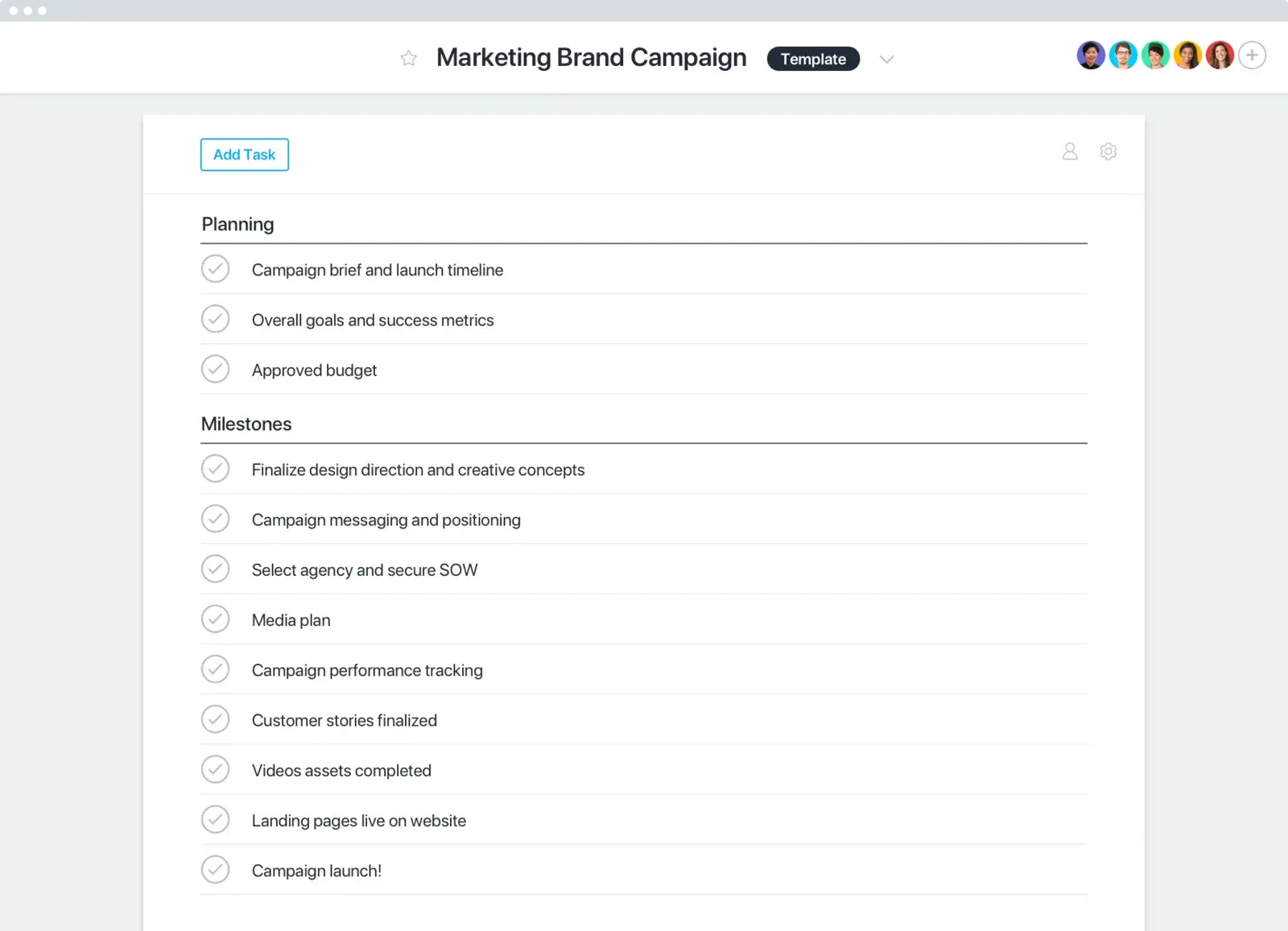
Teams that want results use Asana














Company Size
Enterprise
Industry
Travel & transportation
Asana has become the cornerstone of project management for the Shared Services Center. It has enabled our small team of six to migrate services and implement new tools effectively and efficiently that impact all 1,500 of our employees and other users around the world.
Tamas Kadar
Business Development Manager, Air France KLM Group
Share online timelines
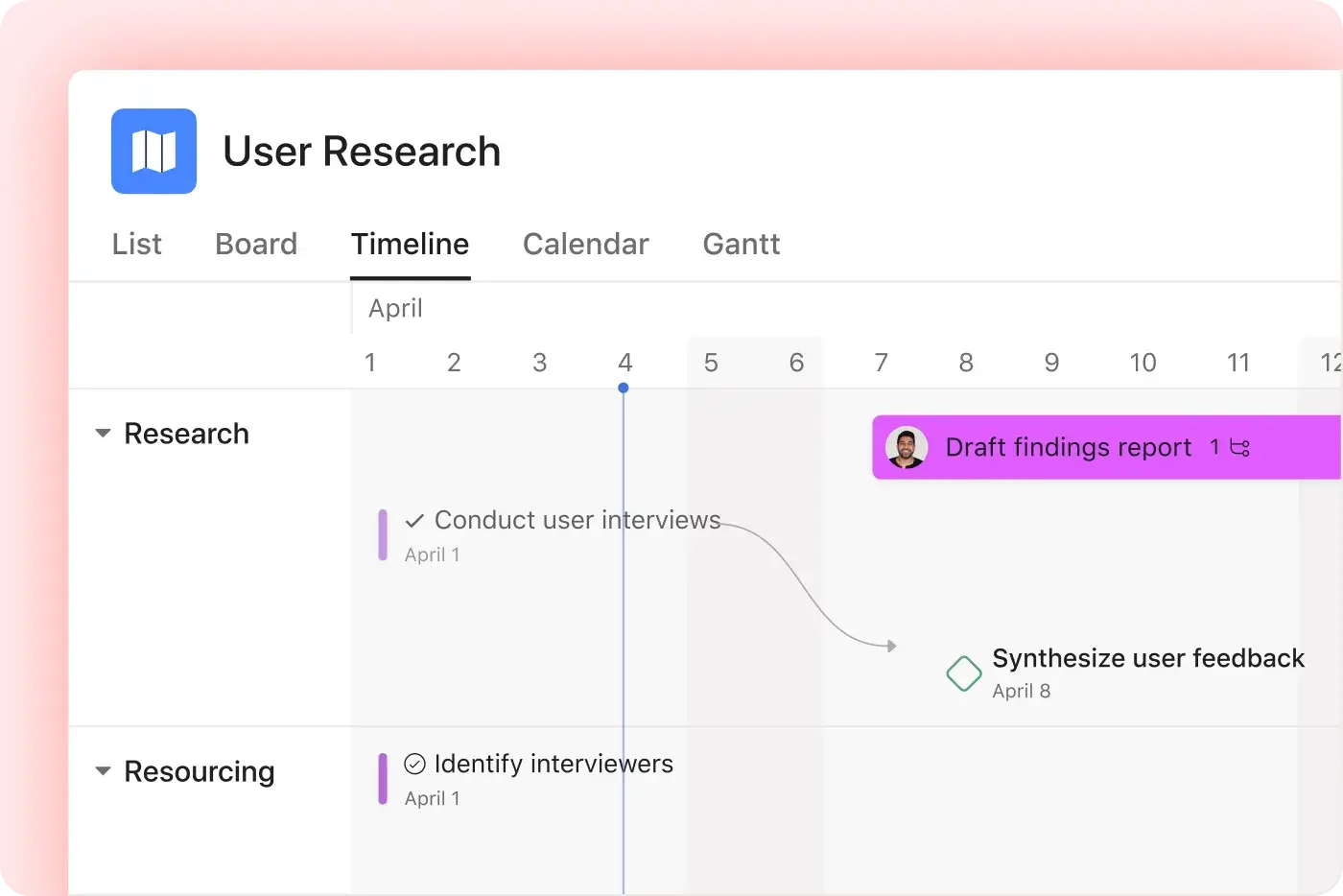
Asana’s timeline tool helps teams share a visual timeline for schedules, tasks, and handoffs.
Share different timeline layouts with leaders, teammates, and stakeholders
Review milestones and deadlines in interactive timelines.
Adjust dates with a drag-and-drop interface as plans change.
Still have questions? We have answers.
Asana’s timeline tool turns your project’s tasks into a visual timeline with owners, start dates, due dates, milestones, and dependencies. Project managers can see how work connects, adjust dates when plans change, and schedule risks before they affect their deadlines.
Teams can use Timeline view to plan product launches, marketing campaigns, strategic roadmaps, events, or cross-functional projects. Asana also supports multiple project views, so teammates can review the same work as a timeline, list, board, calendar, or Gantt chart depending on what they need to do next.
Yes, Asana helps teams create an online timeline by turning project tasks into a schedule that shows when work starts, when it’s due, who owns it, and which tasks depend on each other. Asana describes Timeline as a live view that helps teams see how project work fits together, share plans, adapt as problems arise, and track work against deadlines.
An online timeline works especially well for project management because it connects the schedule to the actual work. Instead of building a static timeline in a presentation, teams can update task dates, add dependencies, attach files, leave comments, and share status updates as the project changes.
The best timeline software should help you build a visual timeline that connects tasks, owners, deadlines, milestones, and dependencies. It should also make schedule changes easy, especially when one delayed task affects the rest of the project.
Look for timeline software that includes:
Multiple timeline layouts or project views, such as Timeline, Gantt, Calendar, List, and Board.
Drag-and-drop scheduling to move tasks and adjust dates.
Task dependencies, milestones, owners, and due dates.
Sharing options for stakeholders who need to review deadlines and progress.
Project management features that connect the timeline to tasks, files, comments, and status updates.
Design-focused tools may offer more themes, fonts, and presentation options. For team projects, prioritize timeline tools that help people plan, assign, update, and finish the work behind the schedule.
The best software for creating a timeline depends on what kind of timeline you need. For project planning, Asana is a good option because it connects timeline planning to tasks, owners, dependencies, milestones, and status updates. Teams can use it to plan launches, roadmaps, campaigns, events, and other work that changes over time.
For presentation design or historical timelines, tools like Canva, Lucidchart, Office Timeline, Preceden, Tiki-Toki, Time.Graphics, TimelineJS, or Timetoast may fit different needs. Those tools often focus more on visual storytelling, historical events, or slide-based timelines. Asana fits best when the timeline needs to help a team manage real work, not just present dates.
You can create a free project timeline template in Asana to organize phases, tasks, milestones, and deadlines. Timeline and Gantt views are available on select paid plans, but teams can start planning timeline work with Asana templates and then choose the plan that fits their project needs.
Yes, you can use Asana as a horizontal timeline maker for project schedules, launch plans, roadmaps, campaigns, and other team workflows. In Timeline view, tasks appear along a horizontal schedule so teams can review dates, task duration, milestones, and dependencies.
Asana works best as a horizontal timeline maker for active projects. If you need a historical timeline about historical events, or a highly designed timeline with custom themes and fonts, a visual design tool may work better. If you need timeline software that connects dates to owners, tasks, blockers, and project updates, Asana is the better fit.
Transform the way you work with Asana
Start your free trial
Try Asana for free. No credit card required.
Watch the demo
See how Asana connects companies at scale.
Speak with a sales rep
Learn how Asana helps teams collaborate seamlessly.