


![[Team] Managers (Hero)](https://assets.asana.biz/transform/7cae0281-fda2-45a3-83c2-3cabcc823cd9/workflows-campaign-management-value-3-en-2x?io=transform:fill,width:2560&format=webp)
Trusted by more than a million teams













Why Asana?
Asana can increase your team’s satisfaction and help employees deliver impactful work faster, according to IDC.¹
72%
improvement in employee satisfaction
54%
faster to complete business processes
41%
more projects delivered on time
Align teams and accomplish goals
Remove clarity blockers and connect your team in one place, so they can do better work faster than ever.

![[Team] Managers - Align on and carry out top priorities](https://assets.asana.biz/transform/1fc57e83-813d-48f0-a58b-b6c247458992/Media__Accordion_Carousel_2_-_Goals?io=transform:fill,width:2560&format=webp)

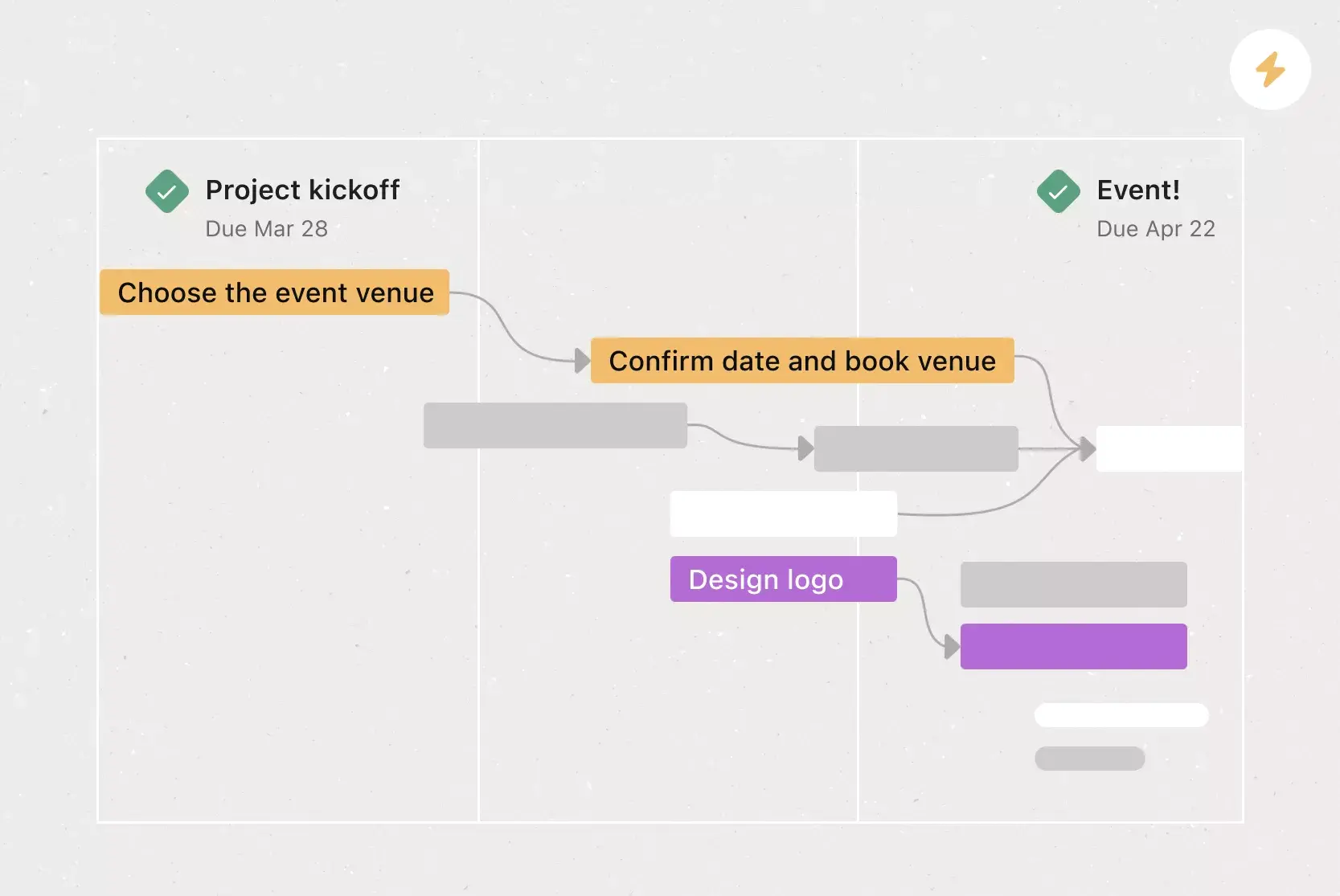
![[Teams] Managers - Clarify deadlines and ownership](https://assets.asana.biz/transform/17fa816a-1b4e-4b96-8ea4-508fe4ae322b/teams-marketing-timeline?io=transform:fill,width:2560&format=webp)

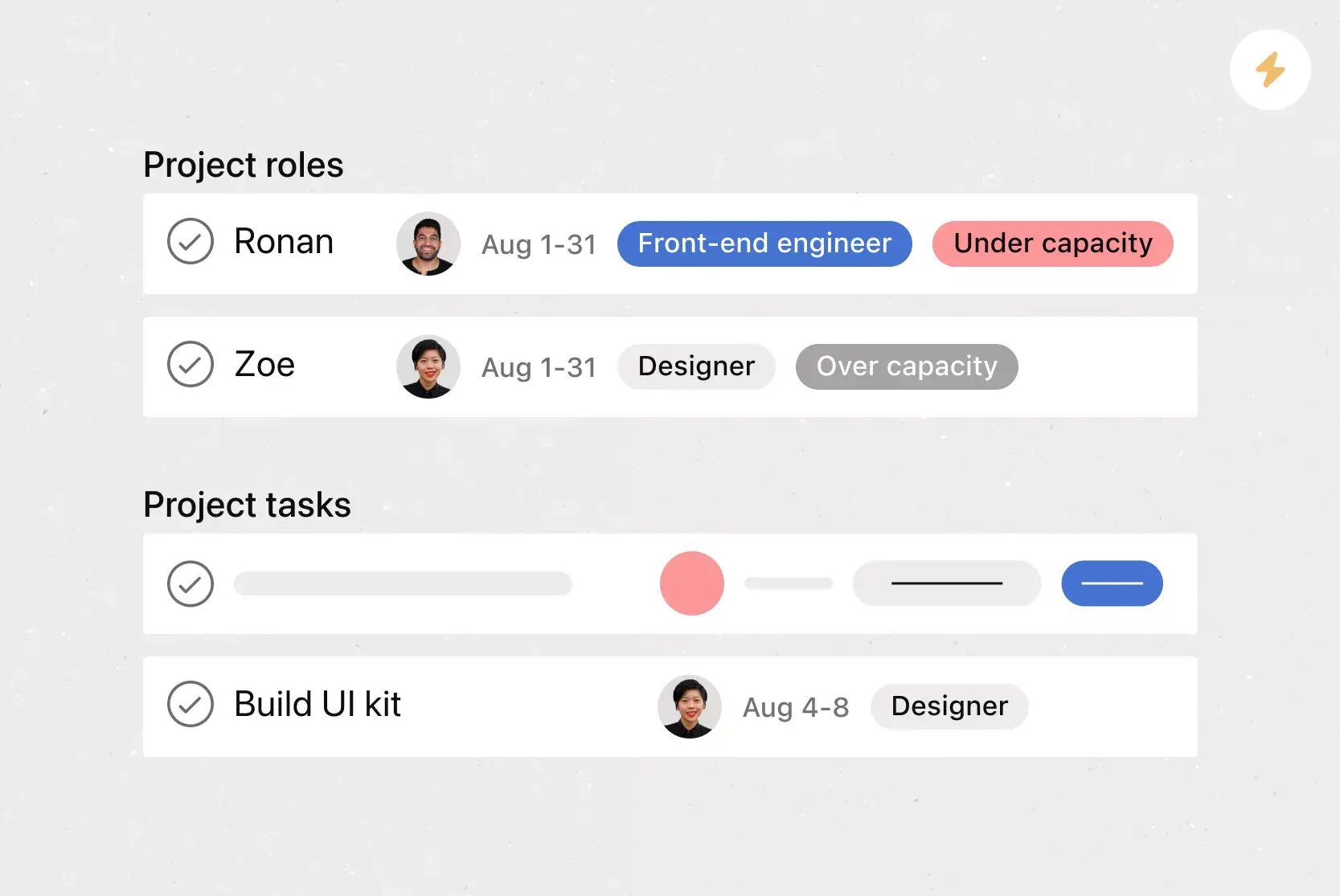
![[Teams] Managers - Monitor capacity at-a-glance](https://assets.asana.biz/transform/97ce6a5f-091e-4b23-83f5-6825b91c217a/uses-strategicplanning-accordion4-workload?io=transform:fill,width:2560&format=webp)

![[Teams] Managers - Connect to the work that matters](https://assets.asana.biz/transform/02cb09cb-2ecd-4574-99fe-3c7d71915c07/inbox-poster?io=transform:fill,width:2560&format=webp)

![[Teams] Managers - Track your team initiatives in one place](https://assets.asana.biz/transform/c16e7b8d-0daf-4180-bf4b-fe5cbf33d25b/web-portfolio-list-2x-en?io=transform:fill,width:2560&format=webp)
Share status updates, move through milestones, and keep everyone on the same page as projects progress.
Track your team’s workMap out your project plan, assign task owners and due dates, and highlight dependencies, so everyone knows how work connects.
See how work fits togetherGet a complete picture of team capacity and keep an eye on deadlines and resourcing, so you can spot trouble before it starts.
Get a window into team workloadEnable your team to coordinate work, comment on tasks, respond to requests, and view project updates directly from their Asana Inbox.
Get startedKeep objectives on track—or update them as needed—by quickly viewing project status, progress, and priority.
Monitor all your projectsGive your metrics meaning
Create clarity and drive measurable results by connecting your team’s day-to-day work to organizational goals.
Kickstart your best work
Automate and scale processes so your team can focus on critical work that drives business and delivers impact.

Create connected processes
Reduce inconsistencies and create more efficient workflows so your team can get started on important work, without missing a beat.

Say goodbye to tedious tasks
Free up your team’s time for business-critical objectives and deliver results faster by automating repetitive work.

Templatize common workflows
Establish repeatable processes with reusable project templates—and ensure your team works smoothly, every time.


Company Size
Small business
Industry
Nonprofit
We’re able to do more with Asana because it holds every team member accountable, helps us track the status of work, and eliminates the need for constant check-ins.
Danny Mendoza
Founder, Together We Rise









Why projects slip when work is scattered

Projects are spread across tools and inboxes
Tasks sit in a spreadsheet, decisions in chat, files in email, and deadlines in someone's head. On a launch, marketing, design, and ops each track their piece differently. Without a shared project management tool, seeing the full plan means asking around.

No shared view of progress and deadlines
Status that only exists in people's heads can't warn anyone. A contract stalls in legal review for a week, and three teams find out when the launch date is already at risk. Without a live view of the whole project, small delays turn into missed dates.

Status updates eat the week
Every Friday, you chase updates and paste them into a deck. Then Monday's check-in runs on Friday's information, because that's the last time anyone pulled it all together. It's stale before anyone reads it. Across every project you run, manual reporting turns into a second job.
This is exactly what we built Asana to fix.
Frequently asked questions about task management tools
Try Asana for free, no credit card required. Get started with a free Business trial, then follow the on-screen instructions to log in.
Asana helps teams plan, work, and executive more efficiently. By utilizing Asana’s core features, managers can improve team communication and standardize how (and where) work happens. Plus, managers can easily monitor their team’s capacity, manage upcoming work, and create clarity and accountability. All that adds up to more efficient teams and better executed business processes.
No matter what your team’s size or function, Asana is the answer. Asana helps streamline coordination and build scalable processes for teams like marketing, IT, operations—and all those in between.
Asana drives efficiency, so your team can work better and drive faster business outcomes. Key features that make this possible include:
Timeline: Map out your project plan and see how your team’s work connects—so you can stay on deadline and modify deadlines as priorities change.
Portfolios: Monitor all your initiatives in one place, including project status, progress, and priority.
Workload: Keep your team properly staffed. View team capacity in real time and reschedule or reassign tasks as needed.
Workflow builder: Improve how your team works. Drive efficiency by automating routine tasks, templating workflows, and connecting to your favorite tools.
Universal reporting: Get real-time insights into your team’s work with fully customizable and shareable dashboards.
Goals: Show how your team’s work matters by connecting individual tasks to high-level organizational goals.
Asana integrates with more than 260 technology partners to connect your team with the tools they use every day, in one place. Here are just a few integrations your team can take advantage of:
Communication apps, like Slack, Teams, and Gmail turn your conversations into actionable tasks.
File-sharing apps like Google Workspace, OneDrive, and Dropbox make it easy for your team to keep track of and share important information.
Function-specific apps like Figma, and Hubspot (marketing); ServiceNow, Okta, and Jira Cloud (IT); and Tableau and PowerBI (operations) create scalable processes across teams.
Managers can use Asana to run standups by using My Tasks and Project Boards for daily standups, and Forms to capture updates.
Managers can balance team workload using Workload views that let managers see assignments and drag to reassign or reschedule.
Managers track project milestones by using Timeline view, Dependencies, and Status Updates to visualize and report on milestone progress.
Managers can automate recurring tasks using Templates, Rules, and Bundles to automate recurring workflows like reporting, reviews, or check-ins.
Managers collect feedback from their teams by using Forms to gather feedback and track responses as tasks.
You can track team performance metrics using Dashboards and Goals that let managers track key metrics and share performance trends.
Managers share resources with their team by using Team Overview pages to centralize files, links, portfolios, and templates.
Mobile is accessible for on‑the‑go management. Managers can review tasks, approve, and comment using mobile and desktop apps.
Managers can track blocker issues through risk flags and status updates that alert managers to blockers.
Managers can report on workloads and milestones using Dashboards, Workload, Portfolios, and Status updates for comprehensive reporting.
Featured templates
Browse Asana’s ready-made templates, or create your own.
![[Templates] Cross Functional Project Plan (Card image)](https://assets.asana.biz/transform/60887a05-0b92-49c2-a6e7-f1ace41c5596/TG23-web-thumbnail-041-editorial-resource-management-static-2x?io=transform:fill,width:2560&format=webp)

Transform the way you work with Asana
Start your free trial
Try Asana for free. No credit card required.
Watch the demo
See how Asana connects companies at scale.
Speak with a sales rep
Learn how Asana helps teams collaborate seamlessly.
IDC White Paper, The Business Value of the Asana Platform, Doc. #US50642023, June 2023
For more info on our G2 review
For more info on our 2023 Gartner Peer Insights Customers' Choice recognition for Collaborative Work Management
For more info on The Forrester Wave™: Collaborative Work Management Tools, Q4 2022 report