


Tidst + Asana
Log billable time on the Asana tasks you've already completed — no timers needed.
What is Tidst?
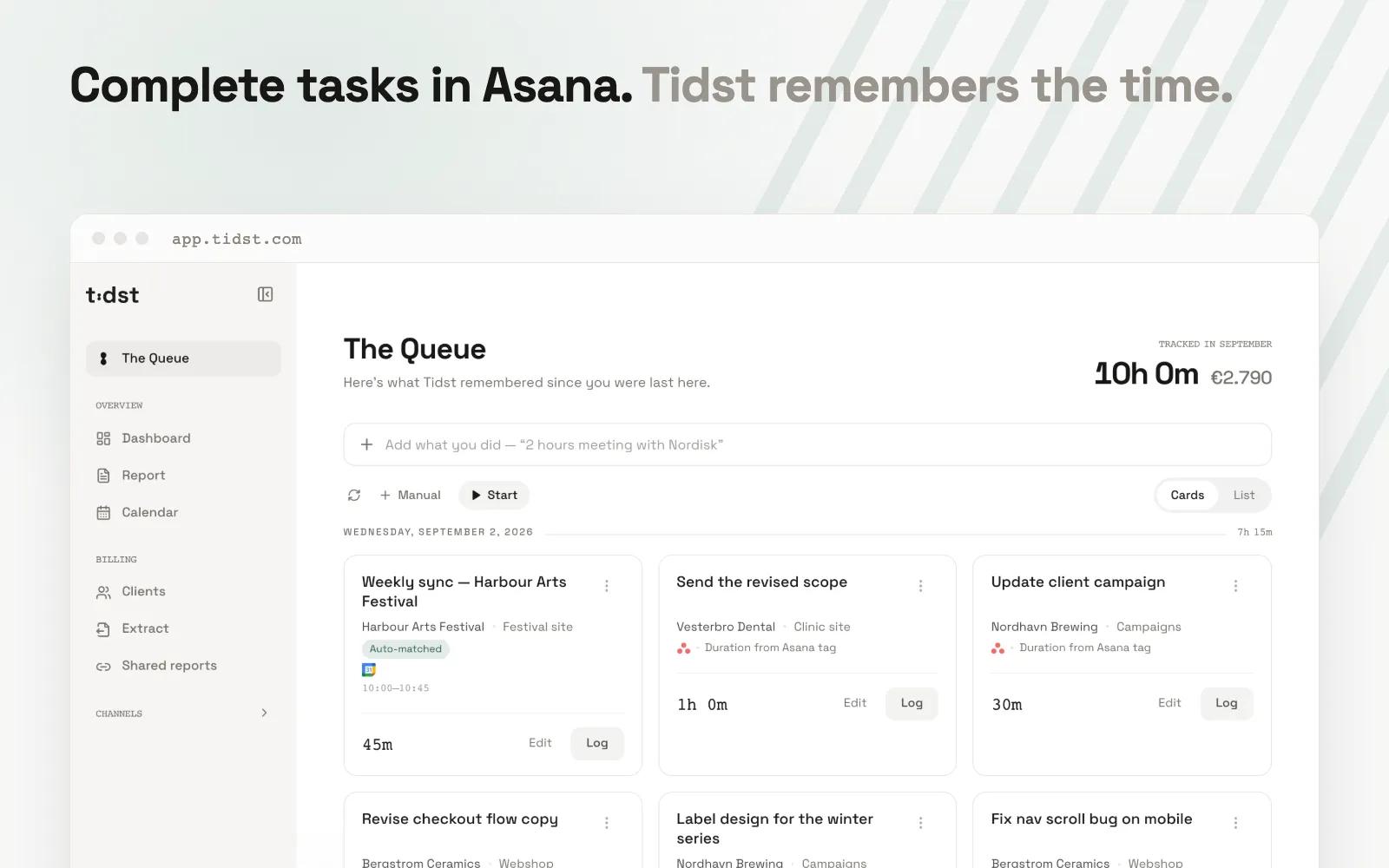
Tidst is a time tracker for freelancers and solo professionals who run their client work in Asana. Instead of leaving a timer running all day or rebuilding your hours from memory at the end of the week, Tidst turns the tasks you already completed in Asana into a timesheet that's waiting to be confirmed.
Connect your Asana account once through the official API, choose a workspace, and pick the projects you want to track. From then on, every task you complete in those projects lands in Tidst's Queue — with its name, project, and completion time already filled in — alongside relevant client meetings from your Google or Outlook calendar. It doesn't matter which device or Asana app you completed it in: Tidst reads your completions from the API, so nothing depends on a browser extension or a timer you have to remember to start. The Queue reaches back seven days, so work you finished before opening Tidst is still there when you arrive.
For recurring work, Tidst can create five simple time tags in your workspace: 15min, 30min, 45min, 60min, and 90min. Add one to a task before you complete it, and the entry arrives with its duration already set: tag, complete, confirm. They're ordinary Asana tags, so they work in every Asana app with nothing to install.
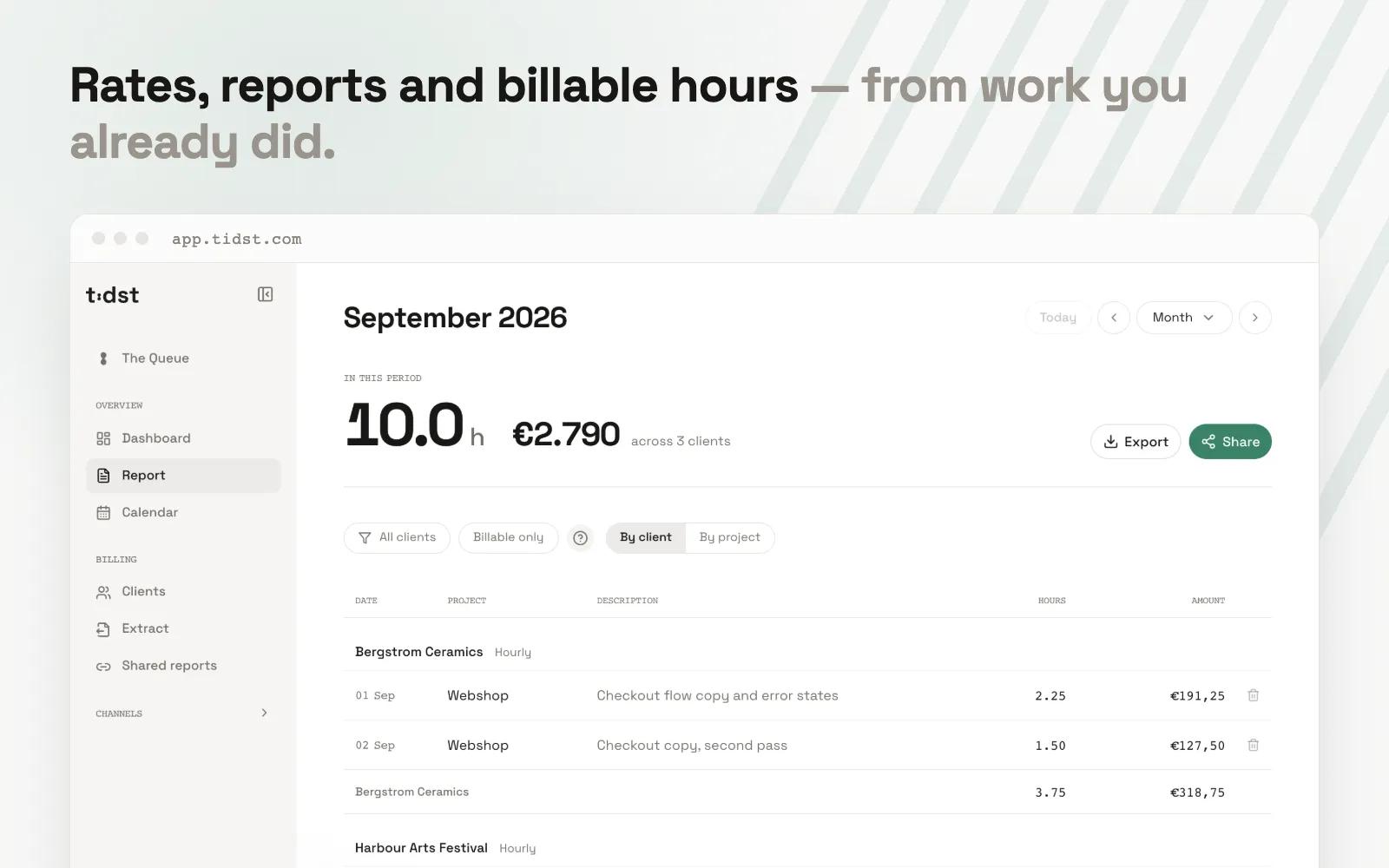
Each entry you confirm becomes logged, priced time under that client's rate, ready to hand over as a clean, billing-ready record when it's time to invoice.
How to connect Tidst + Asana?
- Create a free Tidst account at app.tidst.com — no credit card required.
- On the Connections page, click "Connect Asana" and authorize access.
- Pick which Asana projects should feed The Queue (if you have several workspaces, choose one first).
- Optional: in Settings, click "Create tags in Asana" to add the time tags (15min–90min) to your workspace.
- Complete a task in a watched project — it appears in Tidst's Queue, ready to log. Tag it with e.g. 30min before completing, and the duration arrives pre-filled.
Learn more and get support
To learn more about using the Tidst + Asana integration, visit Tidst.
If you have questions, feedback, or need support, visit the Tidst support page.
Asana does not endorse or certify apps built by third-party developers. If you encounter inappropriate content or behavior, please report it here. Otherwise, please contact the app developer for support.
Collaborate effortlessly with Asana
From the small stuff to the big picture, Asana organizes work so teams know what to do, why it matters, and how to get it done. It's free to get started, simple to use, and powerful enough to run your entire business. Learn more about Asana today.