


Dataleap + Asana
Automate your workflows with AI agents that connect your apps and act on your behalf.
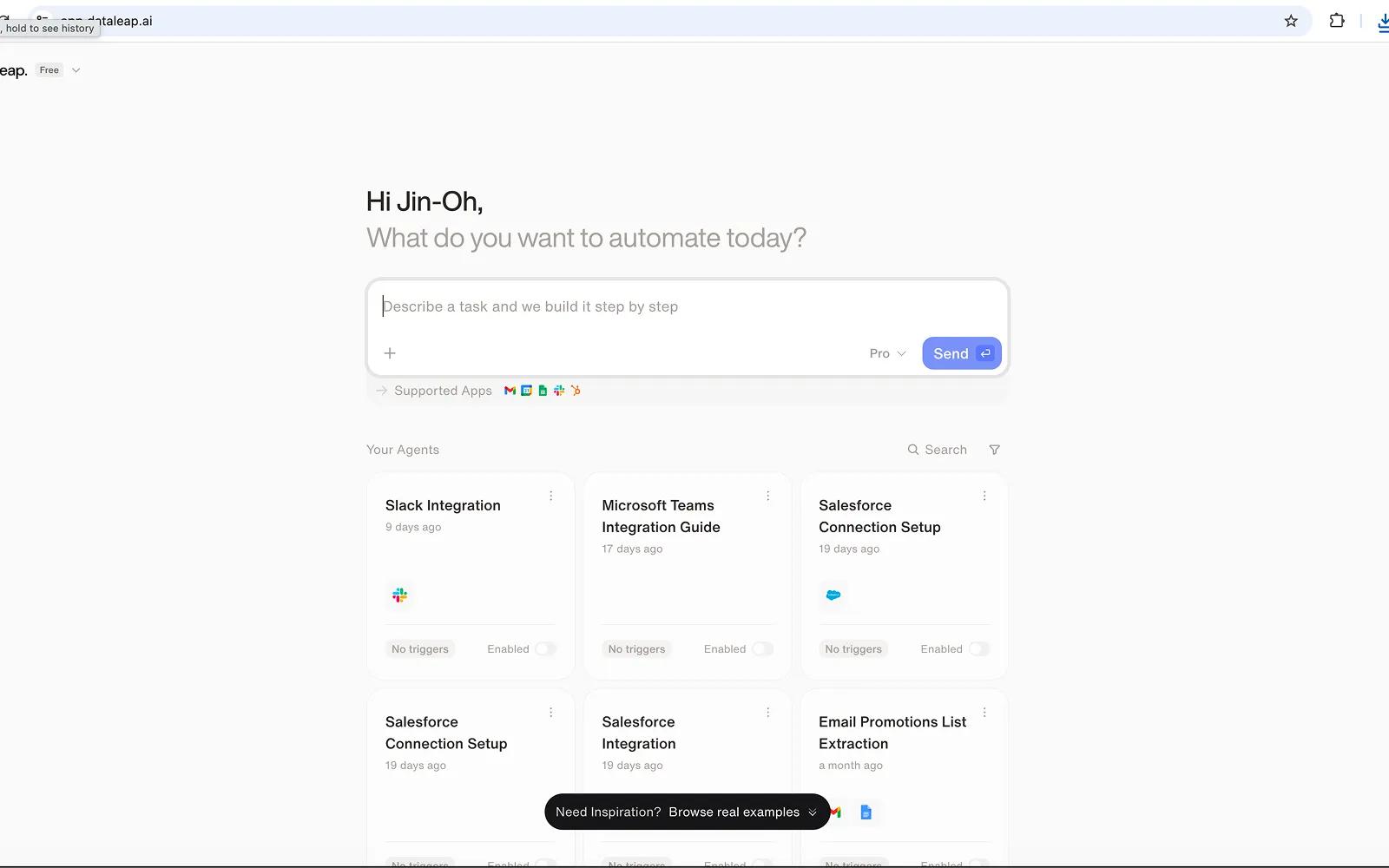
What is Dataleap?
Dataleap connects Asana with 50+ apps so teams can automate work across their tools using AI agents without writing code.
With the Dataleap–Asana integration, users can create AI-powered workflows that interact directly with Asana tasks, projects, sections, tags, comments, subtasks, and dependencies. Users describe the workflow they want in plain English, and Dataleap’s AI agent handles the actions across Asana and other connected apps.
The integration supports common Asana workflows such as:
- Creating, updating, searching, and organizing tasks
- Moving tasks between projects and sections
- Assigning tasks, setting due dates, and adding followers
- Posting comments and tracking task activity
- Managing subtasks and task dependencies
- Applying tags and keeping project work structured
Dataleap can also listen for changes in Asana via webhook-based triggers, allowing automations to run when events happen in real time, such as:
- A task is created
- A task is updated
- A task is completed
- A task is moved to another section
- A subtask is created
- A comment is added to a task
- A tag is added to a task
Example use cases include:
- When a task is completed in Asana, send a Slack message and update a Google Sheet
- When a new task is created, enrich it with CRM data and assign it to the correct team member
- Sync Asana work with tools such as Notion, Linear, Jira, Gmail, or HubSpot
- Generate weekly summaries or project status updates from Asana activity and send them by email
How to connect Dataleap + Asana?
- Create a Dataleap account: A user signs up for a Dataleap account.
- Create a new agent: From the Dataleap dashboard, the user creates a new agent and describes the workflow they want to automate in plain English. For example: “When a task is completed in Asana, send a Slack message to my team.”
- Connect Asana: When the agent requires access to Asana, Dataleap prompts the user to connect their Asana account. The user clicks the authorization link, signs in to Asana, and grants the required permissions through OAuth.
- Connect any additional apps: If the workflow involves other tools such as Slack, Gmail, Google Sheets, Notion, or HubSpot, the user can connect those accounts through the same guided OAuth flow.
- Test and refine the workflow: Once the connections are complete, the user can test the workflow and refine the instructions in natural language to adjust triggers, actions, or app behavior.
Example setup flow:
A user can create an agent with a prompt such as: “When a task is marked complete in Asana, post an update in Slack and log it to Google Sheets.” Dataleap then guides the user to connect Asana, Slack, and Google Sheets before the workflow is tested and activated.
Dataleap gives users one AI-powered interface to coordinate workflows across Asana and the rest of their stack.
Learn more and get support
To learn more about using the Dataleap + Asana integration, visit Dataleap.
If you have questions, feedback, or need support, visit the Dataleap support page.
Asana does not endorse or certify apps built by third-party developers. If you encounter inappropriate content or behavior, please report it here. Otherwise, please contact the app developer for support.
Collaborate effortlessly with Asana
From the small stuff to the big picture, Asana organizes work so teams know what to do, why it matters, and how to get it done. It's free to get started, simple to use, and powerful enough to run your entire business. Learn more about Asana today.